
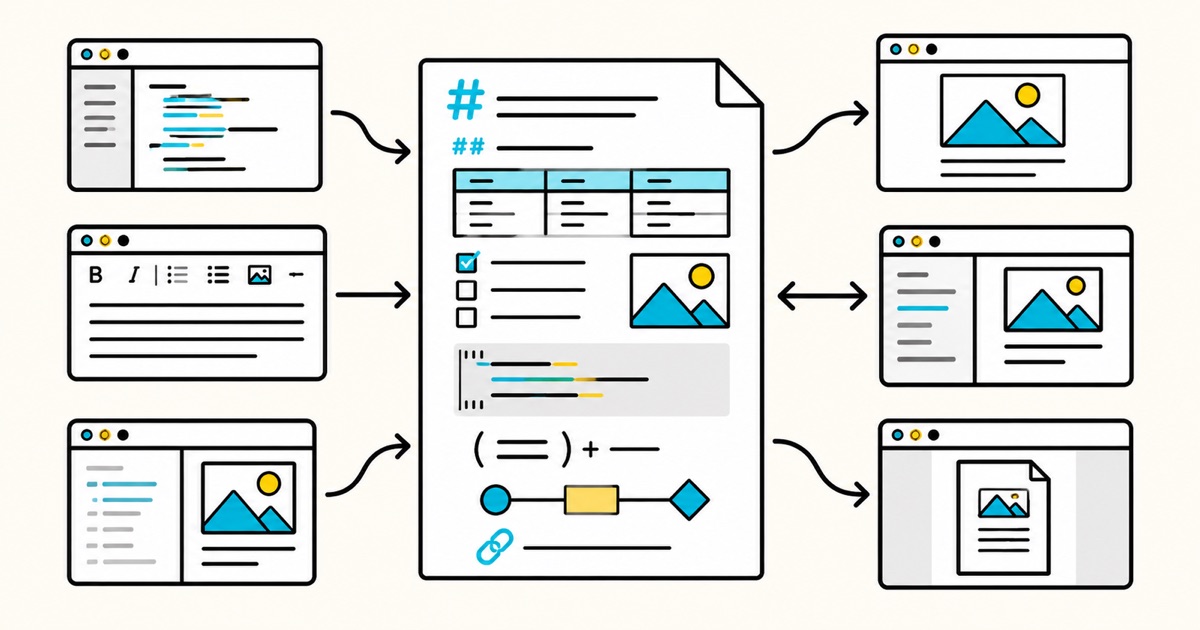
Select Code → Download ZIP to keep the document and image files together. The repository also lets you inspect the source and review changes before downloading.
The pack is openly licensed under CC BY 4.0. You can reuse or adapt the test material with attribution. This does not make the Markdific app open source.
Quick answer: Download the ZIP, open the same
.mdfile in each tool, record what renders correctly, then save and export a working copy. Keep rendering, Markdown round trips, and exported formats as separate results.
What the test covers
The version 1.0 document has 30 numbered sections. Each section identifies whether it tests CommonMark, GitHub Flavored Markdown (GFM), a common extension, application-specific syntax, HTML behaviour, or a round trip.
| Area | Examples | What to check |
|---|---|---|
| CommonMark | Headings, links, lists, blockquotes, code, breaks | Parsing and document structure |
| GFM | Tables, task lists, strikethrough, autolinks | Extended syntax support |
| Images | PNG, JPEG, WebP, filenames with spaces, remote images | Loading and path preservation |
| Technical content | LaTeX math and seven Mermaid diagram types | Preview, source fallback, export |
| App-specific syntax | Obsidian wiki-links, embeds, callouts, tags | Portability and recoverability |
| Round trips | Open, edit, save, and export | Source rewrites and lost content |
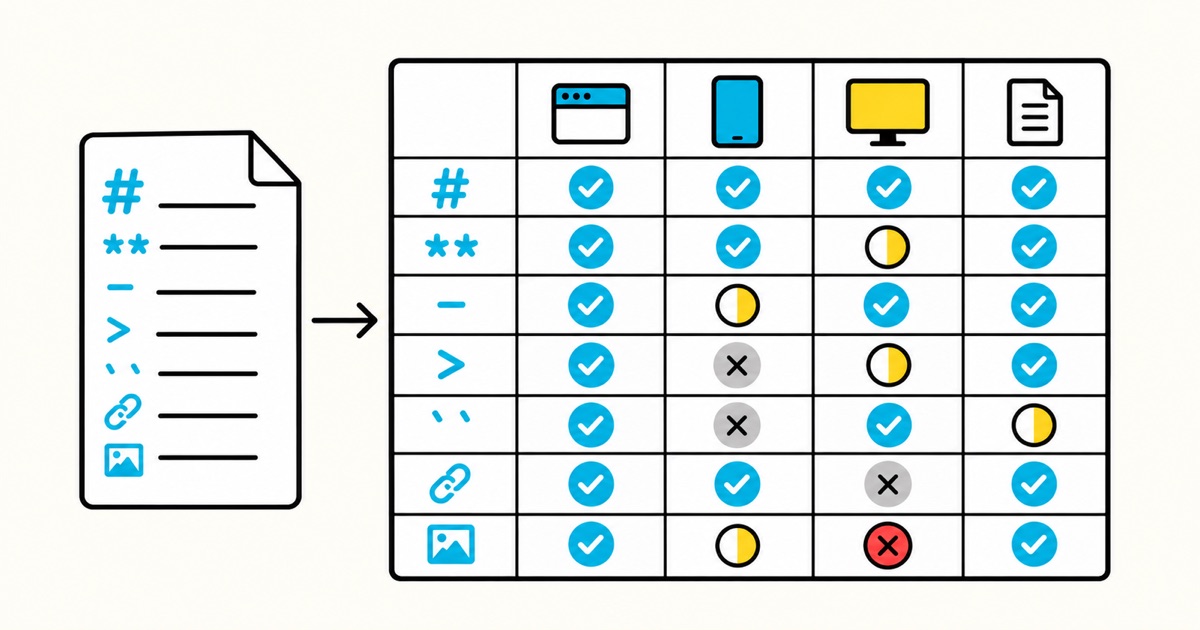
Math, Mermaid, and Obsidian syntax are not part of core CommonMark. A tool can be an accurate CommonMark renderer without supporting them. The pack is a practical comparison document, not a formal standards-conformance suite.
How to run a fair comparison
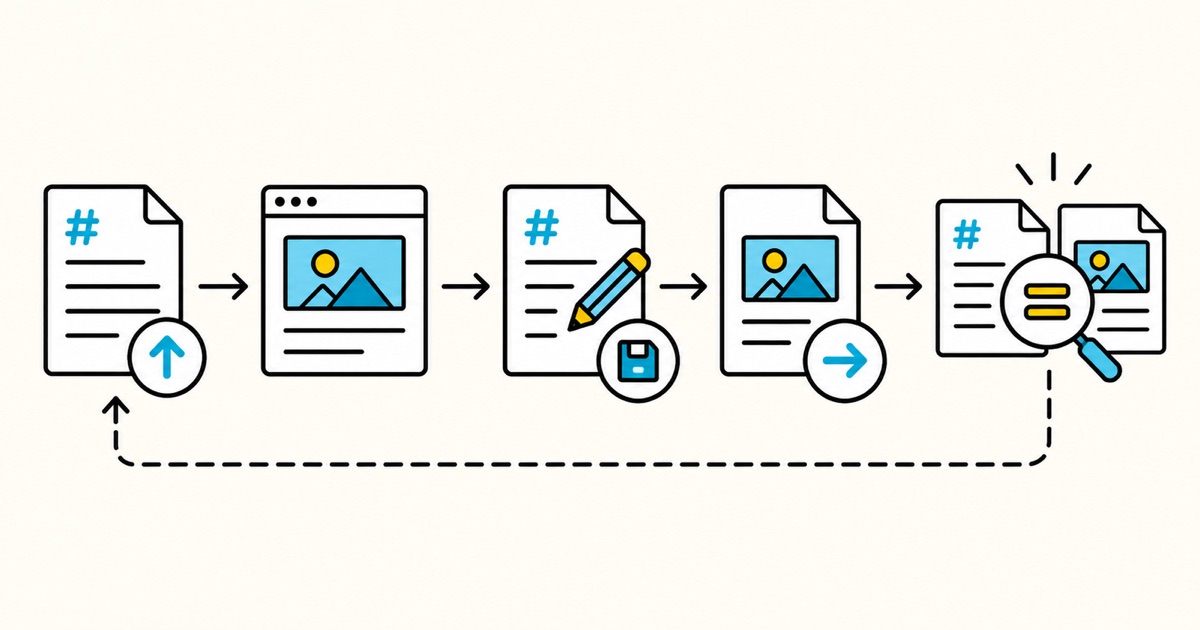
- Download the repository ZIP. Extract it without separating the
.mddocument fromassets/. - Keep one untouched baseline copy. Record the application version, operating system, renderer mode, and test date.
- Open a working copy in the first tool. Check rendered output and source where available.
- Make one small edit, save as Markdown, and compare the saved file with the baseline.
- Export to each format the tool offers, such as HTML, PDF, or DOCX. Open the export and inspect it separately.
- Repeat with the same baseline in the other tools. Complete the results table inside the document.
Do not collapse all observations into one “supports Markdown” score. A viewer may render a diagram but not edit it. A converter may preserve its appearance in PDF but lose the Mermaid source. Those are different outcomes.
Result labels
- Pass: Structure and meaning survive the tested operation.
- Partial: Content remains usable, but formatting, source, metadata, or editability changes.
- Unsupported: An optional syntax extension is not implemented, while the source remains recoverable.
- Fail: Content disappears, becomes misleading, executes unsafe content, or cannot be recovered.
- Not tested: The operation could not be completed or does not apply.
Record the evidence behind each label. For example, “Mermaid displayed as a readable code block” is usually Unsupported, not Fail, unless the tool claims Mermaid rendering.
Image tests: what should and should not load
The ZIP contains six working local-image fixtures: PNG, JPEG, WebP, a filename with spaces, an image referenced by HTML, and an Obsidian-style pasted image. Keep assets/ beside the document. All six files deliberately use the same simple artwork so the comparison isolates file format and path handling instead of unrelated visual differences.
Two other paths are intentionally unresolved in the standalone bundle. A parent-relative path depends on a larger folder, while a site-root-relative path depends on a website. The remote image depends on network access. These cases test how a tool explains missing or external assets; they are not missing files from the ZIP.
If all bundled local images fail, first check extraction, folder placement, and local-file permissions before grading the renderer.
What to inspect after saving and exporting
Visual previews can hide source changes. Check the saved Markdown for lost link destinations, rewritten image paths, broken tables, altered code fences, escaped characters, or deleted metadata. Harmless formatting normalization is different from lost meaning.
For PDF, inspect page breaks, code wrapping, math, diagram resolution, and links. For DOCX, check whether headings, tables, lists, and images remain editable. For HTML, check structure, local assets, and safe handling of raw HTML.
The document includes a harmless script test. A secure preview may escape, strip, or display the source without running it. Do not treat blocked script execution as a failure.
Share reproducible results
When publishing a comparison, include the pack version (1.0), tool and version, operating system, configuration, import method, export settings, completed results table, and screenshots of meaningful differences. State any modifications to the test file.
Markdific created the pack and may be one of the applications tested. Apply the same file and scoring definitions to every application. Do not count an optional feature as a defect merely because one product implements it.
Download and reuse
Open the Markdown Compatibility Test Pack on GitHub
Use Code → Download ZIP for the .md document, assets/, README, and licence together.
The document and its bundled image fixtures are licensed under CC BY 4.0. Credit “Markdific Markdown Compatibility Test Pack v1.0,” link to the repository and licence, and identify changes if you adapt the material.
Frequently asked questions
Is this an official CommonMark test suite?
No. CommonMark has its own specification and conformance examples. This pack tests practical documents and workflows, including extensions and export.
Can I test a static-site generator?
Yes. Record the engine, plugins, configuration, theme, build version, and asset-path rules. Compare generated HTML and files, not just the development preview.
Can I publish or modify the test pack?
Yes, under CC BY 4.0. Give attribution, link to the licence, and indicate changes. Preserve the original version identifier in comparison results so readers know what was tested.