


Tables
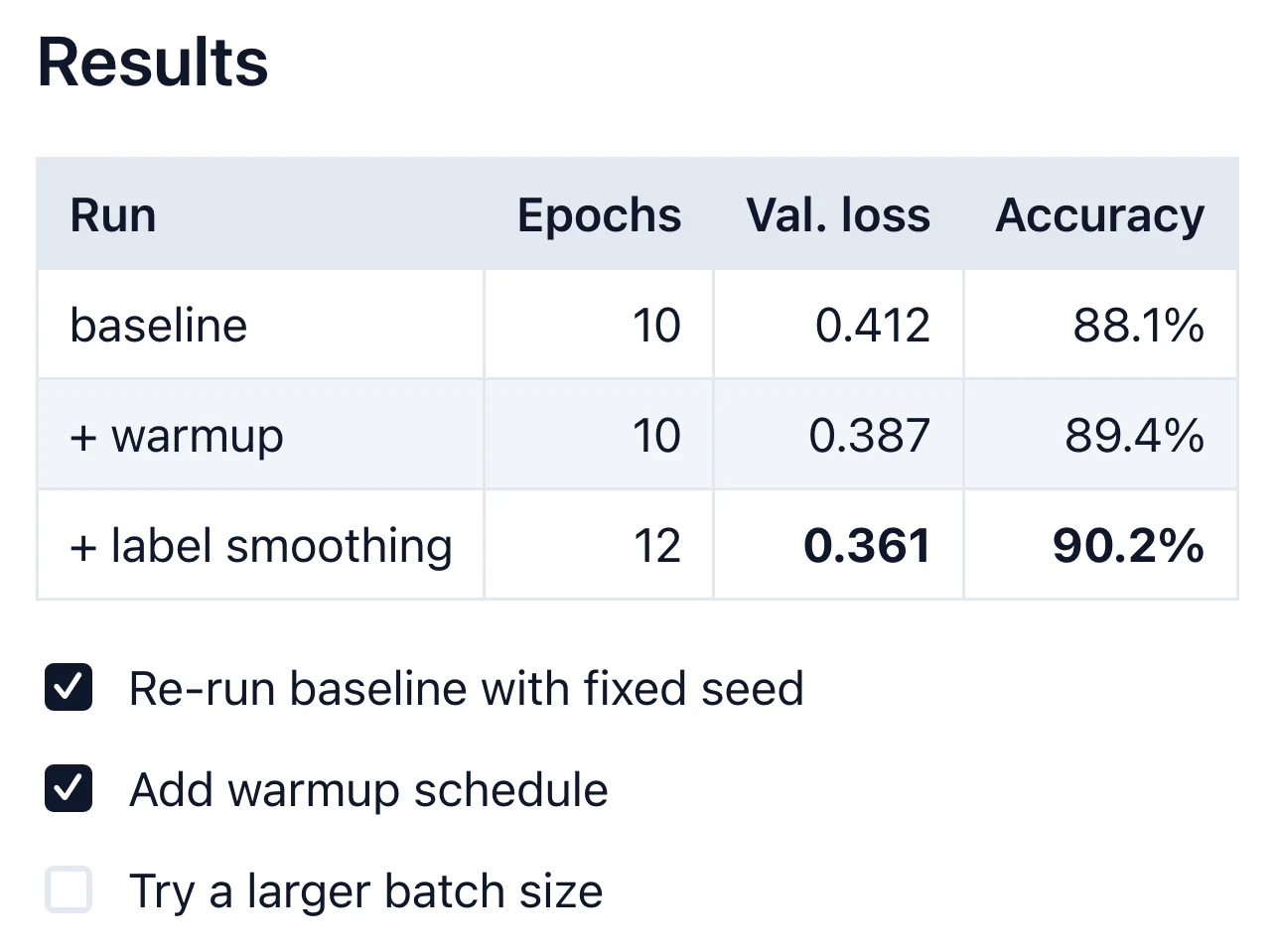
Tables render as tables, and you edit them in the document.

Home · Features · WYSIWYG editing
Edit Markdown the way it will be read: real headings, lists, tables and diagrams, with no symbols in the way. Markdific saves a plain .md file, on Mac, Windows and Linux.
Free Markdown viewer · 14-day free trial of Premium features
30-day money-back guarantee

A WYSIWYG Markdown editor shows the formatted document while you type and saves plain Markdown underneath. You write a heading, a list or a table directly, instead of typing #, - and | and checking a preview. Markdific does this in its Live editor, and you can switch to the raw source at any time.
.md file, or start a new one.The file on disk is ordinary Markdown. The Live editor shows and edits the result.
## Milestones

- [x] Design freeze
- [ ] Internal beta

> [!NOTE]
> The beta starts on Monday.
Milestones
☑ Design freeze
☐ Internal beta
Live editor
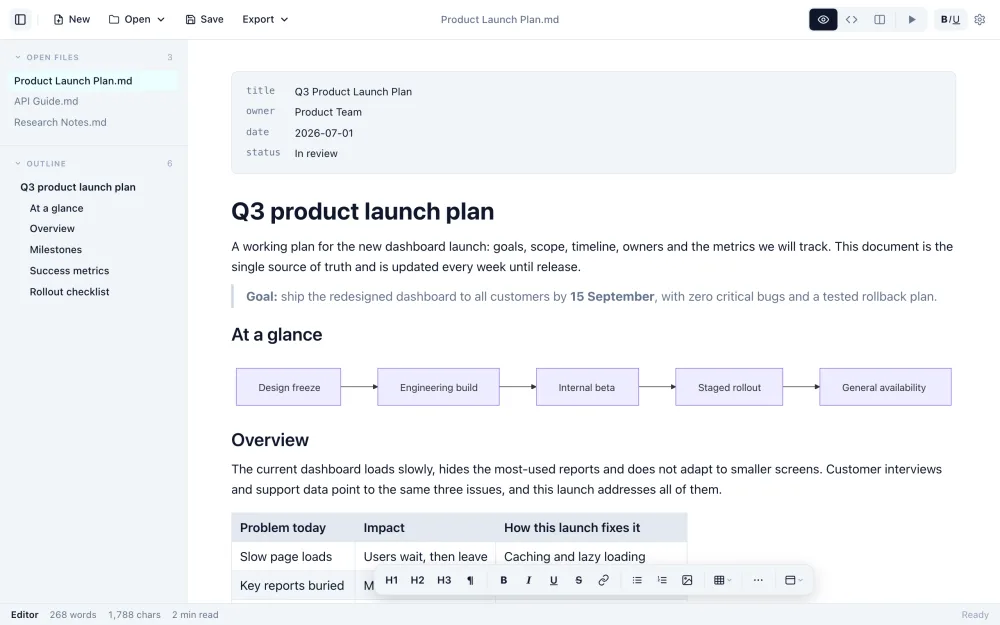
Headings look like headings, tables like tables and diagrams like diagrams while you edit them.
Three views
Some edits are easier in raw Markdown. Switch views with one shortcut; the file is the same in all three.
Cmd/Ctrl+1 Live editorCmd/Ctrl+2 SourceCmd/Ctrl+3 Split, with a live preview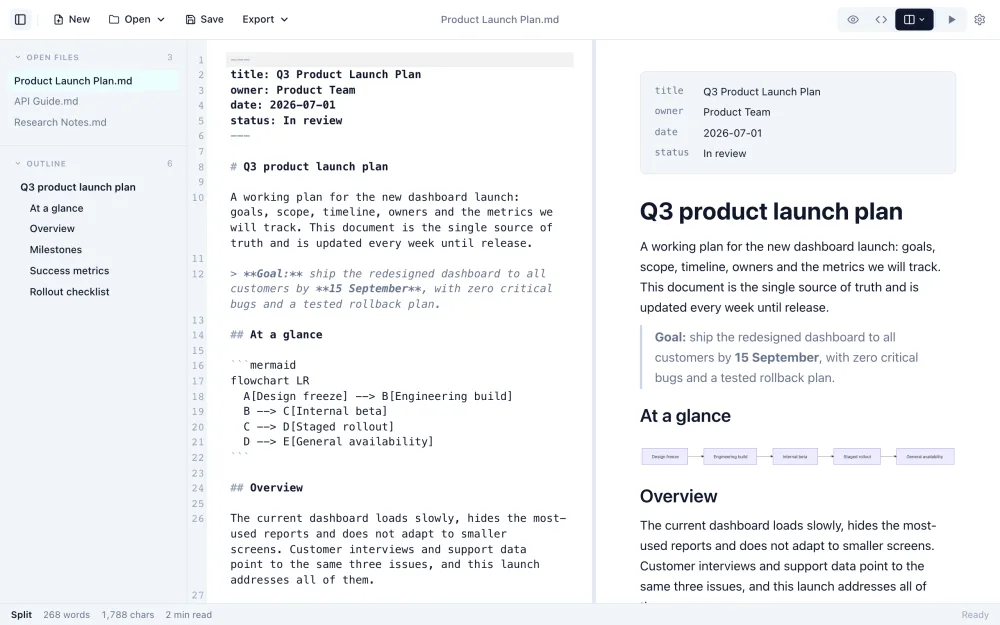
Everything renders in place, so you see the finished document while writing.
Tables render as tables, and you edit them in the document.
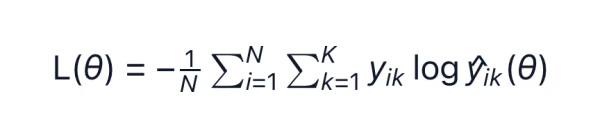
KaTeX formulas render inline and as blocks.
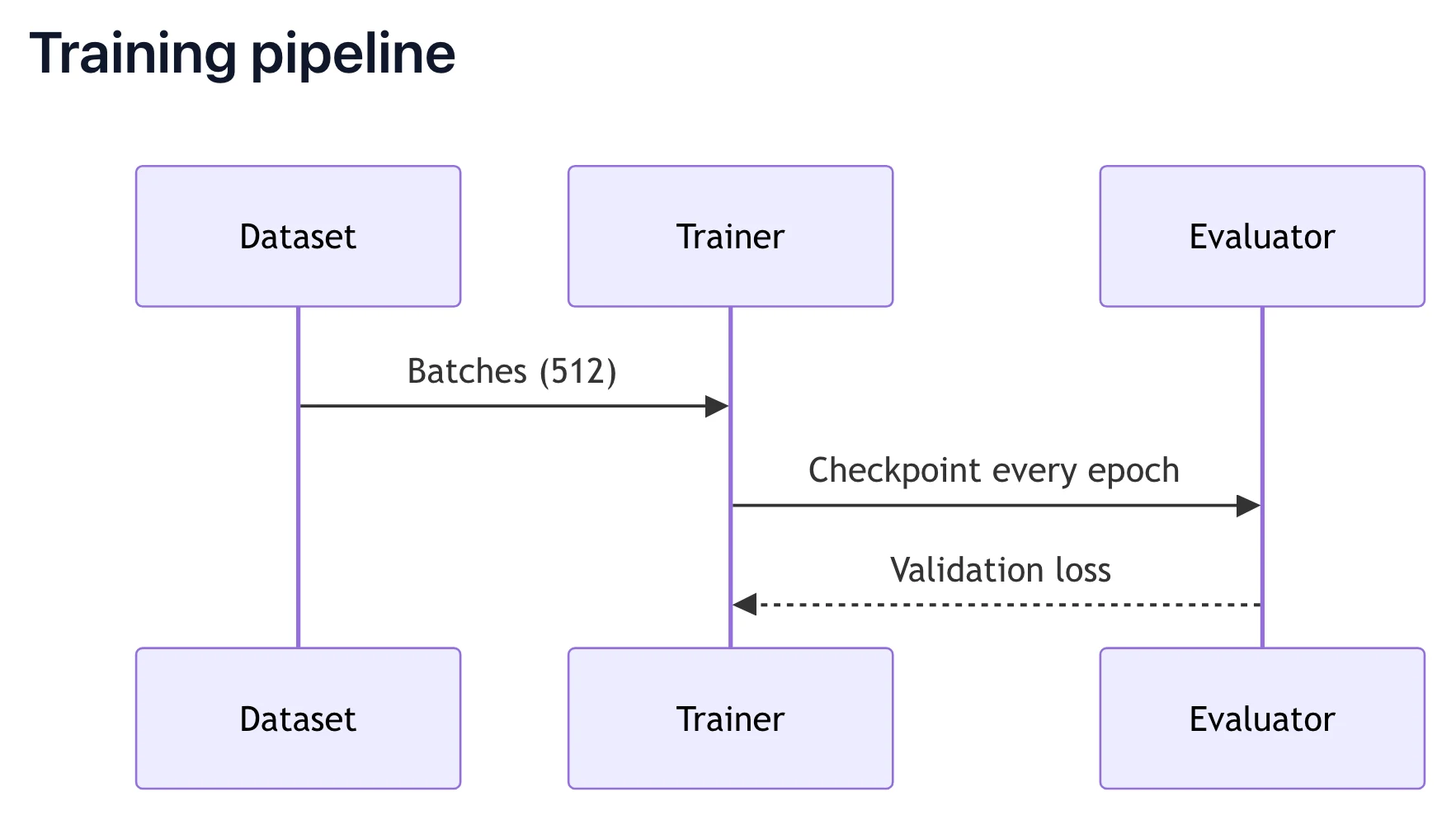
Flowcharts, sequence diagrams and charts render as you type.
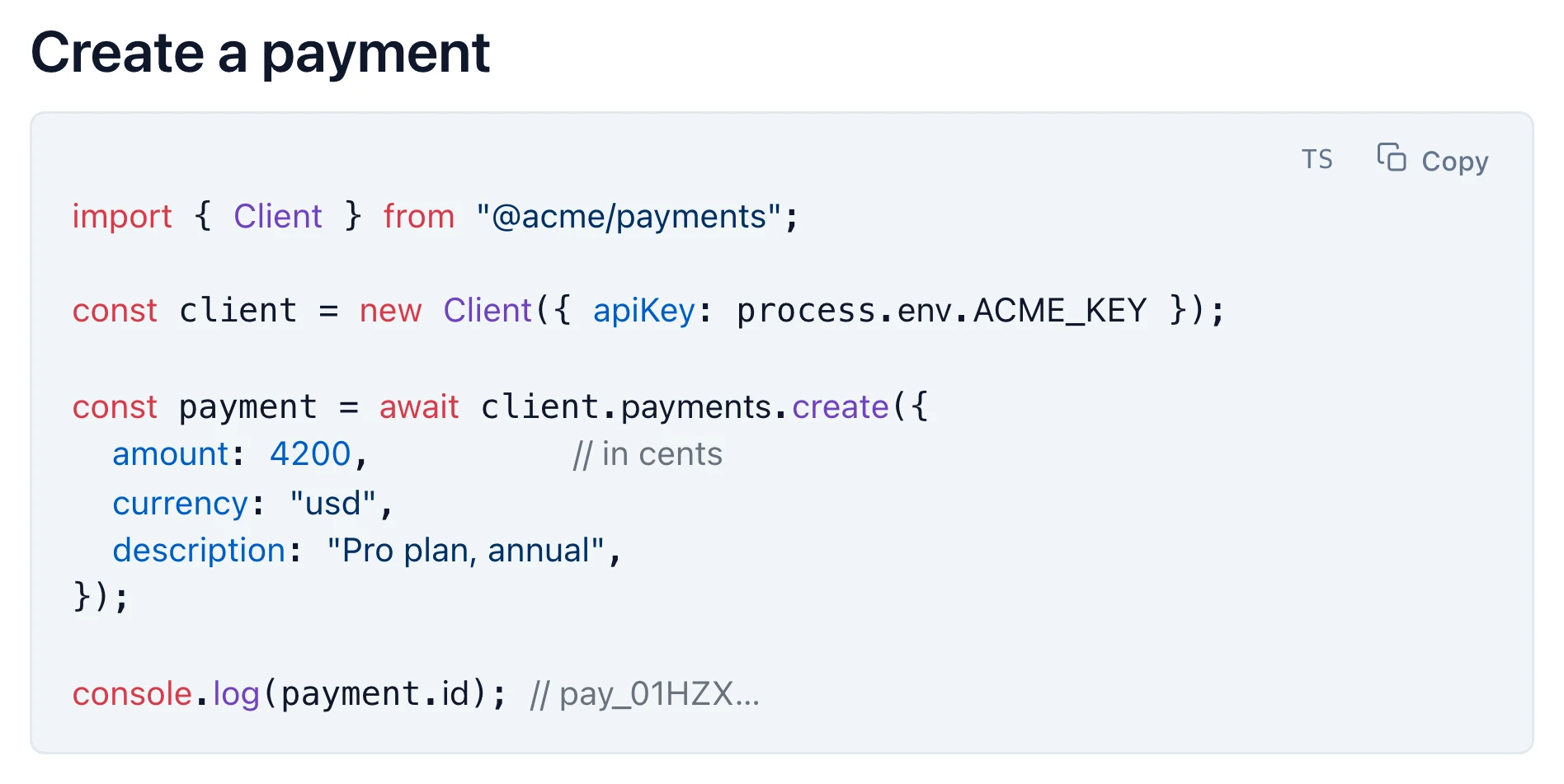
Highlighted when a language is set, with a Wrap button for long lines.
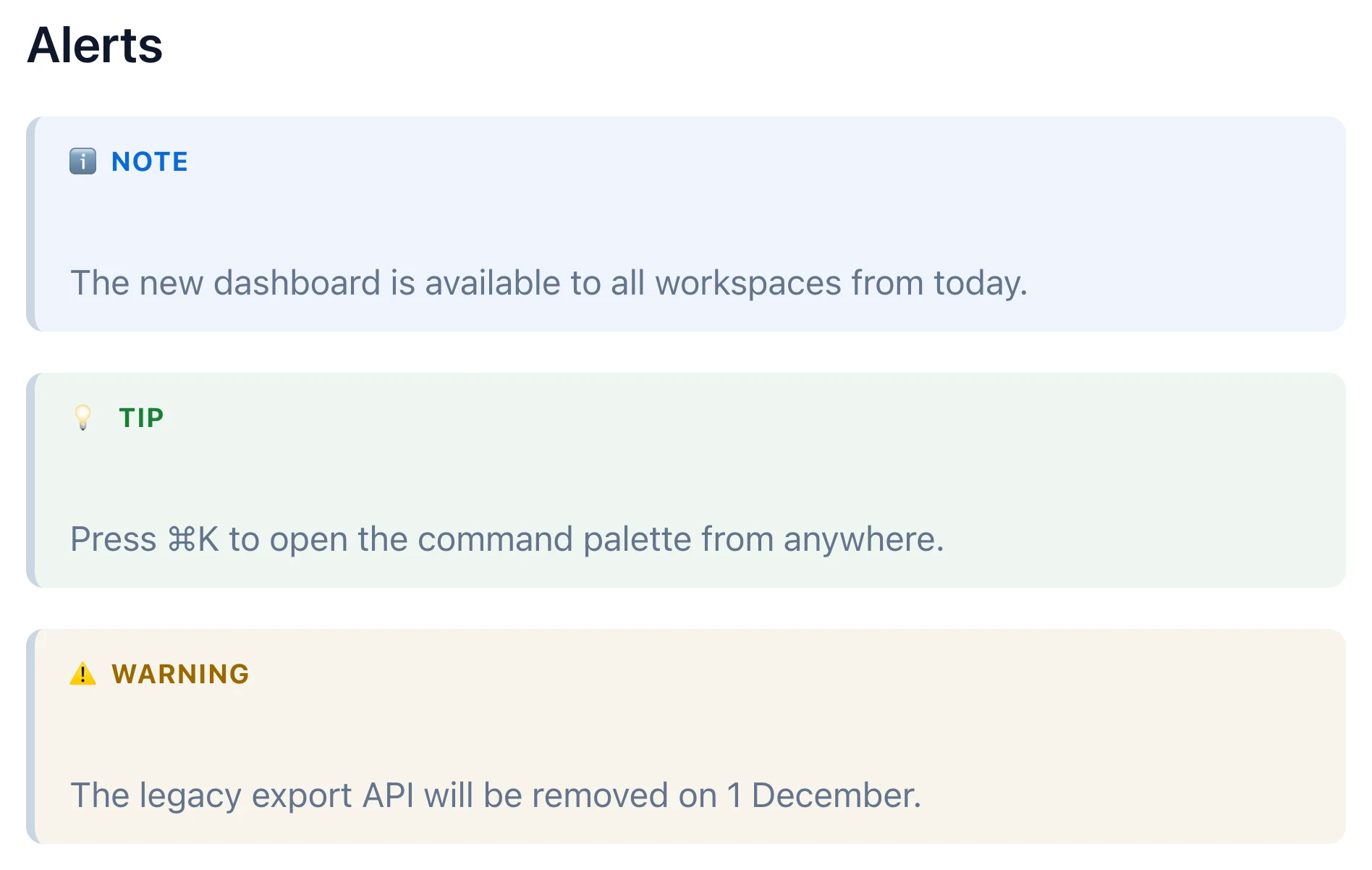
Checkboxes and GitHub-style note, tip and warning alerts.

Pasted images are kept when you save.
Where a WYSIWYG Markdown editor fits.
| Type | How you edit | Examples |
|---|---|---|
| Source only | Raw Markdown with symbols, no preview | Plain text editors |
| Source with preview | Raw Markdown, with a separate preview pane | VS Code, many online editors |
| WYSIWYG Markdown | The formatted document; saves Markdown | Markdific, Typora, Obsidian Live Preview |
| Rich text with Markdown import or export | A document in the app's own format | Notion, Google Docs |
WYSIWYG means what you see is what you get. A WYSIWYG Markdown editor lets you edit the formatted document, with real headings, lists and tables, while it saves a plain Markdown file underneath.
Only the parts you edit. Markdific saves plain Markdown, and when you save it rewrites only what changed, so bullet style, table spacing, blank lines and inline HTML elsewhere stay as written.
Yes. Switch to Source view with Cmd/Ctrl+2, or Split view with Cmd/Ctrl+3 to see the source beside a live preview.
Yes. Tables, KaTeX math, Mermaid diagrams, task lists, alerts and highlighted code render in place while you edit.
Notion and Google Docs keep documents in their own format. Markdific edits .md files on your computer, which open in any Markdown app and work with Git.
It is free for 14 days, then part of the one-time purchase of $14.99. Reading Markdown files stays free.
Yes. The free online Markdown editor uses the same editor in your browser, with no account.
Mac, Windows and Linux.
Download Markdific for Mac, Windows or Linux. $14.99 once after the trial, no subscription.
Free Markdown viewer · 14-day free trial of Premium features
30-day money-back guarantee