


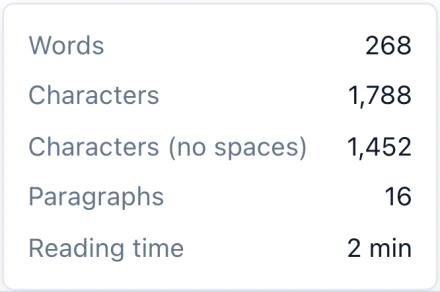
Word count and reading time
Words, characters, paragraphs and reading time, one click away in the status bar.

Markdific is a Markdown viewer and editor for Linux desktops. It opens .md files as formatted documents, lets you edit in a live editor or in the source with a side-by-side preview, and exports to Word or HTML. Packages are available as .deb, .rpm and AppImage, for Intel/AMD (x64) and ARM (arm64).
.deb for Ubuntu, Debian and Mint. .rpm for Fedora, RHEL and openSUSE. AppImage for any distribution.
14-day free trial. 30-day money-back guarantee.

Edit the formatted document directly, with the formatting bar for headings, lists, links and tables.
The Markdown viewer for Linux comes in three package formats. Pick the one for your distribution and processor. Most PCs and laptops are Intel / AMD (x64). Choose ARM for a Raspberry Pi running a 64-bit system, an ARM laptop, or a Linux virtual machine on an Apple silicon Mac.
| Package | Intel / AMD (x64) | ARM (arm64) |
|---|---|---|
| .debUbuntu, Debian, Linux Mint, Pop!_OSRecommended for Debian-based systems | Download .deb | Download .deb |
| .rpmFedora, RHEL, openSUSE | Download .rpm | Download .rpm |
| AppImageAny distribution, no installNeeds FUSE 2 | Download AppImage | Download AppImage |
These steps install Markdific as a Markdown editor for Ubuntu, Debian, Linux Mint, Fedora, openSUSE and other distributions.
Open a terminal in the folder you downloaded to (usually ~/Downloads) and run the command for your package.
cd ~/Downloads
sudo apt install ./Markdific_*.deb
Using apt rather than dpkg -i also installs the WebKitGTK and GTK libraries Markdific needs. You can also double-click the .deb to open it in your software centre.
cd ~/Downloads
sudo dnf install ./Markdific-*.rpm
On openSUSE, use sudo zypper install ./Markdific-*.rpm.
cd ~/Downloads
chmod +x Markdific_*.AppImage
./Markdific_*.AppImage
The AppImage runs without installing anything, but needs FUSE 2. If it does not start on Ubuntu 22.04, install it with sudo apt install libfuse2 (on Ubuntu 24.04 the package is libfuse2t64).
Once installed, Markdific works as your Markdown viewer for Linux from the applications menu, the file manager or the terminal.
With the .deb or .rpm installed, this sets Markdific as the default app for Markdown files:
xdg-mime default Markdific.desktop text/markdownMarkdific does not update itself on Linux yet. To update, download the newest package from this page and install it with the same command. apt and dnf replace the older version and keep your settings. For the AppImage, replace the old file with the new one.
To remove it, run sudo apt remove markdific (.deb) or sudo dnf remove Markdific (.rpm), or delete the AppImage file.
Tabs and find and replace are in the x64 packages; the ARM (arm64) packages get them in the next update. See the supported Markdown syntax for every element it renders.
Words, characters, paragraphs and reading time, one click away in the status bar.
Edit the formatted document directly. With autosave on, your file is saved a moment after you stop typing and when you switch tabs.
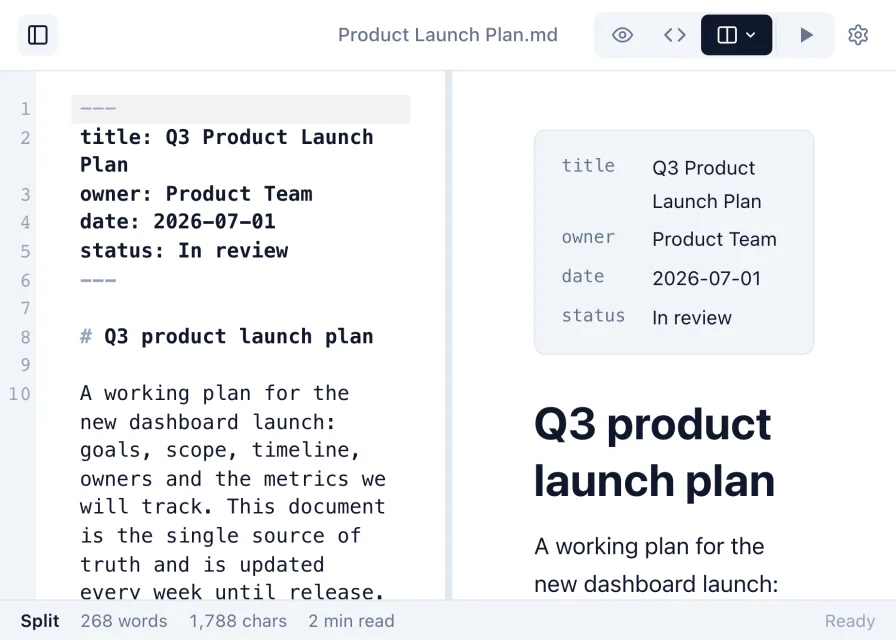
Work in raw Markdown, or use split view to see the rendered document update beside the source as you type.
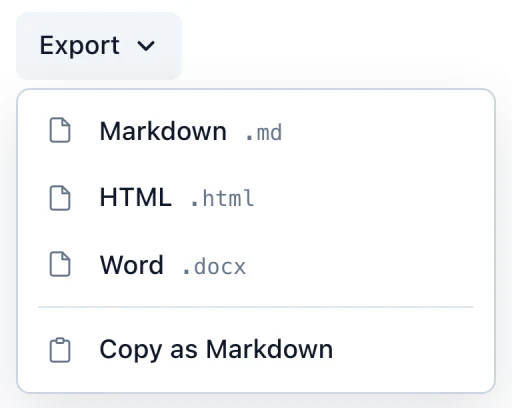
Turn a Markdown file into a Word document or an HTML page to share.
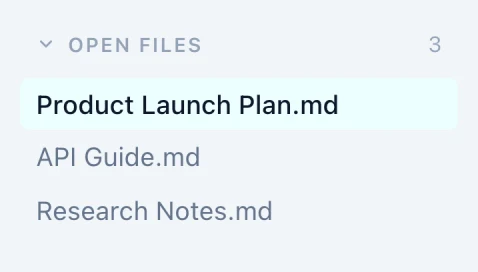
Keep several Markdown files open at once and switch between them with a click.
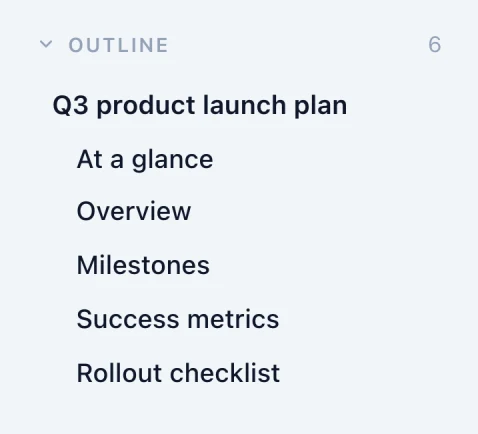
Every heading is listed in the sidebar, so you can jump through long documents.
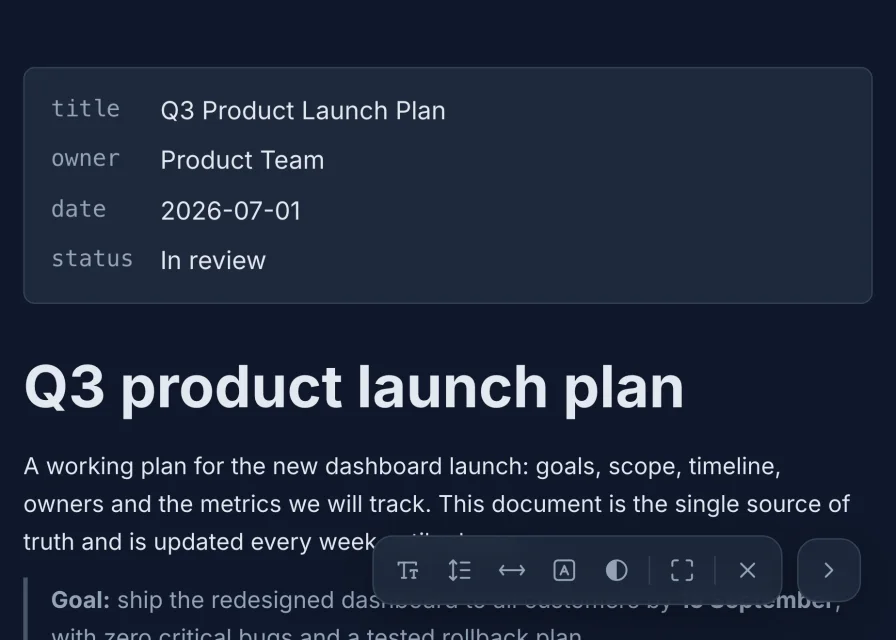
Pick a theme and typeface, or read full screen and adjust text size, line spacing, width and contrast.
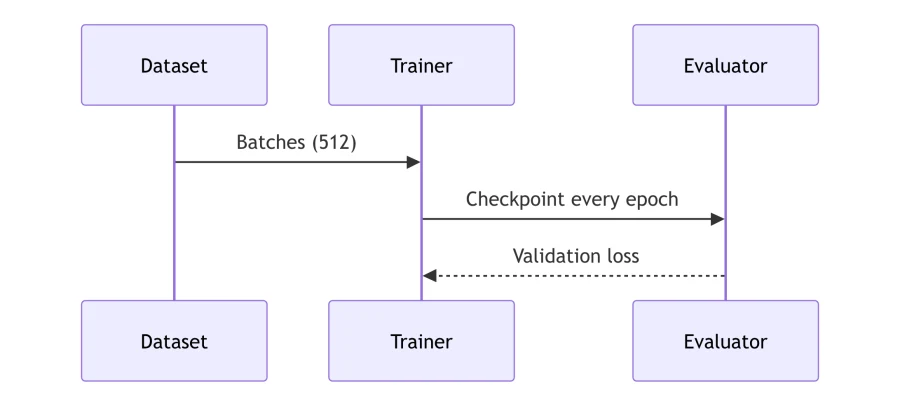
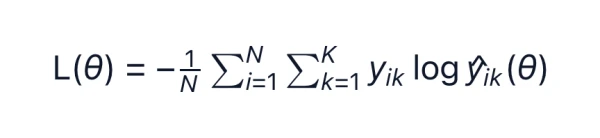
Syntax-highlighted code, math, diagrams and images render in place. Pasted images are kept when you save.

Search with match case, whole word or regular expressions, with every match highlighted. Replace in Source view.
14-day free trial. 30-day money-back guarantee.
Markdific uses the Ctrl key on Linux.
| Open a file | Ctrl+O |
| Save | Ctrl+S |
| Find | Ctrl+F |
| Live editor, Source, Split view | Ctrl+1, Ctrl+2, Ctrl+3 |
| Show or hide the sidebar | Ctrl+\ |
Markdific, the Markdown viewer for Linux, is built on Ubuntu 22.04 and runs on that release and newer: Ubuntu, Debian 12, Linux Mint, Pop!_OS, Fedora and openSUSE, among others. It needs WebKitGTK 4.1 and GTK 3. apt installs them with the .deb, and current Fedora and openSUSE releases provide them. The AppImage works on most other distributions.
Install the Markdific .deb with sudo apt install ./Markdific_*.deb, then right-click the .md file in Files, choose Open With, then Other Application, and pick Markdific. The file opens as a formatted document instead of plain text in the Text Editor.
Use the .deb on Ubuntu, Debian and Linux Mint, and the .rpm on Fedora, RHEL and openSUSE. Both add Markdific to your applications menu. Use the AppImage if your distribution uses neither format, or if you prefer to run the app without installing it.
Yes. Every package is available for arm64, which covers ARM laptops, a Raspberry Pi with a 64-bit operating system, and Linux virtual machines on Apple silicon Macs.
Not yet. PDF export is available on Mac and Windows. On Linux you can export to Word (.docx) or HTML, and print the HTML file to PDF from your browser.
Download the newest package from this page and install it the same way as before. apt and dnf replace the older version. For the AppImage, replace the old file.
AppImages need FUSE 2. Install it with sudo apt install libfuse2 on Ubuntu 22.04, or libfuse2t64 on Ubuntu 24.04, then run the AppImage again. Make sure the file is executable with chmod +x.
Yes. One purchase activates on up to three of your own devices, on any mix of Linux, Mac and Windows.
Updated 7 October 2026. See the release notes for the latest changes.
Free to read .md files. 14-day free trial. 30-day money-back guarantee.