


Autosaved10:42 · Product Launch Plan.md
Live editing with autosave
Edit the formatted document directly. With autosave on, your file is saved a moment after you stop typing.

Markdific is a Markdown editor for Windows 11 and Windows 10, and a free Markdown viewer for Windows. Open a .md file from File Explorer and read it as a formatted document, edit it in a live editor or in split view with the source, and export to PDF, Word or HTML. Install it from the Microsoft Store; Windows keeps it updated.
Windows 11, or Windows 10 version 1809 or later. 64-bit (x64) PCs.
14-day free trial. 30-day money-back guarantee.
 Markdific
Edit the formatted document directly, with the formatting bar for headings, lists, links and tables.
The Markdown editor for Windows is distributed through the Microsoft Store. Microsoft checks and signs the package, so Windows installs it without a SmartScreen warning.
If the Store app is not available on your PC, download the installer instead. It is a small setup file from Microsoft that installs the same Store version.
The Microsoft Store installs new versions of Markdific automatically. To update straight away, open the Store, go to Library and click Get updates.
Windows has no built-in Markdown viewer, so .md files open in Notepad as plain text, or Windows asks which app to use. With Markdific as your Markdown viewer for Windows:
.md in the box for setting a default by file type..markdown if you use that extension.On Windows 10 the same setting is under Settings > Apps > Default apps > Choose default apps by file type.
Everything below works in Markdific on Windows. See the supported Markdown syntax for every element it renders.
Edit the formatted document directly. With autosave on, your file is saved a moment after you stop typing.
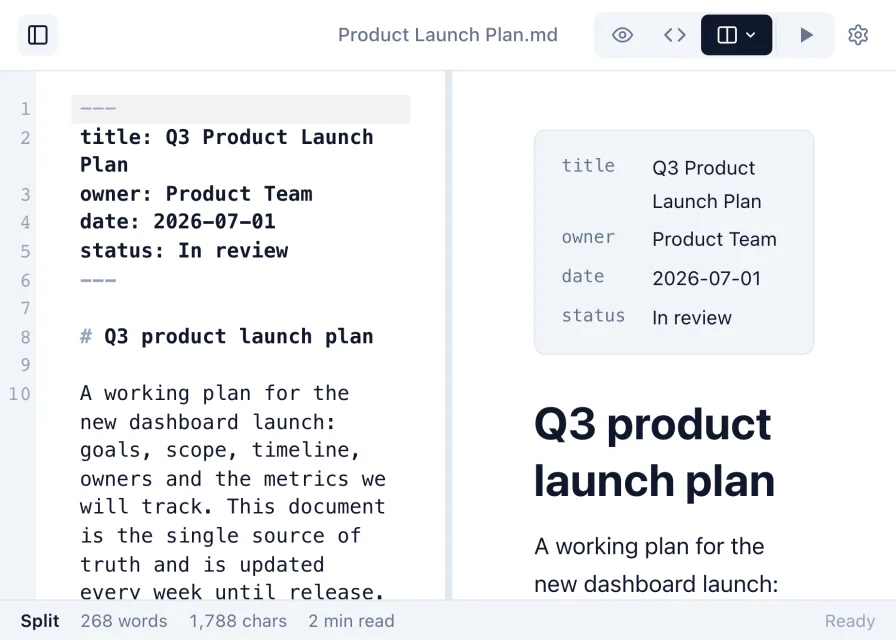
Work in raw Markdown, or use split view to see the rendered document update beside the source as you type.
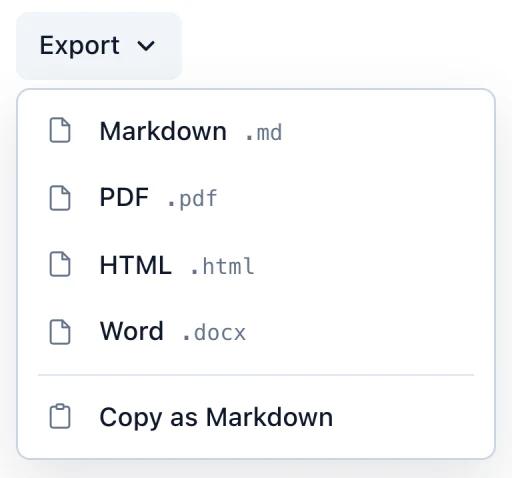
Turn a Markdown file into a PDF, a Word document or an HTML page to share.
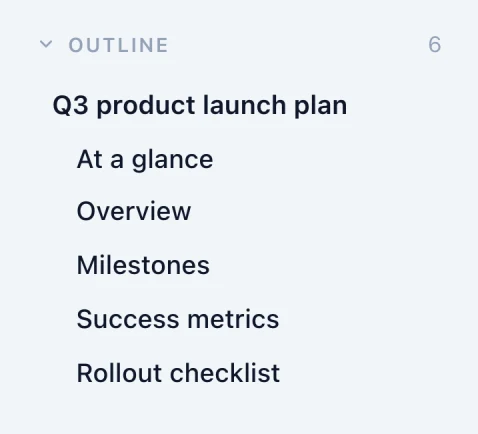
Every heading is listed in the sidebar, so you can jump through long documents.

Pick a theme and typeface, or read full screen and adjust text size, line spacing, width and contrast.
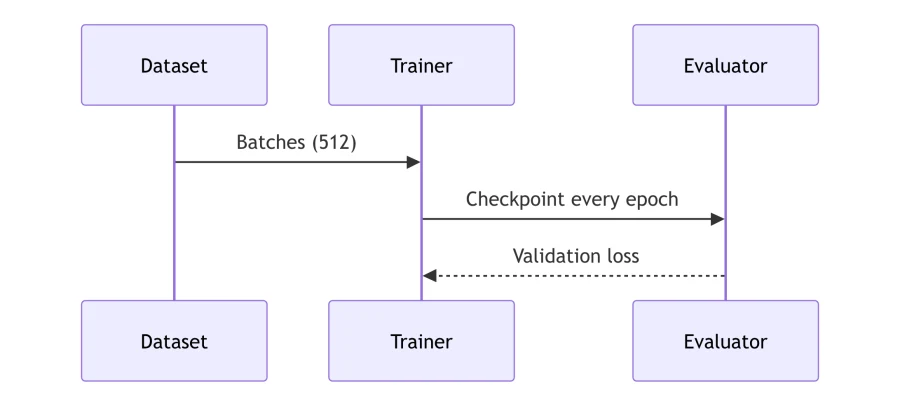

Syntax-highlighted code, math, diagrams and images render in place. Pasted images are kept when you save.
14-day free trial. 30-day money-back guarantee.
Markdific uses the Ctrl key on Windows.
| Open a file | Ctrl+O |
| Save | Ctrl+S |
| Find | Ctrl+F |
| Export to PDF | Ctrl+Shift+P |
| Live editor, Source, Split view | Ctrl+1, Ctrl+2, Ctrl+3 |
| Show or hide the sidebar | Ctrl+\ |
Install Markdific, a free Markdown viewer for Windows, from the Microsoft Store, then double-click the .md file in File Explorer and choose Markdific. The file opens formatted, with headings, tables, code and images. Without a Markdown app, Windows shows the file as plain text in Notepad.
Windows 11, and Windows 10 version 1809 or later, on 64-bit (x64) PCs.
From the Microsoft Store. There is also a direct installer link from Microsoft for PCs where the Store app is not available. Both install the same signed version.
Open Settings > Apps > Default apps, type .md in the file type box and choose Markdific. You can also right-click a .md file, choose Open with > Choose another app, select Markdific and click Always.
Through the Microsoft Store. New versions install automatically, or you can open the Store, go to Library and click Get updates.
Yes. Markdific exports to PDF, Word (.docx) and HTML from the Export menu. Word export produces an editable .docx file.
Yes. One purchase activates on up to three of your own devices, on any mix of Windows, Mac and Linux.
Updated 7 October 2026. See the release notes for the latest changes.
Free to read .md files. 14-day free trial. 30-day money-back guarantee.