



Find and replace
Match case, whole word or regular expressions, with every match highlighted. Replace in Source view.

Home · Features
A Markdown viewer and editor for Mac, Windows and Linux. Read .md files formatted, edit them visually or as source, and export to 14 formats.
Free Markdown viewer · 14-day free trial of Premium features
30-day money-back guarantee

Editing
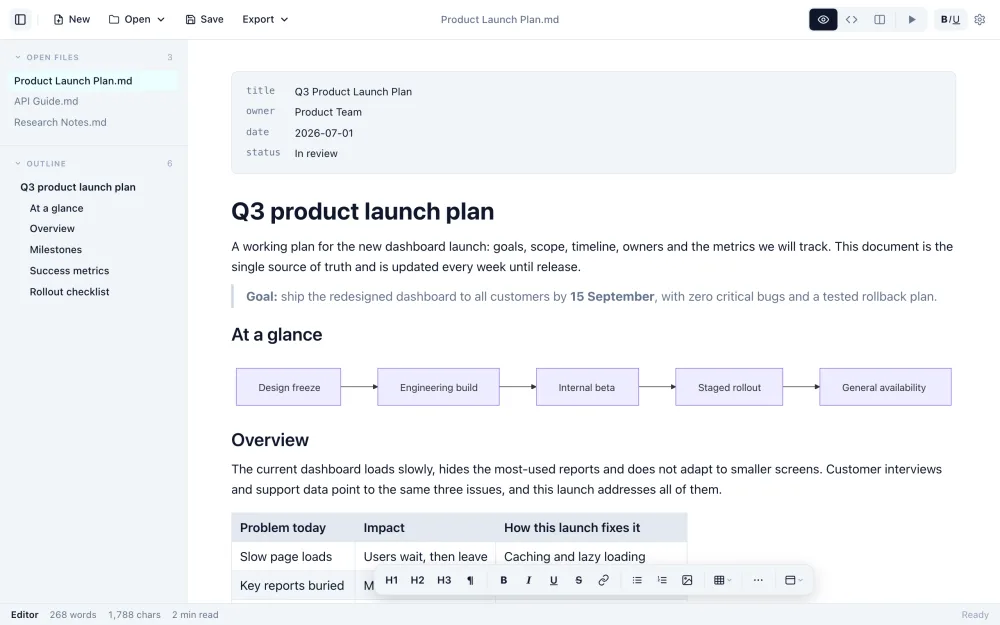
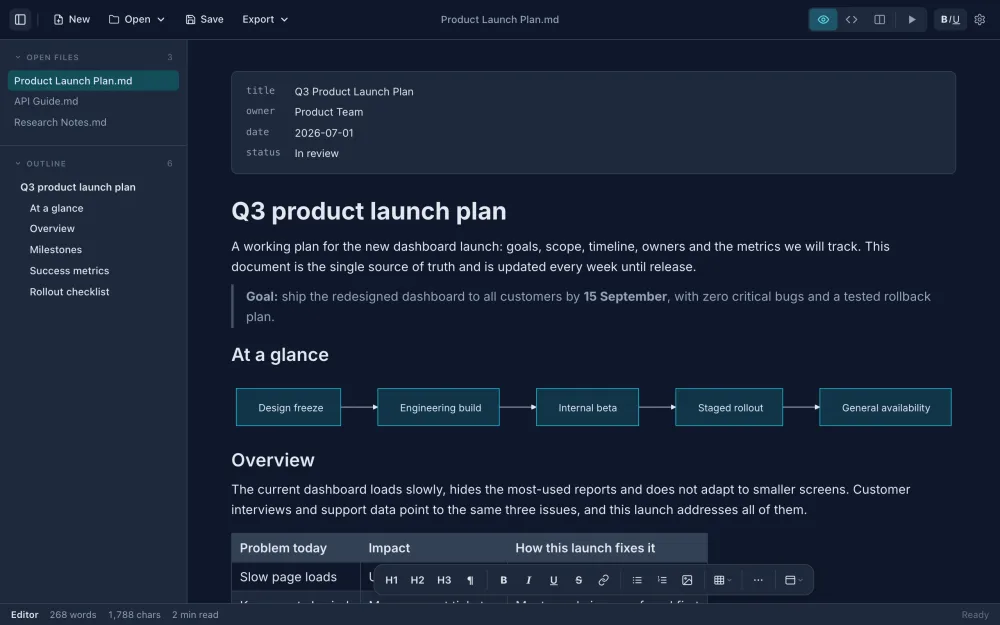
Type into headings, lists, tables and code blocks the way they will be read, without the Markdown symbols in the way. The file stays plain Markdown.
Views
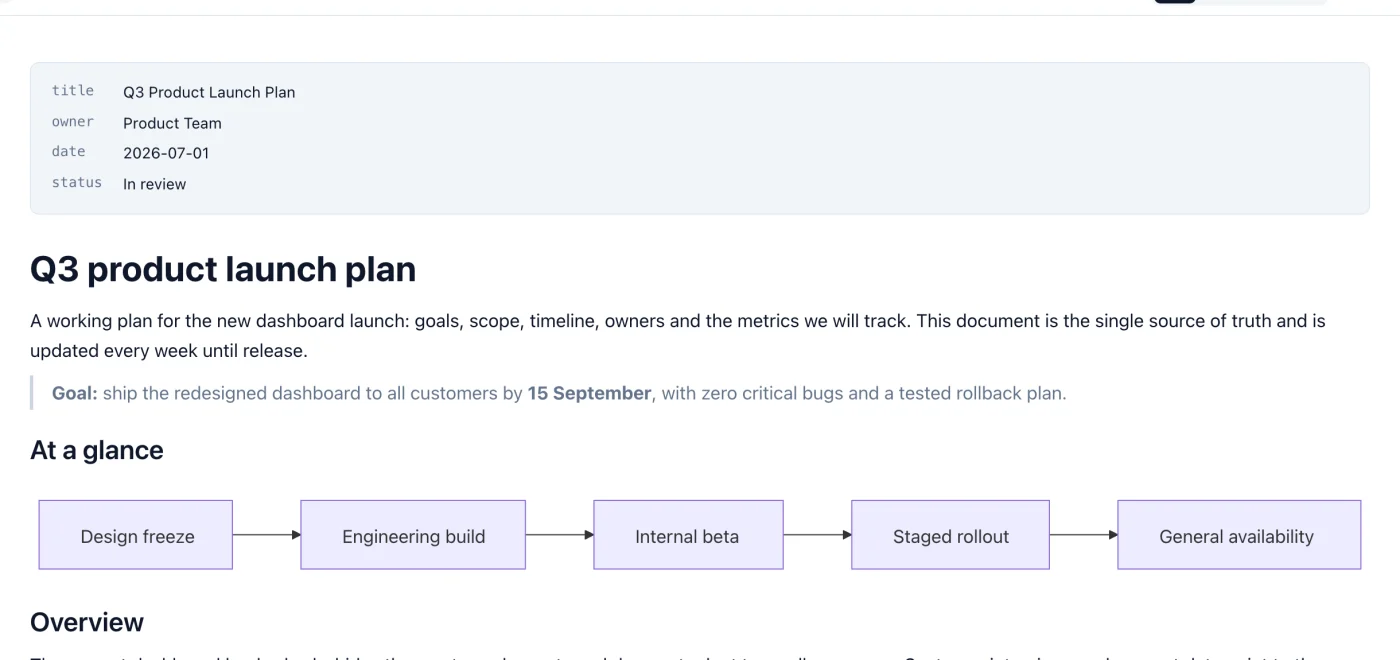
Switch between the formatted document, the raw Markdown, and a split view with the source beside a live preview.
Cmd/Ctrl+1, 2 and 3 switch views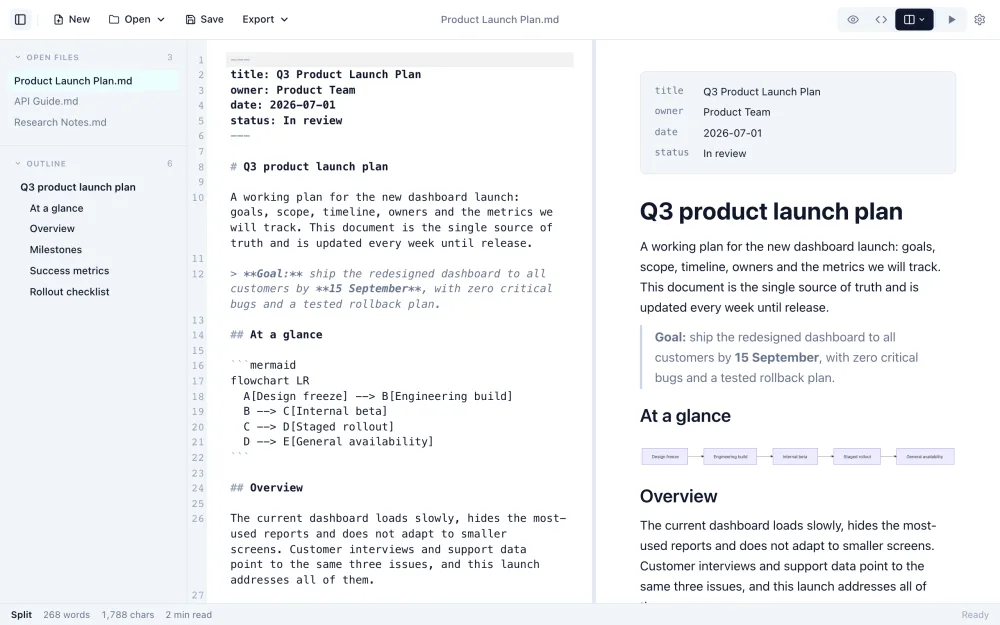
Export
PDF, Word and HTML, plus EPUB, RTF, LaTeX, Djot, reStructuredText, AsciiDoc, MediaWiki, Textile, OPML, plain text and HTML without styles.
Cmd+Option+E / Ctrl+Alt+E) repeats the last export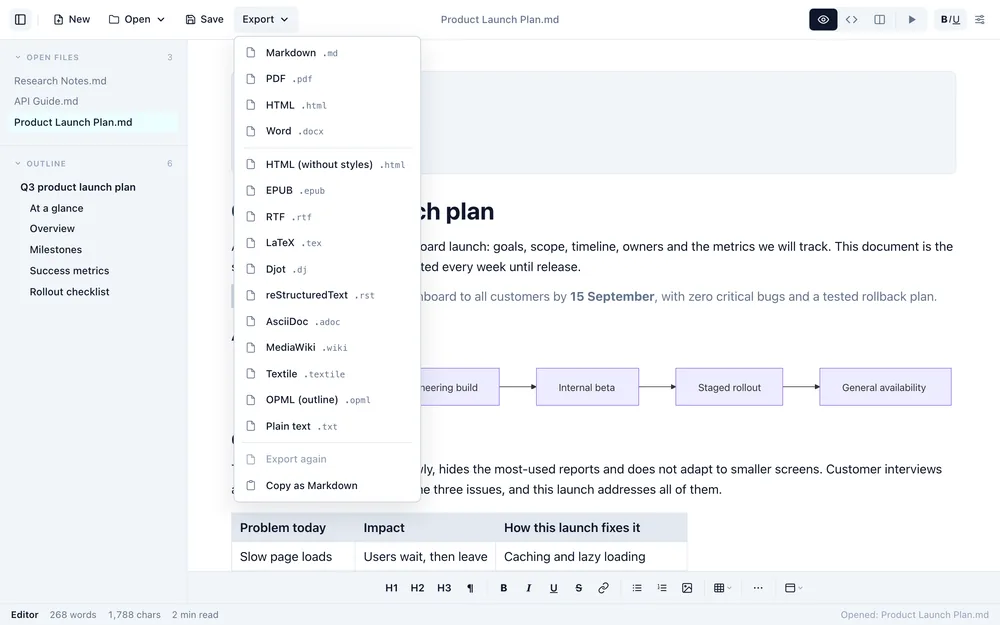
Rendering
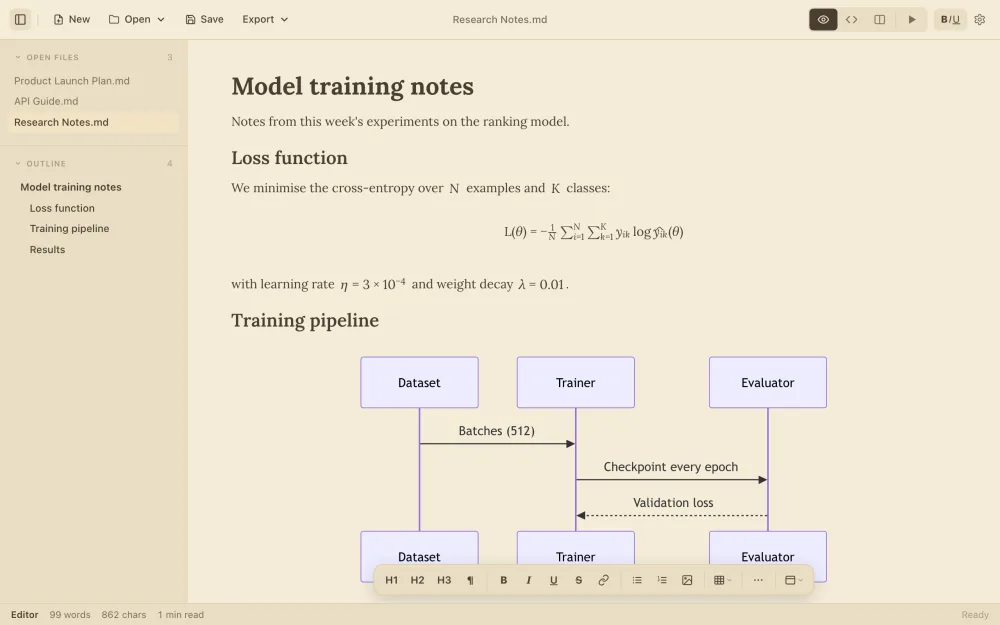
Syntax-highlighted code, KaTeX math, Mermaid diagrams, tables, task lists, GitHub-style alerts and images all render as you write.
Reading
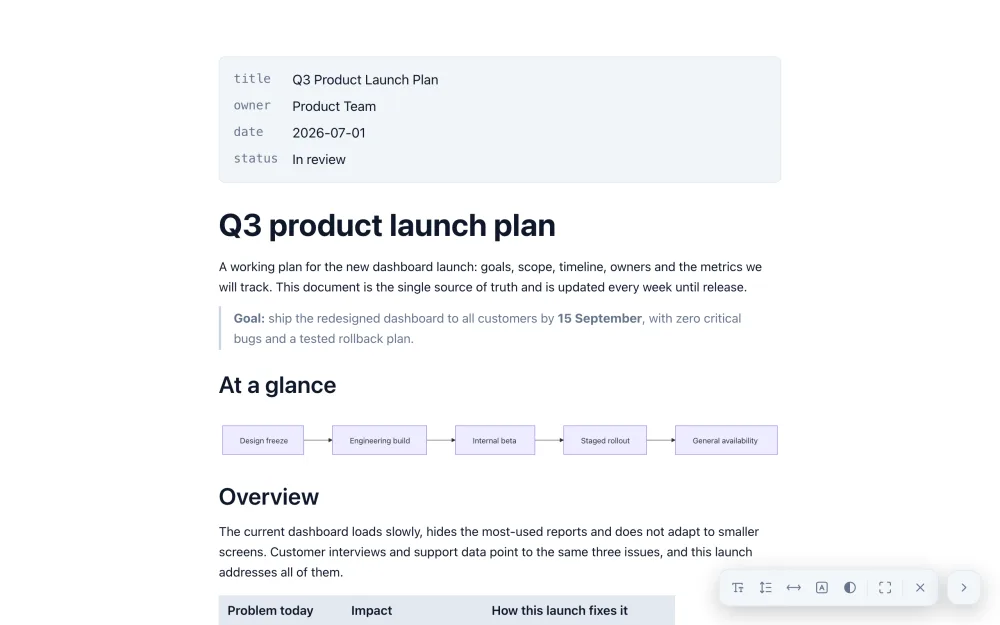
Five themes (Original, Dark, Creammy, Solarized and High Contrast) and five typefaces. Presentation mode shows the document full screen with reading controls.
Navigation
Keep several Markdown files open in the sidebar, and jump through a long document with an outline of every heading.
Mac
Select a .md file in Finder and press the Space bar to see it formatted, without opening the app.
The parts you notice when you use an editor every day.
Match case, whole word or regular expressions, with every match highlighted. Replace in Source view.
Saving rewrites only what you edited. Bullet style, table spacing, blank lines, inline HTML and line endings elsewhere stay the same.
With autosave on, files save a moment after you stop typing and when you switch tabs.
const summary = "Long lines wrap inside the block instead of running off the side of the page";
A Wrap button on each code block, and a setting to wrap long lines in all of them.
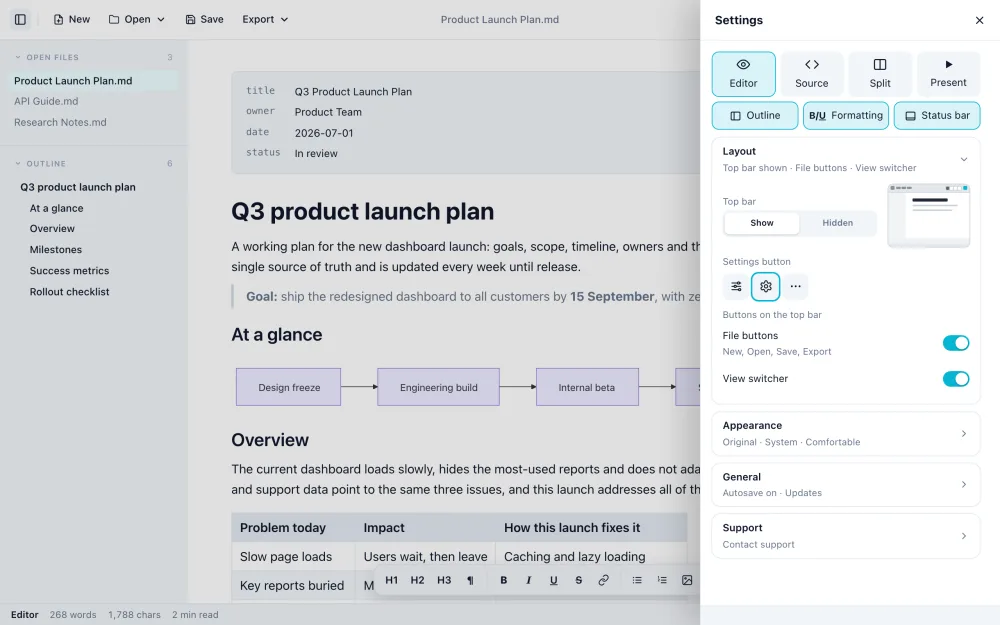
Show or hide the outline, formatting bar, status bar and file buttons in Settings.
Menus, toolbar, settings and messages switch immediately, without a restart. Document text is not changed.
The viewer is free. Premium features have a 14-day trial, then a one-time purchase of $14.99.
| Feature | Free | Premium | Mac | Windows | Linux |
|---|---|---|---|---|---|
| Open and read any .md file, outline, split view, recent files | ✓ | ✓ | ✓ | ✓ | ✓ |
| Quick Look in Finder | ✓ | ✓ | ✓ | ||
| WYSIWYG editing, edit and save | Trial | ✓ | ✓ | ✓ | ✓ |
| Themes and fonts, presentation mode, autosave | Trial | ✓ | ✓ | ✓ | ✓ |
| Export to Word, HTML and 11 more formats | Trial | ✓ | ✓ | ✓ | ✓ |
| Export to PDF | Trial | ✓ | ✓ | ✓ |
Opening and reading any .md file is free, including the outline, split view with live preview, recent files and Quick Look on Mac. Editing, saving, WYSIWYG editing, themes, autosave, presentation mode and export are free for 14 days, then part of a one-time purchase of $14.99.
No. It is a single one-time payment of $14.99, with no renewal. One purchase activates on up to three of your own devices.
Mac, Windows and Linux. Quick Look is macOS only, and export to PDF is on Mac and Windows. Every other feature on this page is on all three.
14: PDF, Word, HTML, EPUB, RTF, LaTeX, Djot, reStructuredText, AsciiDoc, MediaWiki, Textile, OPML, plain text and HTML without styles.
Only the parts you edit. When you save, the rest of the file, including bullet style, table spacing, blank lines, inline HTML and line endings, stays exactly as written.
English, Deutsch, Português (Brasil), 简体中文, Español, Français and 日本語. Choose one in Settings, General, Language.
Not yet. On a phone or tablet you can use the free online Markdown editor in the browser.
Yes. Every premium feature is free for 14 days, and there is a 30-day money-back guarantee after purchase.
After the trial Markdific keeps working as a free viewer, or unlock everything with a one-time purchase for up to three of your devices.
Free Markdown viewer · 14-day free trial of Premium features
30-day money-back guarantee