
On this page
Is MacDown still maintained?
No. The original MacDown by Tzu-ping Chung has been dormant for years:
- Last release: 0.7.3 on 3 January 2020. A 0.8.0 preview build followed on 21 February 2020, and nothing since (releases).
- Last code change: 30 April 2021, with 578 open issues and pull requests on 28 October 2026.
- Intel only: there is no Apple silicon build; a pull request for one has been open since January 2021.
- Homebrew: the
macdowncask (still on 0.7.2) was disabled on 1 September 2026 because it fails Homebrew's Gatekeeper check. - Rosetta deadline: Apple says Rosetta is available up to macOS 27 and from macOS 28 covers only certain older games (Apple support), so do not expect MacDown 0.7.3 to run on Apple silicon after that.
MacDown 3000 is a separate, maintained continuation by Schuyler Erle: 3000.0.7 came out on 13 July 2026 and a 3000.0.8 release candidate on 11 October 2026 (releases).
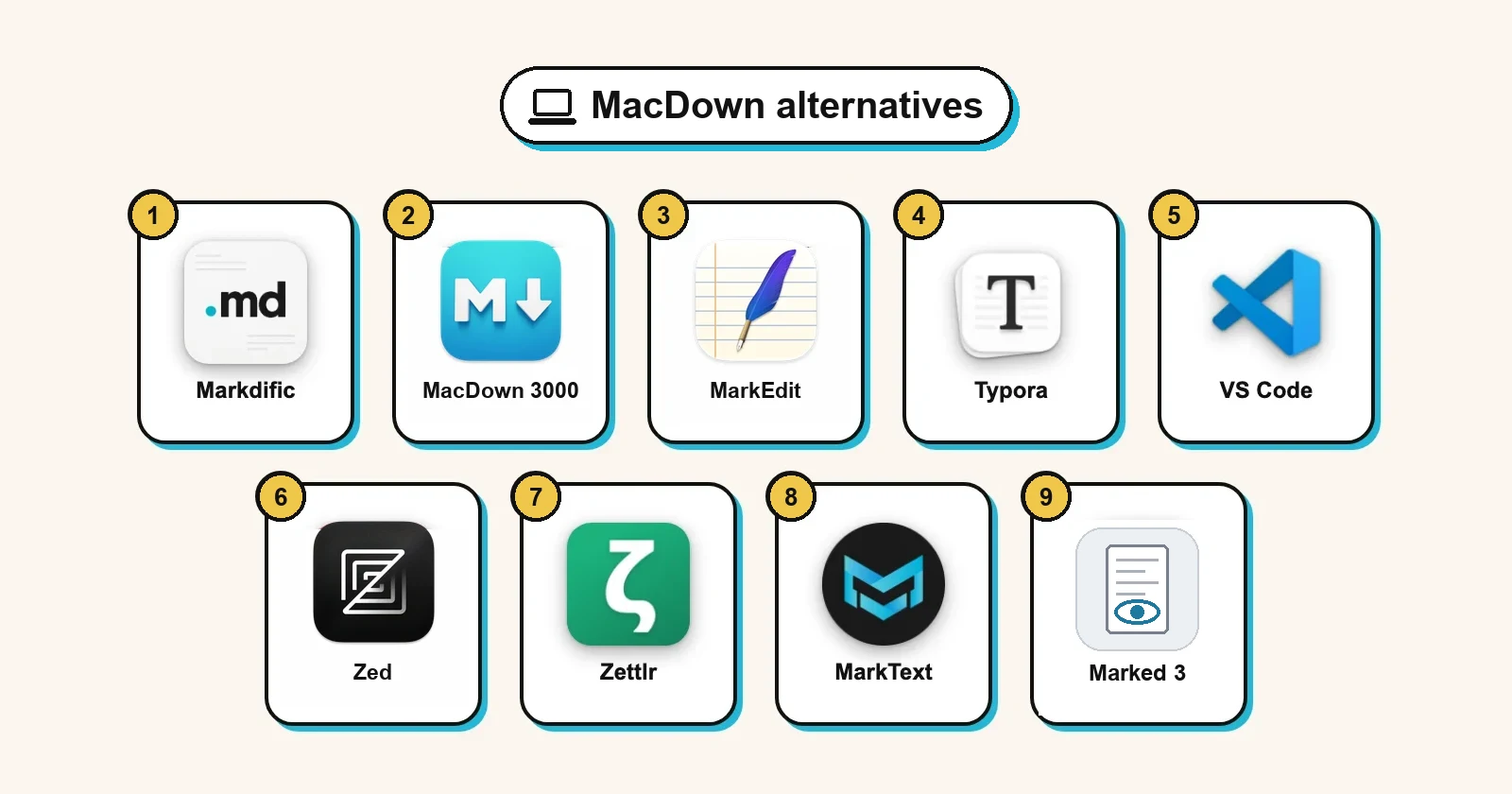
MacDown alternatives comparison table
| App (version tested) | Price | Split view | Mermaid / math | License | 20k lines |
|---|---|---|---|---|---|
| Markdific 1.3.2 | $14.99 once; reading free | Yes | Yes / Yes | Proprietary | 8.3 s |
| MacDown 3000 3000.0.7 | Free | Yes | Off / Off | MIT | 0.8 s |
| MarkEdit 1.35.0 | Free | No | No / No | MIT | 3.1 s |
| Typora 1.14.10 | $14.99 once | No | Yes / Block only | Proprietary | 4.1 s |
| VS Code 1.142.0 | Free | Read-only preview | Preview / Preview | MIT source | 3.9 s |
| Zed 1.25.2 | Free | Read-only preview | Preview / No | GPL-3.0 | 0.9 s |
| Zettlr 4.8.0 | Free | No | Yes / Yes | GPL-3.0 | 4.4 s |
| MarkText 0.23.0 | Free | No | Yes / Yes | MIT | Over 45 s |
| Marked 3 | From $2.99 a month | Separate window | Not tested | Proprietary | Not tested |
| MacDown 0.7.3 (for comparison) | Free | Yes | Not tested | MIT | Not tested |
"Mermaid / math" is what rendered with default settings: "Off" means a setting turns it on, and "Preview" means it renders only in the read-only preview pane. "20k lines" is the time to open a 20,000-line file, start-up included, in a macOS 15.7 virtual machine on Apple silicon without a graphics card, so compare the apps with each other rather than with your own Mac. Full results: Best Markdown editors for Mac.
Moving from MacDown: what carries over
Every app here opens your .md files. What differs is how each one handles the way MacDown worked. MacDown 0.7.3 starts with tables, fenced code and footnotes on, a preview that scrolls with the editor and the GitHub2 preview style. MathJax math and Mermaid are switches you turn on yourself (features, default settings in the source). The top five picks compared on the same points:
| MacDown habit | Markdific | MacDown 3000 | MarkEdit | Typora | VS Code |
|---|---|---|---|---|---|
| Source and preview side by side | Yes, side by side or stacked (Cmd+3) | Yes, the same two panes | No preview of its own | No; Cmd+/ swaps to source | Yes (Cmd+K V); preview is read-only |
| Preview styled by your own CSS file | Built-in themes only | Customizable styling, per its README | Extensions restyle the editor | Themes are CSS files, plus custom CSS | Your CSS through markdown.styles |
| MathJax and Mermaid, switched on | Both render with default settings | Same switches, off at first | Shown as text | Mermaid and block math on; inline math is a setting | Both, in the preview |
| Prism-colored code blocks | Colored code blocks | Prism, as in MacDown | Colored source, nothing rendered | Colored by language tag | Colored in the preview |
| Extension switches (footnotes, SmartyPants and more) | Tables, task lists and footnotes always on; no switches | Rendering options in Preferences | Not applicable | Inline math, highlight and sub/superscript switch on in Preferences | Fixed CommonMark set; extensions add more |
| File > Export to HTML or PDF | PDF, HTML, Word and 11 more | HTML and PDF | No rendered export | PDF, HTML and images; Word through Pandoc | Needs an extension |
| macOS autosave and Versions | On; saved 1.1 s after typing | Autosave switch in the File menu (not confirmed in our run) | macOS saving; on disk after 14.6 s | Nothing on disk within 15 s | Off until you turn it on |
Sources: our tests on macOS 15.7, plus the MacDown 3000 README, Typora themes and Markdown reference, the VS Code Markdown docs and the MarkEdit README. Two more points before you switch:
- Custom styles do not move by themselves. MacDown keeps its CSS in the folder that the Reveal button in Preferences > Rendering opens. Typora (custom CSS) and VS Code (
markdown.styles) can load your own CSS, though selectors may need adjusting. Markdific offers its built-in themes only. - Older Macs and outside edits. Markdific and MacDown 3000 run on macOS 11, Typora needs macOS 12 and MarkEdit 1.37.0 needs macOS 26. If scripts or other apps rewrite your files, note that Markdific does not reload a file that changes on disk while it is open.
The MacDown alternatives, ranked
#1 Markdific
Best for MacDown users who want the familiar two panes, without the settings MacDown needed for math and diagrams, plus Word export and Quick Look.
- Price
- free to open and read; editing, autosave and export in a 14-day trial, then $14.99 once for up to 3 devices
- License
- proprietary
- Platforms
- macOS 11 or later (universal: Apple silicon and Intel), Windows, Linux
- Install
- DMG, or Homebrew:
brew trust markdific/tap, thenbrew install --cask markdific/tap/markdific - Files
- your own .md files, several in tabs
- Website
- markdific.com
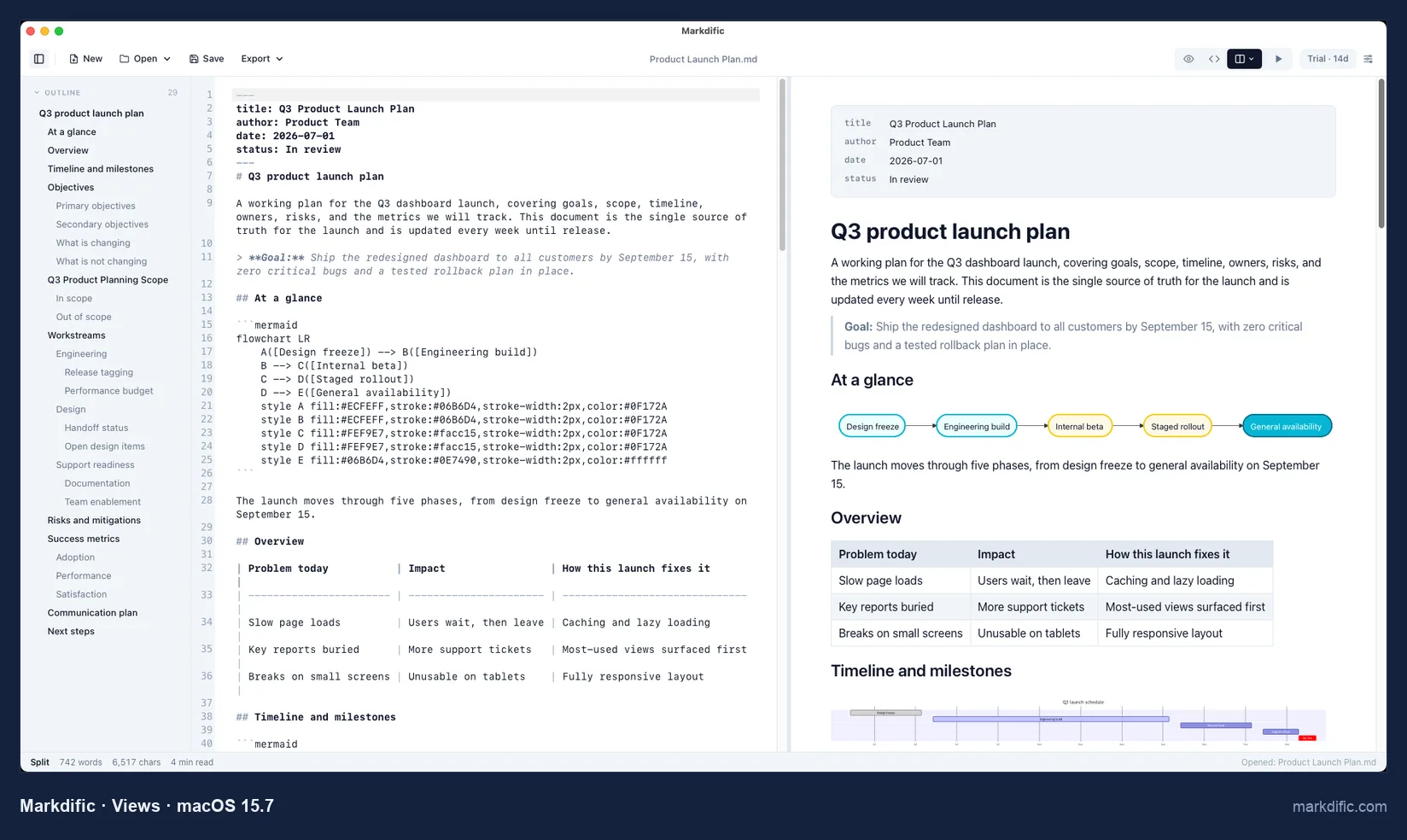
Cmd+3 gives you the MacDown arrangement, Cmd+1 hides the syntax so you type into the formatted page, and Cmd+2 leaves only the raw text. Where MacDown needed MathJax and Mermaid switched on, here both draw as soon as a file opens.
What makes it stand out
- Built for Apple silicon and Intel in one download, so Apple's Rosetta cutoff does not affect it.
- Pressing Space on a .md file in Finder shows it formatted, and that preview is part of the free viewer (macOS 12 or later).
- File > Export goes past MacDown's HTML and PDF to Word, EPUB and 10 more formats, with no Pandoc install.
Key features
- Autosave on from the start; our edit reached the disk 1.1 s after the last keystroke.
- Tabs for several documents and a sidebar outline of the headings.
Limitations
- No live reload: when another app or a script rewrites the open file, Markdific keeps showing the old text until you close and reopen it.
- No custom CSS for the preview, which MacDown users with their own styles will miss.
- In Finder's Quick Look, Mermaid blocks appear as code and images are missing.
- You pay for editing after the trial, and the source code is closed.
- Opening very large files is slow: 8.3 s for 20,000 lines, where MacDown 3000 needed 0.8 s.
Verdict
The pick if you liked MacDown's two panes but were tired of switching on math, Mermaid and extensions, and you now need Word or EPUB out. If you rely on your own preview CSS, or want MacDown as it was and free, MacDown 3000 is the better match.
#2 MacDown 3000
Best for MacDown users who want nothing to change: the same panes, settings and MIT license, now native on Apple silicon.
- Price
- free (donations accepted)
- License
- MIT
- Platforms
- macOS 11 or later only, Apple silicon and Intel
- Files
- single .md files; folder workspaces in the 3000.0.8 release candidate
- Website
- macdown.app
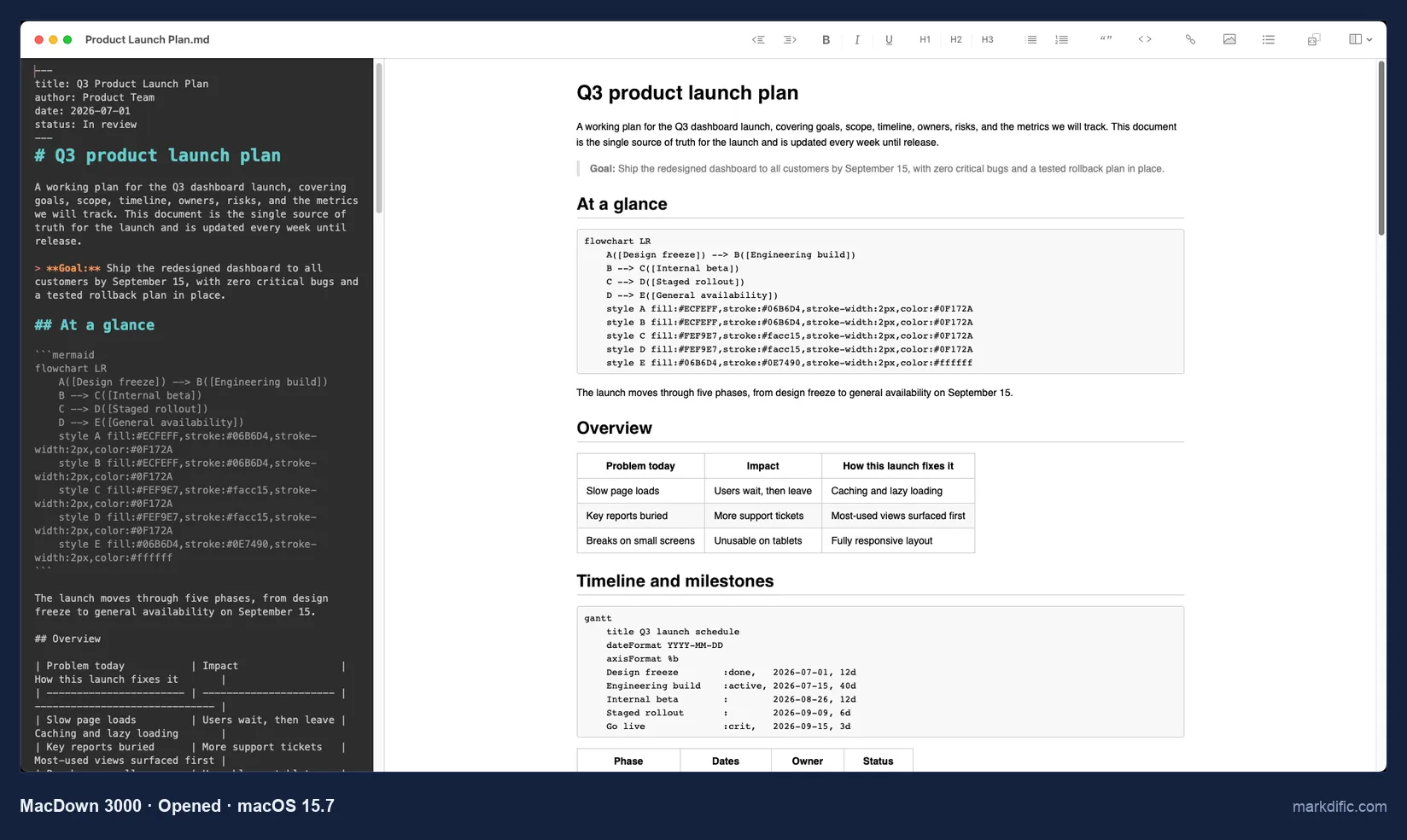
The project calls itself "MacDown Continued", and every pane and menu will look familiar. brew install --cask macdown-3000 replaces the disabled macdown cask.
What makes it stand out
- It opened our 20,000-line file faster than any other app here, in 0.8 s using 415 MB.
- An 8 MB notarized DMG under the same MIT license.
Key features
- Prism code colors, TeX-style math and Jekyll front matter, as listed in its README.
- 3000.0.7 added an autosave switch in the File menu and a Quick Look extension (from the release notes; we did not test the extension).
- According to its release notes, it detects when another app changes the open file and offers to reload it; we did not test this.
Limitations
- Diagrams and formulas stay as text until you switch them on, as in MacDown.
- No formatted view to type into; editing happens in the Markdown source pane.
- Our invalid UTF-8 file got a "could not be opened" message, and our run could not confirm whether it autosaves or keeps CRLF line endings.
Verdict
The smallest step away from MacDown: your layout, your rendering switches and your license stay, and Rosetta drops out of the picture. Choose Markdific instead if you want a formatted view to type into or Word export.
#3 MarkEdit
Best for MacDown users who kept the preview pane closed and want a free, native text editor.
- Price
- free
- License
- MIT
- Platforms
- macOS only; 1.37.0 needs macOS 26, with separate legacy builds for macOS 12, 13, 14 and 15 on GitHub
- Files
- single .md files
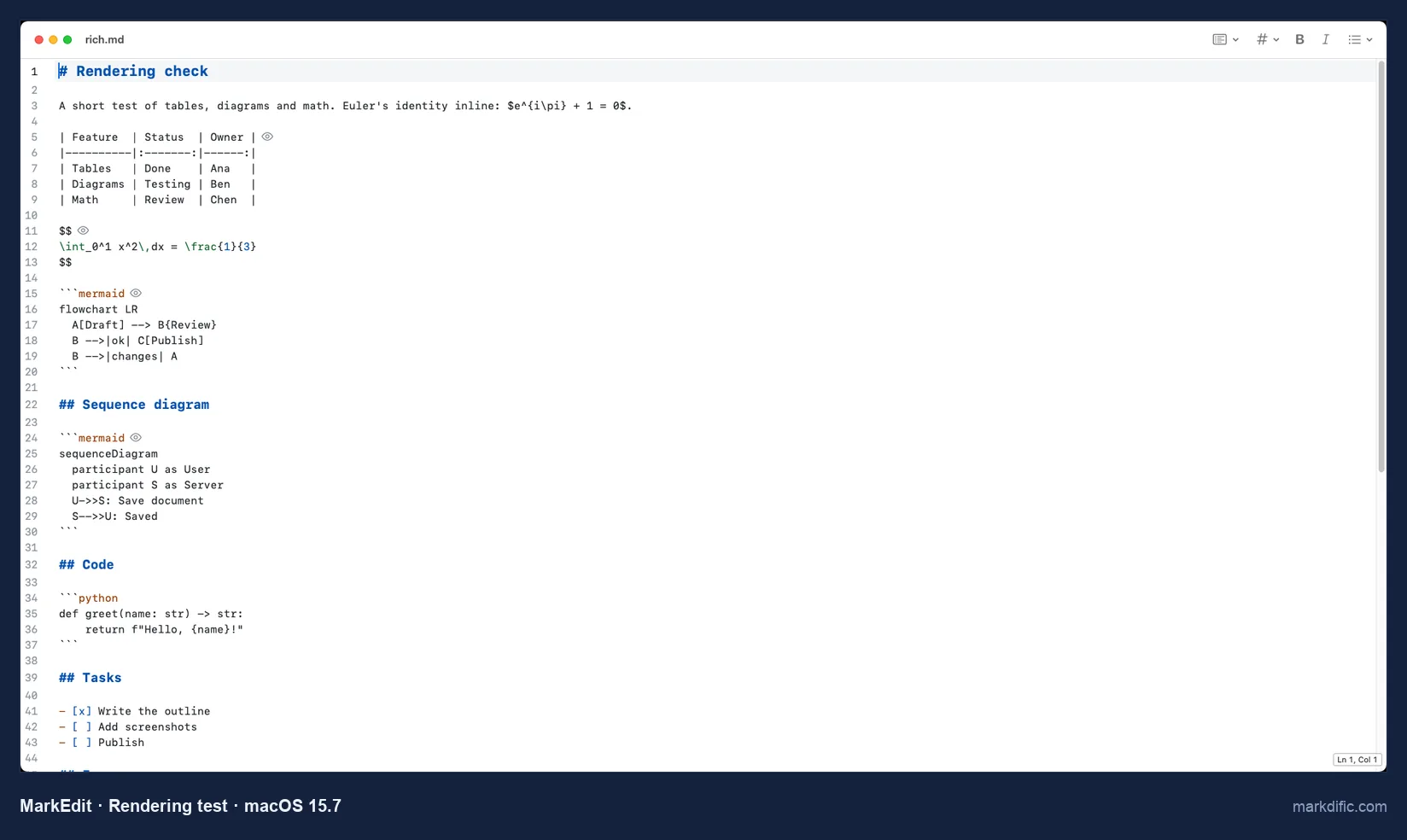
MarkEdit calls itself TextEdit for Markdown: colored syntax and no preview of its own.
What makes it stand out
- A 5 MB download, with a separate DMG for Apple silicon.
- It relies on macOS document saving, and our edit was on disk 14.6 s later without pressing Cmd+S.
- Updated often: 1.37.0 shipped on 18 October 2026.
Key features
- Line numbers, plus colored headings, code spans and front matter.
- Styles and extra features come from CSS and JavaScript extensions, according to its README.
Limitations
- Nothing renders; you need Quick Look or a separate viewer to see the formatted page.
- The current release requires macOS 26.
- Mac only.
Verdict
Right for the MacDown user who only ever wrote in the left pane. You give up the preview, HTML export and MathJax, so add a Quick Look preview to check the result.
#4 Typora
Best for MacDown users who mostly read the right pane and would rather type into the formatted page.
- Price
- $14.99 once, up to 3 devices, 15-day trial (checked 28 October 2026)
- License
- proprietary
- Platforms
- macOS 12 or later, Windows, Linux
- Files
- single .md files
- Website
- typora.io
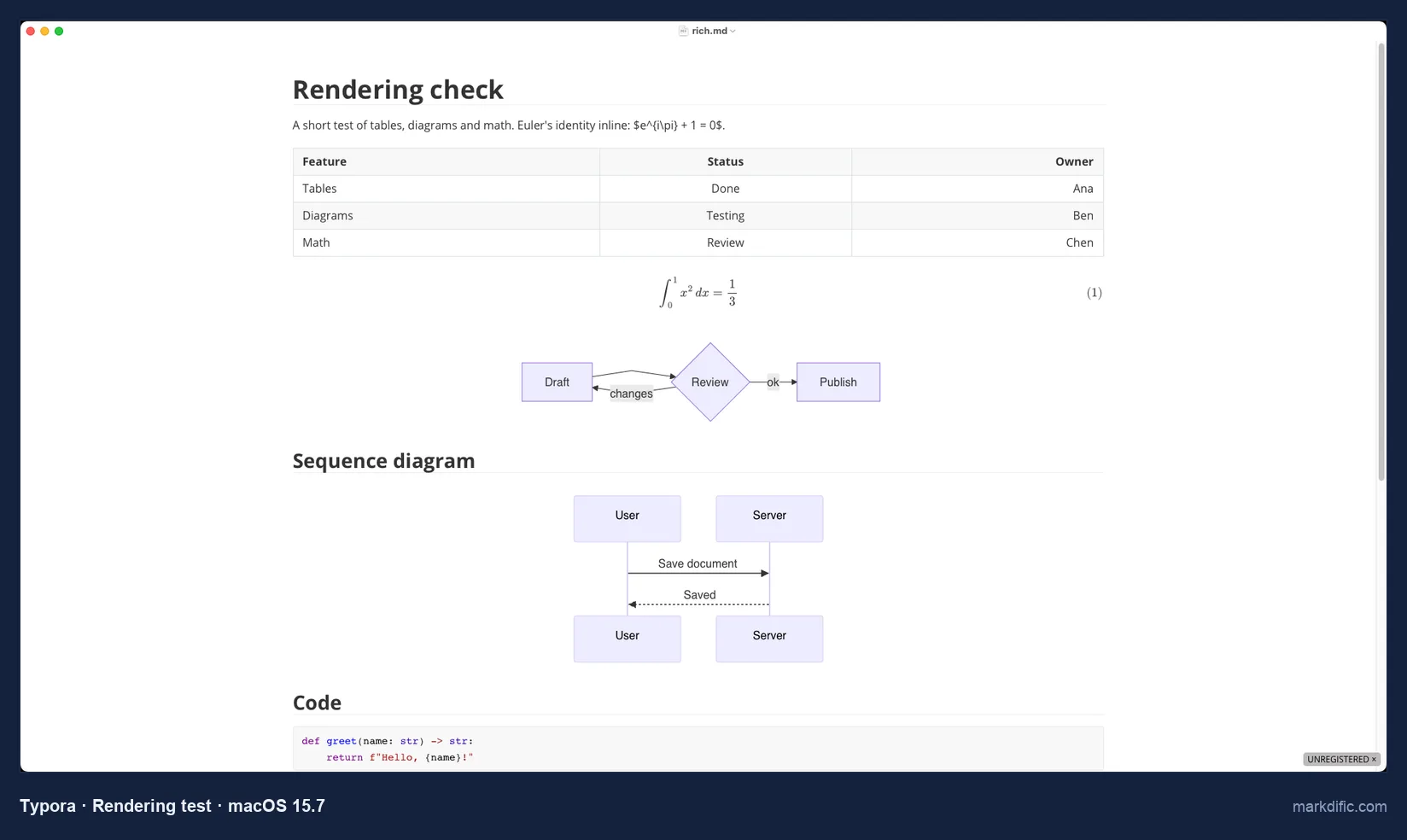
Typora hides the Markdown marks as you type, and Cmd+/ flips the whole window to raw text and back.
What makes it stand out
- Focus mode dims everything but the current paragraph, and typewriter mode keeps your line centered.
- A 15 MB notarized download.
Key features
- Themes are plain CSS files, so a custom MacDown style can be adapted.
- PDF, HTML and image export without extra tools.
Limitations
- No side-by-side view, MacDown's defining layout.
- Wrote nothing to disk within 15 s of typing with default settings (it relies on macOS autosave timing), and inline math needs a setting.
- Word and EPUB export go through Pandoc, a separate install.
Verdict
A good fit if MacDown's source pane always felt like clutter and you care about styling with your own CSS. More choices: Typora alternatives.
#5 Visual Studio Code
Best for MacDown users whose .md files live next to code in a Git repository.
- Price
- free
- License
- Microsoft build under a Microsoft license; source MIT
- Platforms
- macOS, Windows, Linux
- Files
- single files or folders
- Website
- code.visualstudio.com
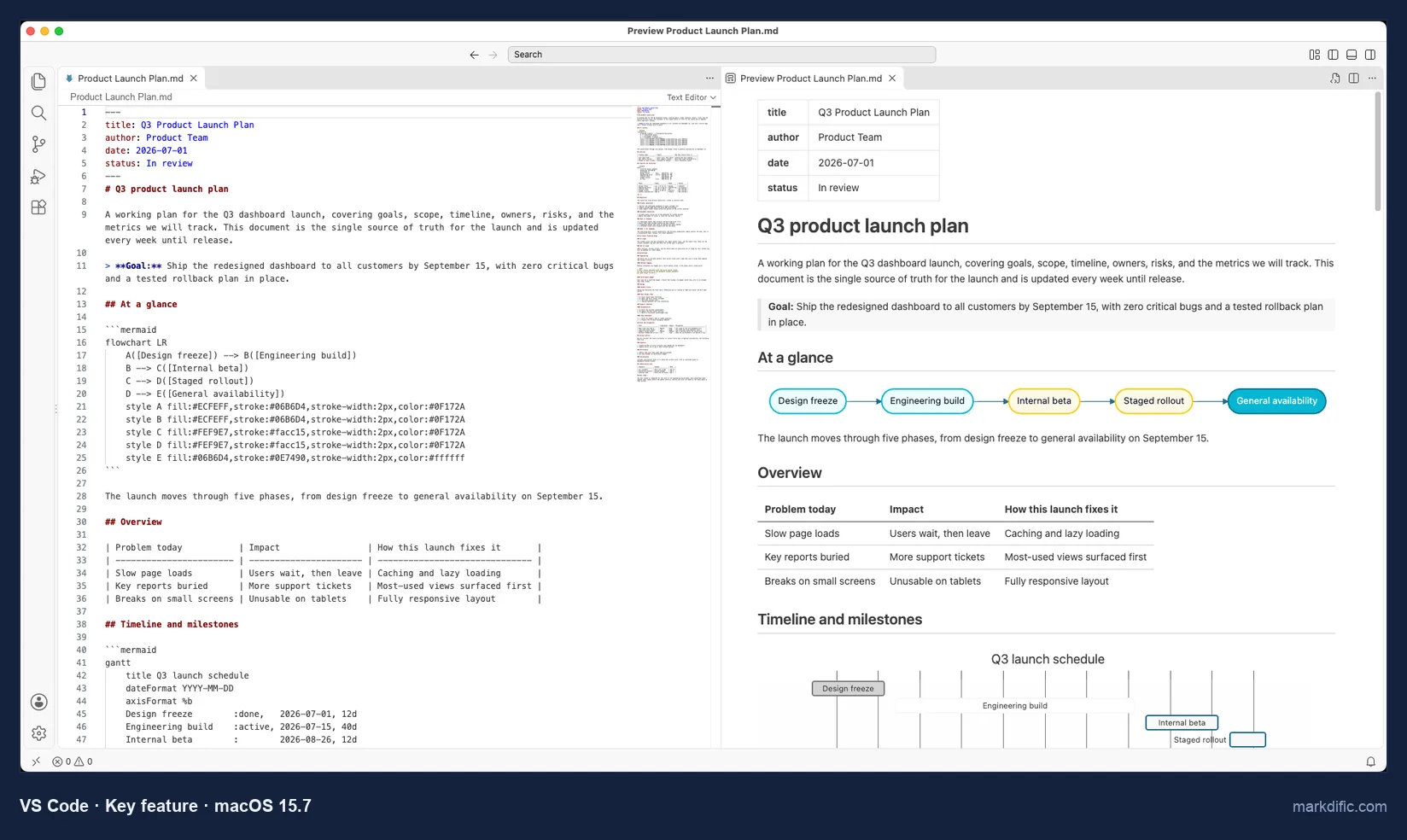
Cmd+K V opens a preview to the right of the source that scrolls with the editor, as MacDown's did, and it drew Mermaid and math without any extension.
What makes it stand out
- Built-in Git and a terminal; typing at the end of the 20,000-line file showed up in 1.1 s, the quickest we timed.
Key features
- Your own preview CSS through the
markdown.stylessetting. - A marketplace of add-ons, with linters, spell checkers and exporters.
Limitations
- A 317 MB download, and 1,506 to 1,899 MB of memory on our stress files.
- Does not save until you press Cmd+S, with default settings.
- PDF or Word output requires an add-on.
Verdict
Close to MacDown's layout and styling for free, but a lot of app if all you miss is a light two-pane editor.
#6 Zed
Best for MacDown users who valued its speed and write diagrams rather than formulas.
- Price
- free; Pro $10 a month for AI features
- License
- GPL-3.0 (parts Apache-2.0)
- Platforms
- macOS, Linux, Windows
- Files
- single files or folders
- Website
- zed.dev
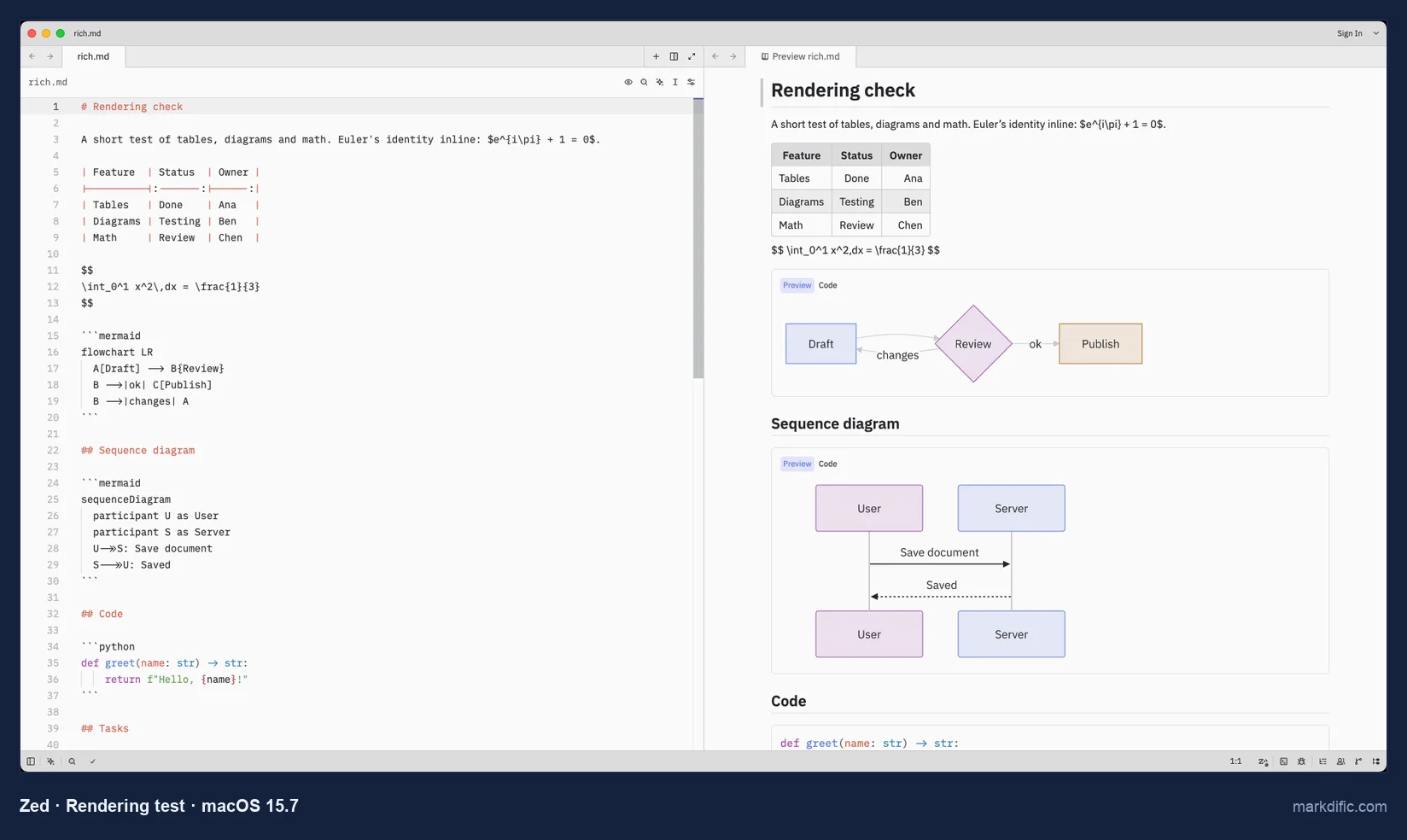
Zed is written in Rust and draws its own interface. None of our stress files took longer than 2.0 s to open.
What makes it stand out
- 0.9 s and 321 MB on the 20,000-line file.
- Mermaid diagrams in the side preview (Cmd+K V).
Key features
- Folders in a sidebar, split panes and a Vim mode, which MacDown's FAQ ruled out.
Limitations
- Formulas never render in the preview.
- No export to PDF or Word.
- The 1.25.2 build we tested was signed but not notarized.
Verdict
Quick and light, but MacDown users who turned on MathJax will find formulas left as TeX.
#7 Zettlr
Best for MacDown users who wrote papers with MathJax and now need citations and Word output.
- Price
- free
- License
- GPL-3.0
- Platforms
- macOS (separate Apple silicon and Intel builds; current 4.9.0 needs macOS 13 or later, according to Homebrew), Windows, Linux
- Files
- .md files in folders
- Website
- zettlr.com
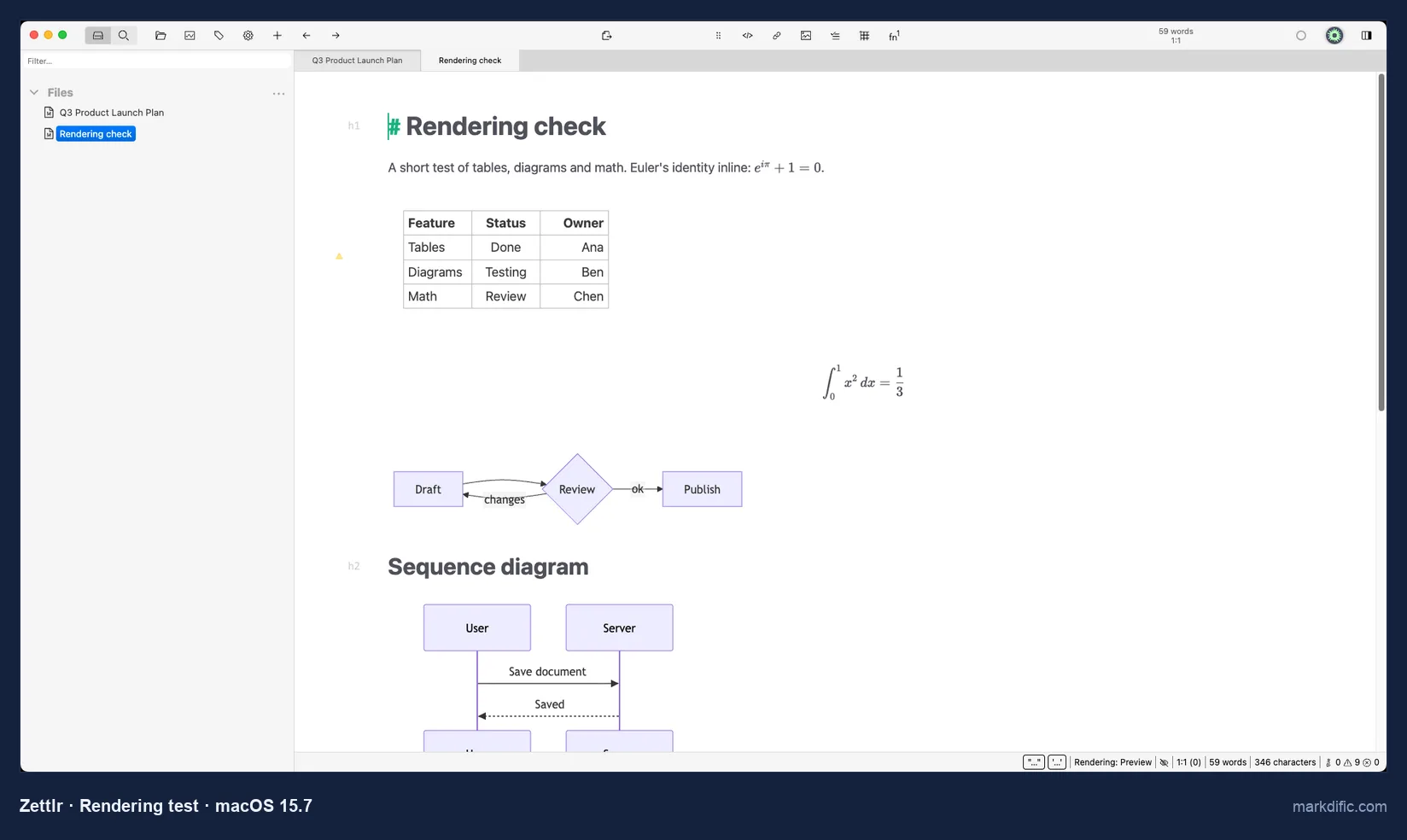
Heading marks stay visible while everything else is formatted, and the bundled Pandoc handles Word and LaTeX export.
What makes it stand out
- Mermaid diagrams and math render with default settings, and the app is free and open source.
Key features
- Citations from Zotero or BibTeX files, plus links between notes.
Limitations
- No second pane for a preview.
- Text typed at the end of the 20,000-line file took 27.2 s to appear, the slowest result in our test.
- Wrote nothing to disk within 15 s of typing with default settings.
Verdict
The free, open-source pick when MacDown's math support was the reason you used it, as long as your files are not huge.
#8 MarkText
Best for MacDown users who want a free formatted editor and keep their files short.
- Price
- free
- License
- MIT
- Platforms
- macOS (separate Apple silicon and Intel DMGs), Windows, Linux
- Files
- single .md files
- Website
- github.com/marktext/marktext
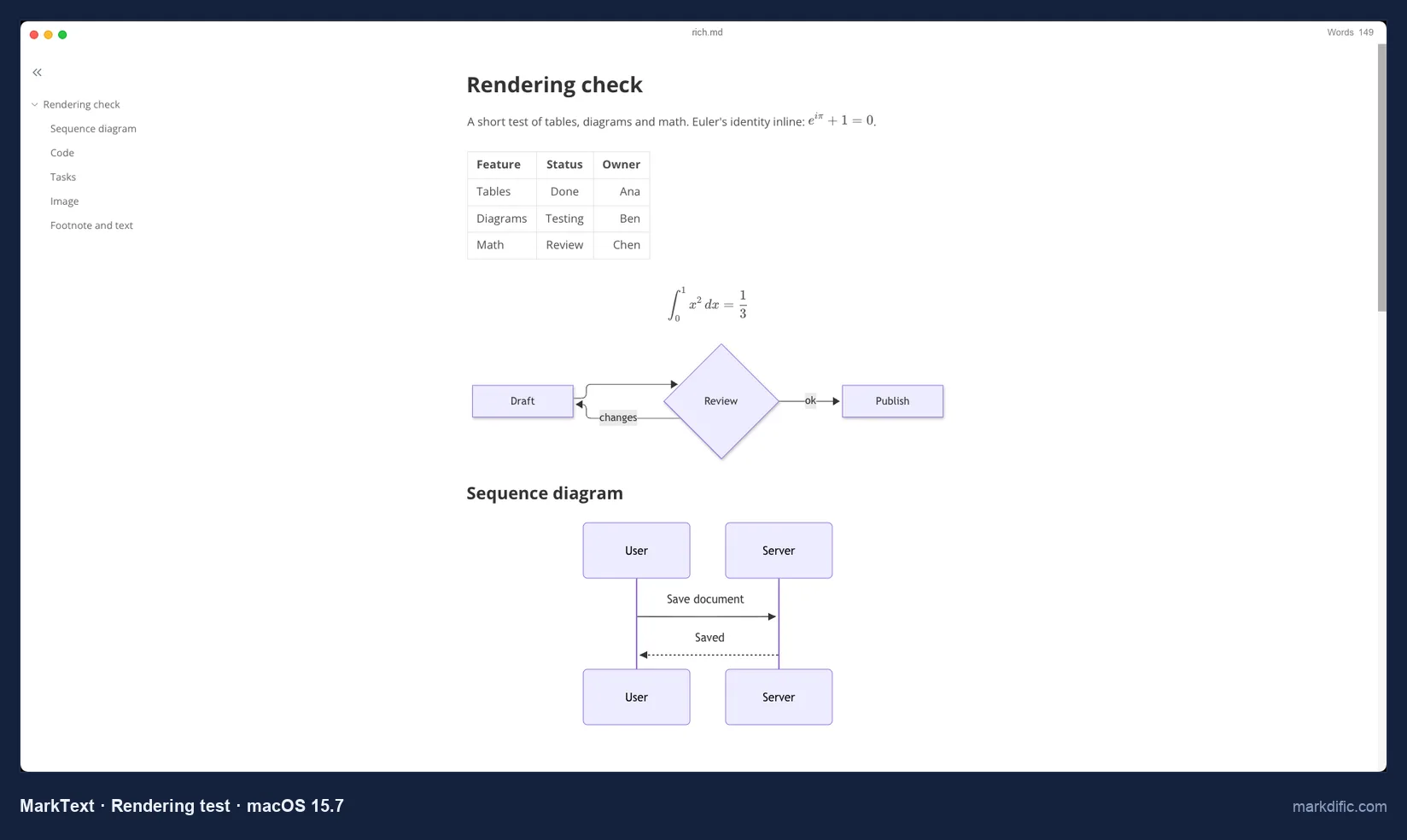
Like MacDown, MarkText went years without a release. It came back with 0.19.0 on 28 May 2026, and 0.23.0 followed on 21 October 2026.
What makes it stand out
- Free formatted editing with Mermaid and math, and active again since May 2026.
Key features
- A formatted view and a raw source mode (Cmd+Option+S), but no split view.
Limitations
- After 45 s the 20,000-line file still had not loaded.
- 0.23.0 is not notarized, so macOS blocks it until you clear the quarantine flag.
- Does not save until you press Cmd+S, with default settings.
Verdict
Free and open source like MacDown, and fine for documents of a few thousand lines. More choices: MarkText alternatives.
#9 Marked 3
Best for MacDown users who mostly valued the preview pane and want it beside any editor. Not tested by us.
- Price
- $2.99 a month, $29.99 a year or $69.99 once at introductory prices (regular $4.99, $49.99 and $89.99), with a 7-day trial after you choose a plan; Marked 2 is still $14.99 once (checked 28 October 2026)
- License
- proprietary
- Platforms
- macOS 11 or later, according to the developer (the Homebrew cask for 3.2.25 lists macOS 12)
- Website
- markedapp.com
Marked is a previewer, not an editor. According to the developer, it shows a formatted view of a file you edit in another app and refreshes it as you save, so MarkEdit plus Marked rebuilds MacDown's two panes in two windows.
What makes it stand out
- Export to PDF, HTML, Word (DOCX) and EPUB, according to the developer.
Key features
- A preview window that follows a file saved by any editor.
- Custom CSS styles, including for EPUB export, according to the developer.
Limitations
- The plan screen it shows at launch stopped our test, so we have no results for it.
- Paid, with a subscription option.
- Mac only.
Verdict
Worth a look if your editor is settled and MacDown's preview, with your own CSS, is what you miss.
MacDown alternatives FAQ
What is the best MacDown alternative?
Markdific is our top pick: it keeps source and preview side by side (Cmd+3), runs natively on Apple silicon and Intel, and draws math and Mermaid with default settings. MacDown 3000 is the closest free option if you want MacDown unchanged.
What is the best free MacDown alternative?
MacDown 3000, which keeps MacDown's two panes, settings and MIT license. MarkEdit is free for source-only editing, and Zettlr is free for long documents with math and citations; Markdific reads .md files free, and editing costs $14.99 once.
Does MacDown work on Apple silicon Macs?
Only through Rosetta, because MacDown 0.7.3 has no Apple silicon build. Apple says Rosetta stays available up to macOS 27 and is limited to certain older games from macOS 28 (Apple). Markdific, MacDown 3000 and MarkEdit run natively on Apple silicon.
What is MacDown 3000?
MacDown 3000 is a maintained continuation of MacDown by Schuyler Erle, free under the MIT license. It is a universal app for macOS 11 or later, ships as an 8 MB DMG and installs with brew install --cask macdown-3000.
Why does the macdown Homebrew cask fail to install?
Homebrew disabled the macdown cask on 1 September 2026 because it fails Homebrew's Gatekeeper check. Install the macdown-3000 cask instead, or download one of the other apps in this list.
Will my MacDown files open in other apps?
Yes. MacDown saves plain .md files, so every app in this list opens them with tables, task lists, fenced code, footnotes and front matter intact. MacDown's preferences and preview CSS stay behind, and because SmartyPants curly quotes existed only in its preview and export, the files keep straight quotes.
Related Markdown guides
- Best Markdown editors for Mac
- Typora alternatives
- MarkText alternatives
- Obsidian alternatives
- Markdific features
- Pricing
About this MacDown alternatives article
Markdific is our own product and went through the same files and checks as the other apps; no developer paid to be listed. MacDown's defaults come from its 0.7.3 source code and website. Apps were tested on 21 and 22 October 2026 on macOS 15.7; MacDown's status, Homebrew casks and the Typora and Marked prices were checked on 28 October 2026. Some apps have shipped newer versions since our test (Typora 1.14.15, Zettlr 4.9.0, MarkEdit 1.37.0, Zed 1.26.2, VS Code 1.143.1). Corrections: hi@markdific.com.