
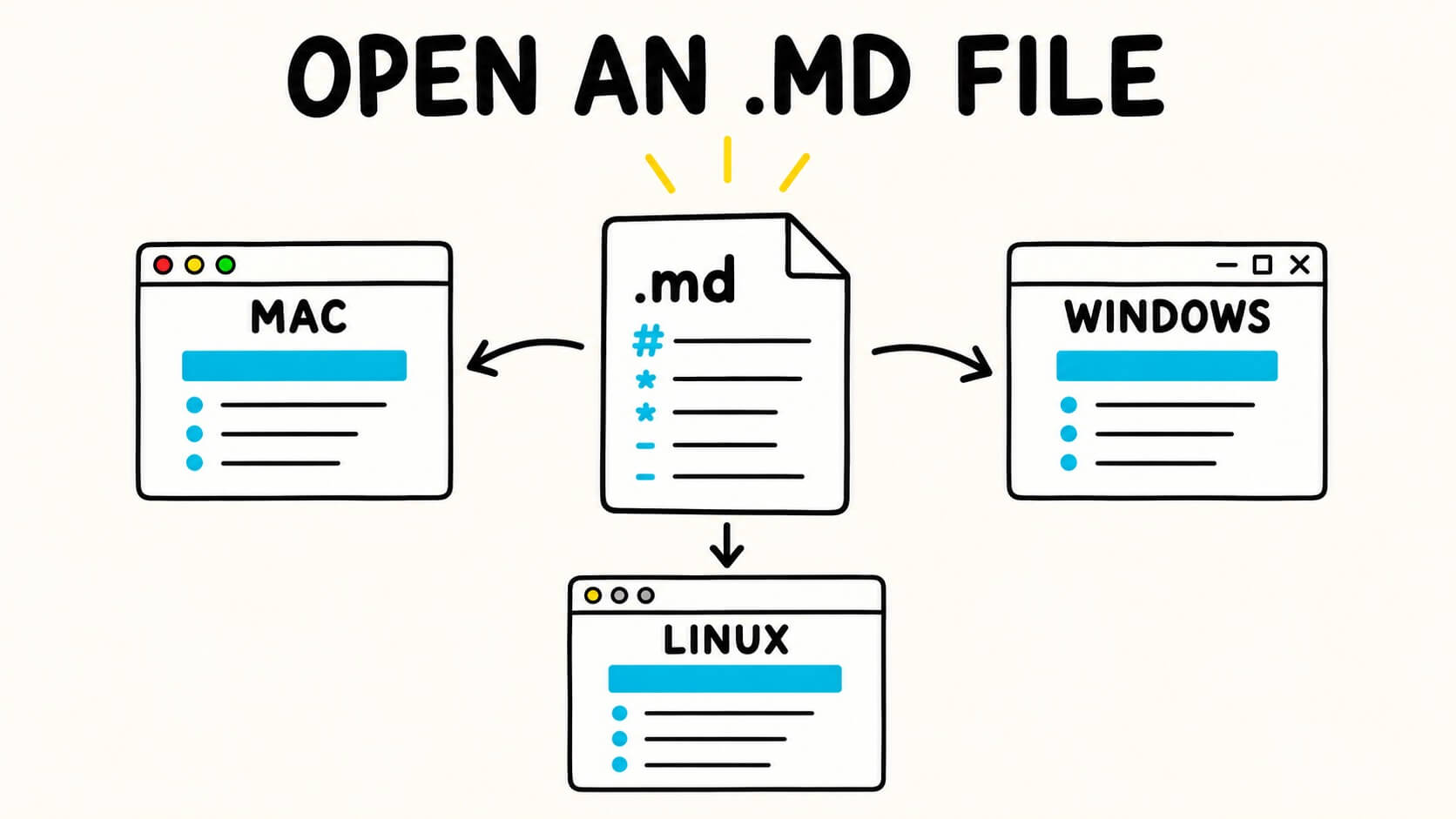
An .md file is a plain-text Markdown document. You can open it with any text editor, but you may see symbols such as #, ** and []() instead of a formatted document.
To view it with clean headings, lists, tables, links and images, use a Markdown viewer or an editor with a preview mode.
Instructions reviewed on 2 October 2026. Menu names can vary by operating-system version, Linux desktop and installed application.
TL;DR: Right-click the
.mdfile and choose Open With. Use TextEdit on Mac, Notepad on Windows or your usual Linux text editor for the raw text. To view the document formatted, use Markdific, VS Code Preview or the Markdific online editor.
Open or view an MD file in three steps
| Your device | Open the raw text | Read it formatted |
|---|---|---|
| Mac | TextEdit | Markdific or VS Code Preview |
| Windows | Notepad | Markdific or Obsidian |
| Linux | Your usual text editor | Markdific, Apostrophe or ghostwriter |
If you need the file open right now:
- Right-click the
.mdfile. - Choose Open With.
- Select a text editor for the raw content, or a Markdown app for the formatted document.
You can also drag the file into Markdific's online Markdown editor when you do not want to install anything.
Opening versus viewing: what is the difference?
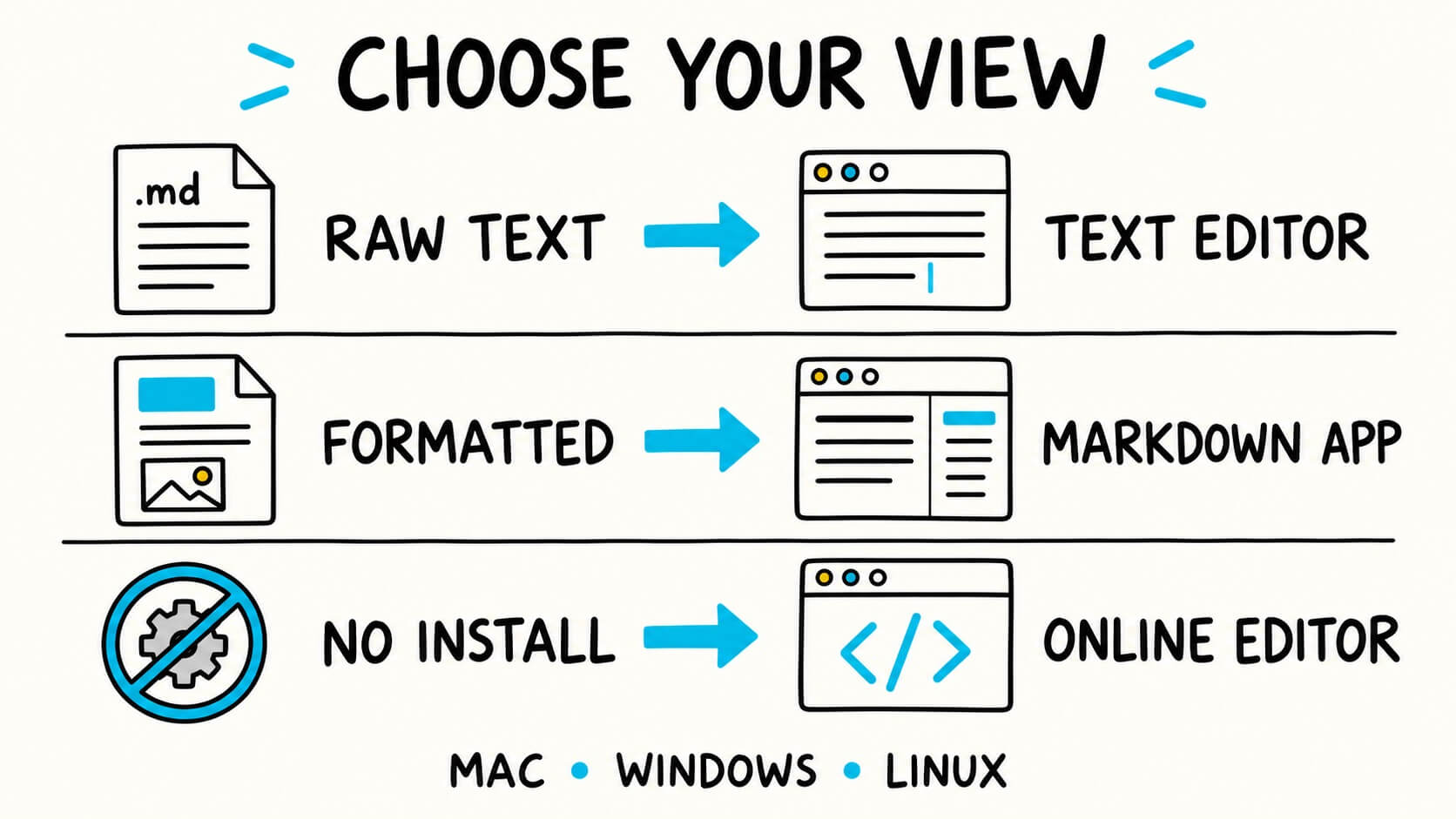
Opening an .md file means an app can read its plain-text contents. Viewing it usually means rendering the Markdown so the symbols become formatted headings, lists, links and other elements. The same file can therefore look very different depending on the app and view you choose.
I only need to check the text
Use the text editor already on your computer. TextEdit, Notepad and Linux text editors can all open Markdown because it is plain text.
This is the quickest option, but you will see the Markdown syntax. A heading may look like ## Project notes, while bold text may look like **important**.
I want to view or read the document cleanly
Use a Markdown viewer. It interprets the symbols and displays proper headings, lists, tables, links, images and code blocks.
Markdific is designed for this type of everyday reading. Open the app and choose Open, drag the .md file into the window, or make Markdific the default app for Markdown files.
I want to edit the file
Use a Markdown editor such as Markdific, VS Code, Obsidian or a normal text editor.
If you mainly want to bring Markdown notes into an Apple note-taking system, Bear can import .md files. Bear is better suited to keeping notes inside Bear than opening occasional loose files.
I cannot install an application
Use an online editor. The Markdific online editor can open a local .md file, show the source and formatted preview, and let you make changes in the browser.
The file is processed inside your browser rather than uploaded to a server. The online editor does not autosave, so save or copy your work before closing the tab.
What is an MD file?
An MD file is a text document written in Markdown. The .md extension tells compatible apps that the text contains formatting instructions.
For example:
# Weekend plan

- Water
- Camera

**Wear comfortable shoes.**
A text editor shows those characters. A Markdown viewer renders them as a heading, a bullet list and bold text.
Core Markdown elements are widely supported, but extended features can vary between apps. Tables, task lists, footnotes, mathematical notation and diagrams may not look identical everywhere. If you want to understand the format more fully, see What Is an MD File? or the Markdown documentation.
How to open an MD file on Mac
On a Mac, use TextEdit for the raw text or a Markdown app or VS Code Preview for the formatted document.
Option 1: Open it with TextEdit
- Find the
.mdfile in Finder. - Control-click or right-click it.
- Choose Open With, then TextEdit.
TextEdit opens the file as plain text. This is useful for checking or changing a few words, but it does not provide a full Markdown reading experience.
Option 2: Open it in a Markdown app
To see the formatted document:
- Open Markdific or another Markdown app.
- Choose Open, or drag the file into the app window.
- Switch between reading, editing or split view as needed.
After you set the app as the default for .md files, double-clicking a Markdown file will open it there automatically.
Option 3: Use VS Code Preview
If you already have VS Code:
- Open the
.mdfile in VS Code. - Press Shift+Command+V to open the rendered preview.
- Press Command+K, then V, for source and preview side by side.
VS Code is especially useful when the Markdown file belongs to a coding or documentation project. Its Markdown preview is built in.
How to open an MD file on Windows
On Windows, use Notepad for the underlying text or a Markdown app or VS Code Preview to view the formatting.
Option 1: Open it with Notepad
- Right-click the
.mdfile. - Choose Open with.
- Select Notepad.
Notepad is sufficient for reading or editing the underlying text. Newer Notepad releases can display some lightweight Markdown formatting, but support depends on your installed version and is not as complete as a dedicated Markdown viewer.
Option 2: Open it in a Markdown app
Open Markdific, VS Code or Obsidian, then use Open or drag the file into the window. If Windows does not list the app, choose Choose another app and locate it.
Markdific is the more direct choice for opening individual files. Obsidian is useful when the file belongs to a larger folder of linked notes, which Obsidian calls a vault.
Option 3: Use VS Code Preview
- Open the file in VS Code.
- Press Ctrl+Shift+V for a rendered preview.
- Press Ctrl+K, then V, for a side-by-side preview.
How to open an MD file on Linux
On Linux, your usual text editor opens the raw file. For a formatted view, use Markdific, Apostrophe, ghostwriter, VS Code or another Markdown application.
Linux has several good Markdown applications. The best choice depends on whether you want a simple file viewer, a writing app, a notes system or a code editor.
Start with the same basic process on most distributions:
- Right-click the
.mdfile in your file manager. - Choose Open With or Open With Other Application.
- Select the app you want to use.
The exact wording varies between GNOME, KDE and other desktop environments.
Markdific
Open Markdific and choose Open, or drag the .md file into the window. It provides formatted reading, editing and source or split views without requiring a notes vault or development workspace.
Apostrophe
Apostrophe is a clean, open-source Markdown editor made for GNOME. It includes a live preview and is a good option when you mainly want a distraction-free writing environment.
ghostwriter
ghostwriter is another open-source Markdown editor available for Linux. It includes live HTML preview, themes, document statistics and an outline for navigating longer files.
VS Code and Obsidian
VS Code is useful when the file belongs to a software or documentation project. Press Ctrl+Shift+V for the rendered preview.
Obsidian is available for Linux and works well when your Markdown files form a connected collection of notes. It is organised around folders called vaults, so it is less direct for a single loose file.
If you only need the raw text, your distribution's included text editor is enough. If you are comfortable with the terminal, less filename.md opens the file in a scrollable text view, but it does not render the Markdown formatting.
How to open an MD file online
To open an MD file online, use a browser-based Markdown editor that accepts a local file or pasted Markdown. This is useful on a shared computer, a locked-down work device or any machine where you do not want to install an app.
To use the Markdific online editor:
- Open the online Markdown editor.
- Select Open file, or drag your
.mdfile onto the page. - Choose editor, preview or split view.
- Save or copy your work before closing the tab.
The document is processed locally in your browser and is not uploaded. However, the online editor does not autosave and does not replace a desktop app when you regularly work with local files.
How to make MD files open in your preferred app
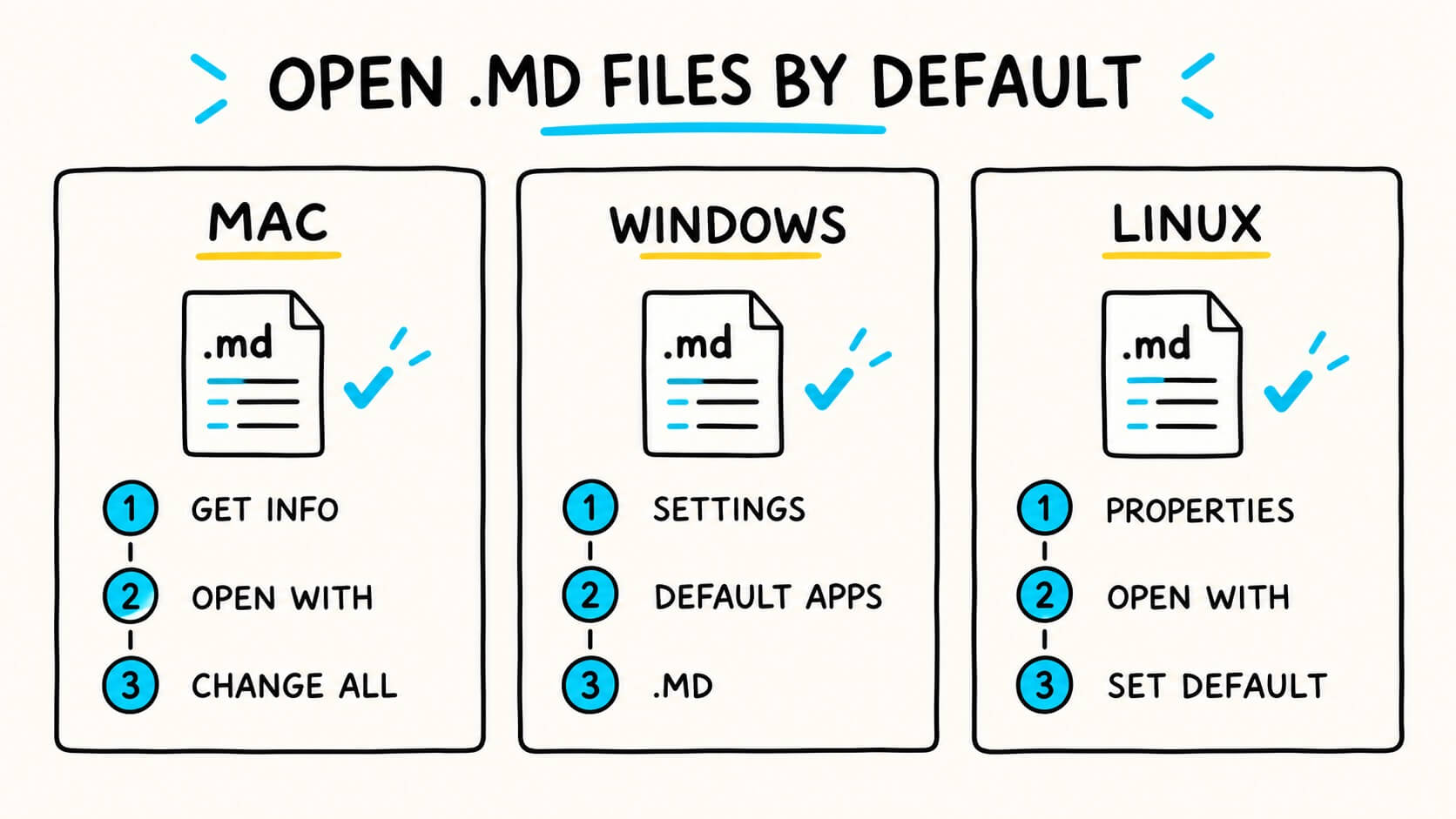
Once you have chosen an app, make it the default so you do not have to use Open With every time.
Mac
- Select any
.mdfile in Finder. - Choose File > Get Info, or right-click and choose Get Info.
- Expand Open with.
- Select your preferred Markdown app.
- Choose Change All.
Apple documents the same process in its guide to choosing an app to open a file on Mac.
Windows
- Open Settings.
- Go to Apps > Default apps.
- Search for
.md. - Choose the application you want Windows to use.
You can find the current steps in Microsoft's guide to changing default apps in Windows.
Linux
On Ubuntu and many GNOME-based desktops:
- Right-click an
.mdfile and choose Properties. - Open the Open With tab.
- Select your preferred application.
- Choose Set as default.
Other Linux desktops use similar wording. Ubuntu provides a guide to opening files with other applications.
Why does my MD file look wrong?
You can see #, ** and other symbols
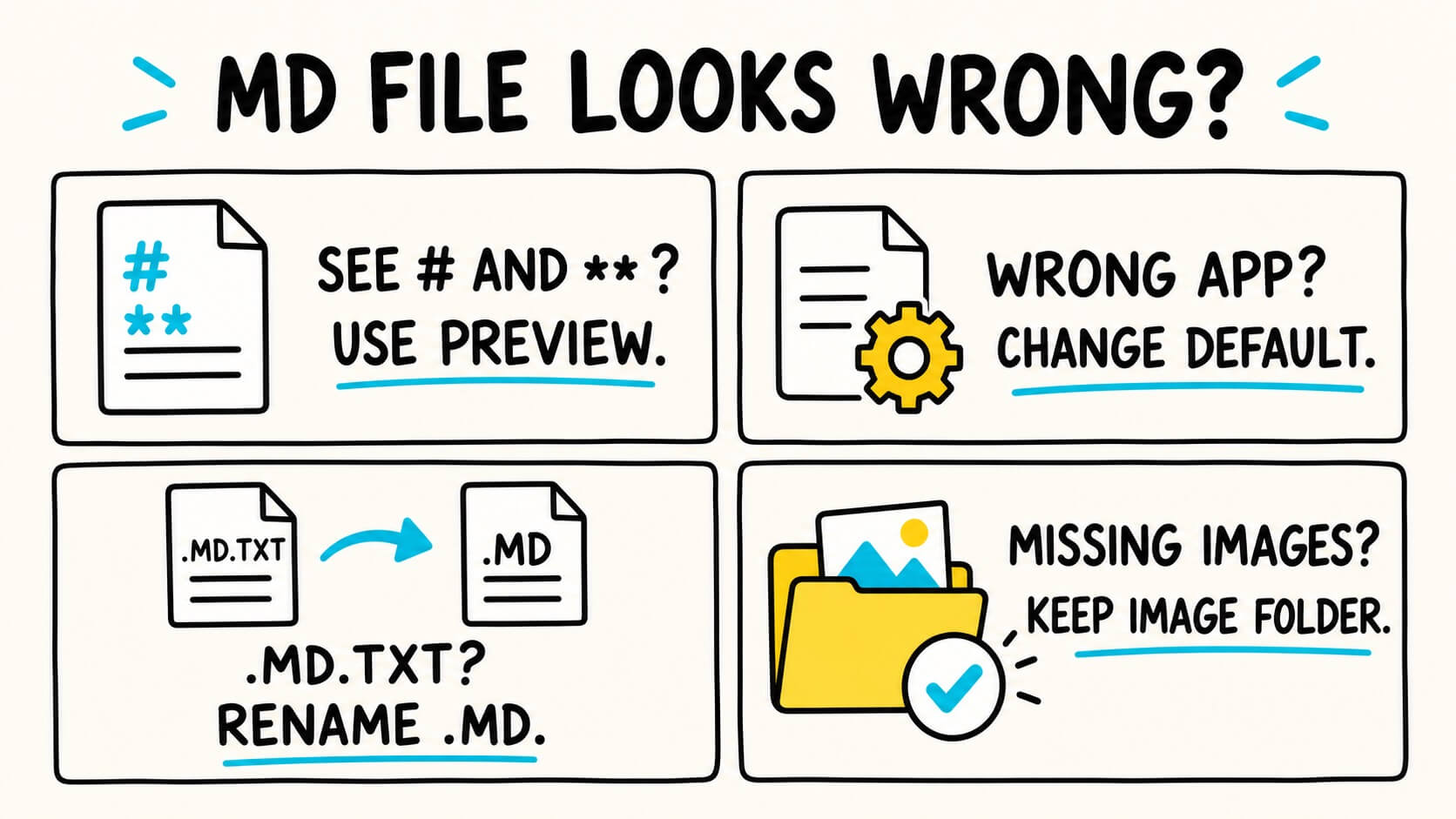
Nothing is broken. You are looking at the Markdown source. Switch to a preview or reading view if you want the formatted result.
The file opens in the wrong application
Use Open With for a one-time change, or follow the default-app instructions above to change it permanently.
The filename ends in .md.txt
The file was probably saved as a text document instead of a Markdown document. Rename it so that the filename ends in .md only.
Changing the extension does not convert the content. It simply helps your computer and Markdown apps recognise the file correctly.
Images are missing
Markdown files often point to image files stored in a nearby folder. If you move the .md file without that folder, the image links can break.
Keep the Markdown file and its related image folder together. If the document uses web image addresses, check that you are online and that those addresses still work.
The formatting looks different in another app
Markdown apps apply their own typography and may support different Markdown extensions. Core headings, lists, emphasis and links are usually consistent. Tables, alerts, footnotes, math, diagrams and embedded HTML can vary.
The text contains boxes, question marks or broken characters
The file may use a different text encoding. Make a copy before changing it, then reopen or convert the copy as UTF-8. If only one section is affected, the original file may already contain damaged or unsupported characters.
Do not repeatedly save the only copy while testing encodings. Each incorrect conversion can make recovery harder.
The downloaded MD file opens in a browser
A browser may display the file as text or download it instead of opening a desktop app. Save the file locally and confirm that its name ends in .md.
Then use Open With to select the application you want. Set the default app only after confirming that it opens the file correctly.
Double-clicking the file does nothing
Try Open With and select a known text editor. If that works, repair the default-app association using the steps above. If no application can read the file, confirm that it is a real text file and not an unrelated file that was renamed with an .md extension.
Which app should you use?
| Method | Raw text | Formatted view | Editing | Best for |
|---|---|---|---|---|
| TextEdit, Notepad or a Linux text editor | Yes | Limited or no | Yes | A quick text check |
| Markdific | Yes | Yes | Yes | Reading and editing individual Markdown files |
| VS Code | Yes | Yes | Yes | Code projects and technical documentation |
| Obsidian | Yes | Yes | Yes | A connected folder of notes |
| Bear | Import | Yes | Yes | Moving Markdown into an Apple note system |
| Apostrophe | Yes | Yes | Yes | Distraction-free writing on Linux |
| ghostwriter | Yes | Yes | Yes | Writing and previewing on Linux |
| Markdific online editor | Yes | Yes | Yes | One-off use without installing anything |
There is no universally best Markdown app. Use the simplest tool that matches what you need:
- For raw text, use the editor already installed.
- For clean everyday reading, use a Markdown viewer.
- For code projects, use VS Code.
- For connected notes, use Obsidian or Bear.
- For a Linux-focused writing app, use Apostrophe or ghostwriter.
- For a one-time file on any computer, use an online editor.
How to convert an MD file for sharing
If the recipient does not use Markdown, sending a Word document, PDF or HTML file may be easier.
The free Markdown-to-Word converter turns a .md file into an editable .docx in your browser. The conversion runs locally, so the document is not uploaded.
The Markdific desktop app can also export Markdown to Word, PDF and HTML. Check the exported document before sharing it, especially when the source contains local images, mathematical notation or diagrams.
Frequently asked questions
What program opens an MD file?
Any text editor can open an MD file. Use TextEdit on Mac, Notepad on Windows or your usual Linux text editor for the raw content. Use a Markdown viewer or editor when you want to see the formatted document.
Why does my MD file show symbols?
You are viewing the Markdown source. Symbols such as #, - and ** describe headings, lists and emphasis. Open a preview or reading view to render them.
How do I view an MD file without the Markdown symbols?
Open it in a Markdown viewer or use an editor's preview mode. Markdific renders the file directly, while VS Code opens a formatted preview with Shift+Command+V on Mac or Ctrl+Shift+V on Windows and Linux.
Can Microsoft Word open an MD file?
Word can open the file as text, but it does not reliably interpret Markdown formatting. Convert the file to .docx first if you want an editable Word document with headings, lists and tables.
Can I open an MD file without internet access?
Yes. Text editors and installed desktop Markdown apps work offline. Only browser-based online editors need an internet connection to load.
Are MD files safe to open?
An .md file is plain text rather than an executable program. However, it can contain links, remote images or instructions. Do not follow unfamiliar links or run commands copied from an untrusted file.
Can I edit an MD file in a normal text editor?
Yes. Markdown is plain text, so you can edit and save it in any text editor. A Markdown editor simply makes the structure easier to preview while you work.
Why do local images disappear when I send the MD file?
The Markdown file usually stores image paths, not the image data itself. Send the related image folder with the .md file, or replace local paths with accessible web addresses when that is appropriate and permitted.
Open the file with the view you need
Any text editor can open an .md file. A Markdown viewer makes it easier to read.
Use TextEdit, Notepad or your Linux text editor when you only need the raw content. Use Markdific, VS Code or another Markdown app when you want the formatting rendered. Use the online editor when you need a quick option without installing anything.
If you open Markdown files regularly, set your preferred viewer as the default once. After that, opening an .md file becomes as straightforward as opening any other document.
.md files and exports to Word, PDF, and HTML. New to the format? Start with what a .md file is or the markdown cheat sheet.