
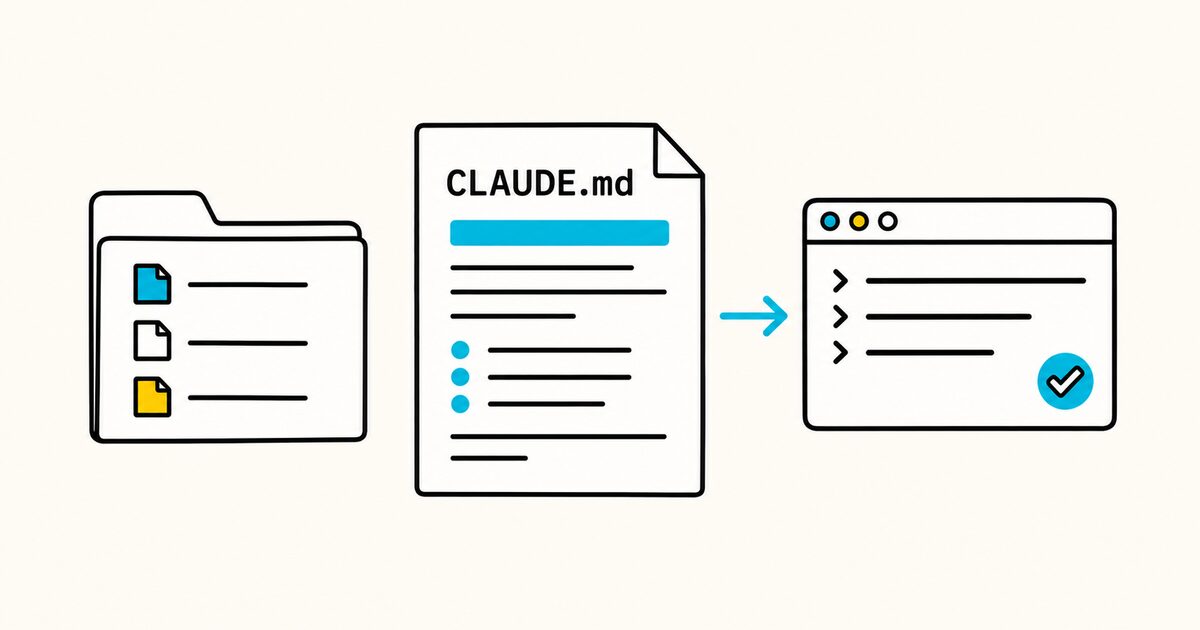
Claude Code loads the file as context. It is guidance, not a hard security control. Permissions, hooks, tests, and reviews still matter when a rule must be enforced.
This guide explains where the file goes, how multiple files combine, and how to write a useful version without filling the context window with generic advice.
CLAUDE.md at a glance
| Property | Value |
|---|---|
| File name | CLAUDE.md |
| Format | Plain Markdown; no required headings or front matter |
| Main project location | ./CLAUDE.md or ./.claude/CLAUDE.md |
| Personal location | ~/.claude/CLAUDE.md |
| Private project file | ./CLAUDE.local.md, normally added to .gitignore |
| Typical content | Commands, architecture, conventions, boundaries, and verification |
| Recommended size | Under about 200 lines per file |
| Verify loading | Run /context and check Memory files |
CLAUDE.md Key facts
- Claude Code reads
CLAUDE.mdfiles as persistent context at the start of a session. - A project file can live at the repository root or at
.claude/CLAUDE.md. - Files above the working directory load at launch. Files in subdirectories load when Claude reads files there.
- Discovered files are combined. A nearer file does not erase a broader file, so conflicting instructions are risky.
@path/to/fileimports another file into context. Imported files still consume context..claude/rules/supports separate rules, including rules scoped to matching file paths.- Claude Code can also read
AGENTS.md, but the default behavior depends on whether a projectCLAUDE.mdis present and on the Claude Code version. CLAUDE.mdshapes behavior. Use permissions, settings, or hooks for requirements that cannot depend on model compliance.
What CLAUDE.md is for
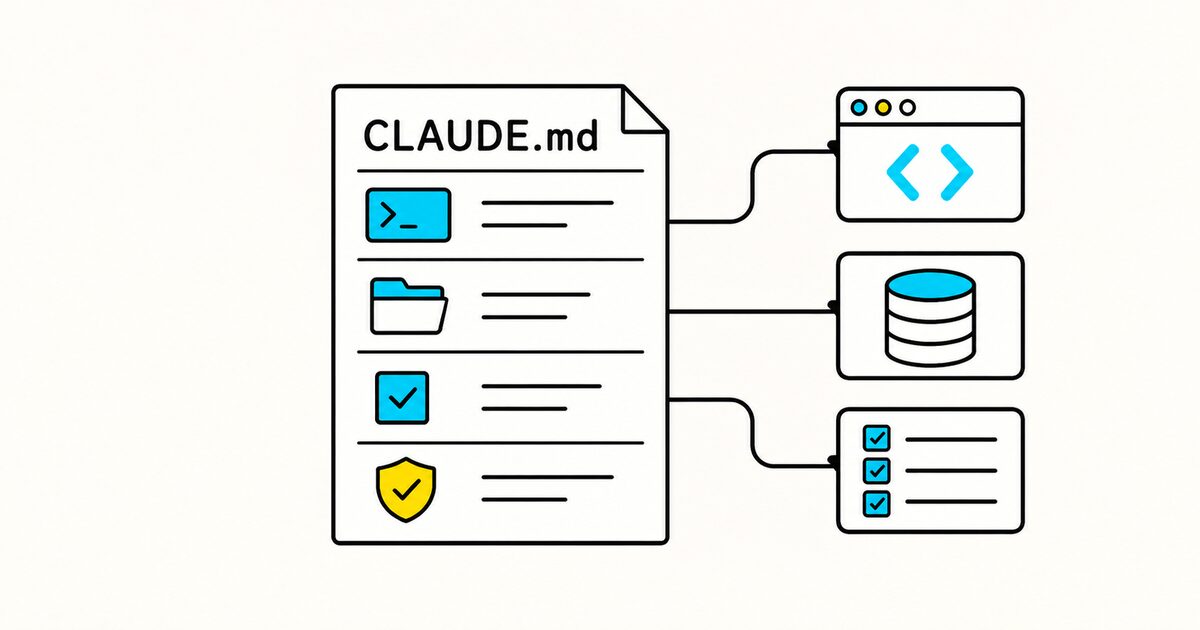
Use CLAUDE.md for stable facts that should influence most work in a project:
- the correct install, development, test, lint, and build commands;
- a short map of important directories;
- architectural boundaries that are easy to violate;
- project-specific naming and error-handling conventions;
- files that are generated, vendored, or otherwise off limits;
- the checks required before a change is considered complete;
- known traps that are not obvious from reading the code.
Do not use it as a copy of the README, API reference, changelog, or general programming handbook. Claude can inspect those sources when they are relevant.
A minimal CLAUDE.md example
Create CLAUDE.md in the repository root:
# Project instructions

## Commands
- Install dependencies: `pnpm install`
- Start development: `pnpm dev`
- Run the focused test: `pnpm test -- <test-file>`
- Run all checks: `pnpm verify`

## Project conventions
- Use TypeScript strict mode.
- Put HTTP handlers in `apps/api/src/routes/`.
- Keep database queries in `packages/data/`.
- Do not edit files under `generated/`.

## Definition of done
- Add or update a test for changed behavior.
- Run the narrowest relevant test, then `pnpm verify`.
- Report the commands run and any checks not run.
Every instruction is specific enough to follow or verify. Replace the commands and paths with the ones that actually exist in your project.
Complete CLAUDE.md template
This example is for a TypeScript monorepo. Delete sections that do not apply instead of leaving placeholders or vague rules.
# Atlas project instructions

## Project purpose

Atlas is a B2B inventory application. The web app calls the API;
the API owns validation and uses the data package for database access.

## Repository map

- `apps/web/`: Next.js user interface
- `apps/api/`: Fastify API
- `packages/data/`: database schema, queries, and migrations
- `packages/ui/`: shared React components
- `packages/config/`: shared lint and TypeScript configuration
- `generated/`: generated clients; never edit by hand

## Setup and commands

- Required runtime: Node.js 24 and pnpm 10
- Install dependencies: `pnpm install`
- Start all apps: `pnpm dev`
- Start one package: `pnpm --filter <package-name> dev`
- Run one test file: `pnpm vitest run <path>`
- Run affected tests: `pnpm test --filter "...[origin/main]"`
- Lint: `pnpm lint`
- Type-check: `pnpm typecheck`
- Build: `pnpm build`

Do not substitute npm or yarn commands. The lockfile is `pnpm-lock.yaml`.

## Architecture rules

- UI packages must not import from `apps/`.
- Route handlers validate input and call a service. They do not query the database directly.
- Database access belongs in `packages/data/src/repositories/`.
- Public API responses use the types in `packages/contracts/`.
- Preserve existing public function signatures unless the task explicitly changes the API.

## TypeScript conventions

- Keep `strict` mode enabled.
- Prefer named exports for shared modules.
- Use `unknown` at untrusted boundaries, then validate it.
- Do not add `any`, `@ts-ignore`, or non-null assertions to bypass a type error.
- Follow the nearest existing module before introducing a new abstraction.

## Tests

- Add or update a test for every behavior change.
- Keep unit tests beside the module as `*.test.ts`.
- Put API integration tests in `apps/api/test/`.
- Do not call production services from tests.
- Use the builders in `test/factories/`; do not duplicate large fixtures.

## Database changes

- Edit the schema source, then generate a migration with `pnpm db:migrate:create`.
- Do not edit an applied migration.
- Never run a production migration or seed command without explicit approval.

## Scope and safety

- Do not edit `generated/`, `dist/`, or vendored files.
- Never commit `.env` files, credentials, customer data, or access tokens.
- Ask before adding a runtime dependency.
- Ask before changing authentication, billing, deployment, or database retention behavior.

## Definition of done

1. The requested behavior is implemented without unrelated refactoring.
2. Relevant tests pass.
3. Lint and type-check pass for affected packages.
4. Documentation changes accompany user-visible behavior changes.
5. The final report lists the checks run and any remaining limitation.
The example documents facts that a model cannot safely infer. It does not spend context on generic instructions such as “write clean code.”
Where CLAUDE.md can live
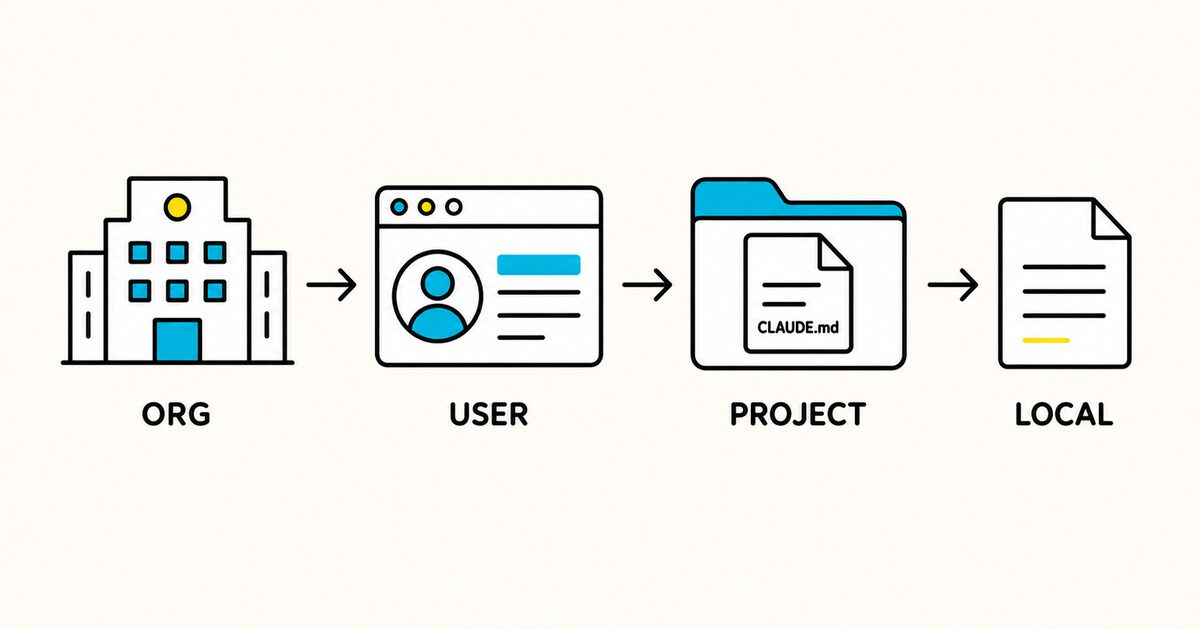
| Scope | Location | Appropriate content |
|---|---|---|
| Organization | Managed operating-system location | Company security and compliance guidance |
| User | ~/.claude/CLAUDE.md |
Personal preferences across projects |
| Project | ./CLAUDE.md or ./.claude/CLAUDE.md |
Shared architecture, commands, and conventions |
| Local project | ./CLAUDE.local.md |
Private test data, local URLs, and personal project notes |
| Subdirectory | <subdirectory>/CLAUDE.md |
Rules for one package or module |
The managed locations documented by Anthropic are:
- macOS:
/Library/Application Support/ClaudeCode/CLAUDE.md - Linux and WSL:
/etc/claude-code/CLAUDE.md - Windows:
C:\Program Files\ClaudeCode\CLAUDE.md
Keep shared project instructions in version control. Add CLAUDE.local.md to .gitignore if it contains personal, machine-specific information.
How multiple CLAUDE.md files load
Claude Code combines the applicable files rather than treating the nearest file as a complete replacement.
For this structure:
atlas/
├── CLAUDE.md
├── apps/
│   ├── api/
│   │   └── CLAUDE.md
│   └── web/
│       └── CLAUDE.md
└── packages/
Starting Claude Code in atlas/apps/api/ loads the root instructions and the API instructions. Starting at atlas/ loads the root file immediately; a subdirectory file is added when Claude reads files in that area.
Because the files are concatenated, avoid rules such as “always use REST” in one file and “always use GraphQL” in another. State the scope directly:
# API package instructions

- These rules apply to files under `apps/api/`.
- Public HTTP endpoints use REST.
- Internal service-to-service calls use the existing gRPC clients.
Import other files with @ syntax
A CLAUDE.md can import files with @:
# Project instructions

See @README.md for the product overview.

## Required workflows
- Pull request process: @docs/pull-requests.md
- Database migrations: @docs/database-migrations.md
Relative paths resolve from the file containing the import. Absolute paths are also supported. Imports can recurse up to four levels.
An import is expanded into the context. It is not a cheap hyperlink, so do not import long documents that are irrelevant to most tasks.
To mention a literal path beginning with @ without importing it, wrap it in backticks:
Edit `@docs/example.md` only when updating the documentation example.
Use .claude/rules for focused instructions
Put topic-specific Markdown files in .claude/rules/ when a single project file is becoming difficult to maintain:
.claude/
├── CLAUDE.md
└── rules/
    ├── security.md
    ├── testing.md
    └── frontend.md
A rule without front matter applies broadly. Add paths front matter when a rule should load only for matching files:
---
paths:
  - "apps/web/src/**/*.tsx"
  - "packages/ui/src/**/*.tsx"
---

# React component rules

- Use the shared components in `packages/ui/` before adding a new primitive.
- Keep data fetching outside presentational components.
- Add an accessible label to icon-only controls.
- Test keyboard interaction for dialogs and menus.
Use path-scoped rules for one language, package, or file type. Use a Skill when the content is a multi-step procedure needed only for a particular task.
CLAUDE.md versus AGENTS.md
| Question | CLAUDE.md |
AGENTS.md |
|---|---|---|
| Primary audience | Claude Code | Multiple coding agents |
| Format | Plain Markdown | Plain Markdown |
| Product-specific features | Imports, .claude/rules/, local and managed locations |
Nested repository files and cross-agent convention |
| Best use | Claude-specific workflow or configuration guidance | Shared repository instructions |
Current Claude Code can read AGENTS.md. By default, a repository AGENTS.md is used when no project CLAUDE.md or CLAUDE.local.md applies.
If both exist, Claude normally reads the Claude files unless the project instruction setting is changed or CLAUDE.md imports AGENTS.md.
One practical cross-tool arrangement is:
# CLAUDE.md

@AGENTS.md

## Claude Code-specific guidance
- Use `/context` when instruction loading is unclear.
- Use the `release-notes` skill for release-note requests.
This keeps shared rules in one place and limits duplication. Direct AGENTS.md support requires a current Claude Code release, so check the official documentation if a team uses older installations.
What not to put in CLAUDE.md
Avoid:
- secrets, API keys, credentials, customer information, or private tokens;
- generic advice the model already knows;
- commands that have not been checked in the repository;
- copied documentation that is available elsewhere;
- personal preferences in a team-shared project file;
- temporary task details that will be stale next week;
- contradictory rules across root, local, and nested files;
- security requirements that are not backed by actual controls.
A statement such as “never deploy to production” is useful guidance. It does not prevent deployment. Configure permissions or a PreToolUse hook if the action must be blocked.
How to test your CLAUDE.md
- Start a new Claude Code session from the intended directory.
- Run
/contextand confirm the expected files appear under Memory files. - Ask Claude to list the project commands and boundaries it should follow.
- Give it a small representative task.
- Check whether it selects the correct files, commands, and verification steps.
- Correct unclear instructions with concrete wording.
- Run
/doctor prompt-auditon a current Claude Code version to find stale paths or conflicts.
Do not test only by asking whether Claude “understands.” Test behavior against a small task with an observable result.
Troubleshooting
Claude is not loading the file
- Confirm the filename is exactly
CLAUDE.md. - Confirm it is at the project root,
.claude/CLAUDE.md, or another documented scope. - Run
/contextto inspect loaded memory files. - Start or resume a session after editing if the active session has not refreshed.
A nested rule is ignored
Confirm Claude has read a file in that subdirectory. Nested files and path-scoped rules can load on demand rather than at session start.
Check the glob and YAML in a .claude/rules/ file. Invalid front matter can cause the rule to load without the intended path restriction.
Claude follows the wrong rule
Search all applicable CLAUDE.md, CLAUDE.local.md, AGENTS.md, and .claude/rules/ files for conflicts. Combined context does not provide a dependable “winner” for contradictory instructions.
The file is too long
Keep only facts needed in most sessions. Move module-specific guidance to path-scoped rules and task procedures to skills. Imports improve organization but do not reduce how much imported text enters context.
Maintenance checklist
- Verify every command after the package scripts or build system changes.
- Remove paths and tools that no longer exist.
- Add a rule only after identifying a repeated, costly mistake.
- Keep one source of truth for shared instructions.
- Review nested files for contradictions.
- Keep each file under roughly 200 lines where practical.
- Never include secrets or production credentials.
- Re-test loading after moving the file.
FAQ
What is CLAUDE.md?
CLAUDE.md is a plain Markdown file containing persistent instructions that Claude Code loads as project, personal, local, or organization context.
Where should CLAUDE.md go?
For a shared project, put it at ./CLAUDE.md or ./.claude/CLAUDE.md. Put personal cross-project instructions at ~/.claude/CLAUDE.md, and private project notes in a gitignored CLAUDE.local.md.
Does CLAUDE.md require YAML front matter?
No. A normal CLAUDE.md is plain Markdown with no required schema. Files in .claude/rules/ can use paths front matter to limit a rule to matching files.
Does the nearest CLAUDE.md replace the root file?
No. Claude Code combines applicable files. A nested file adds more context, so keep the instructions compatible and state their scope clearly.
Can CLAUDE.md import another file?
Yes. Use @path/to/file. Imported text is loaded into context, and recursive imports are limited to four hops.
How do I know whether Claude Code loaded my file?
Run /context and inspect the Memory files section. Then test the instructions with a small task whose correct commands and boundaries are easy to observe.
Should I use CLAUDE.md or AGENTS.md?
Use AGENTS.md when one shared file should serve several compatible agents. Use CLAUDE.md for Claude-specific guidance or features.
Current Claude Code can read AGENTS.md, but its default behavior changes when a project CLAUDE.md is also present.
Can CLAUDE.md enforce security restrictions?
No. It influences the model but is not an enforcement layer. Use Claude Code permissions, managed settings, sandboxing, or hooks to block prohibited actions.
Sources and verification
- Claude Code: How Claude remembers your project
- Claude Help Center: Give Claude context with CLAUDE.md
- Claude Code: Explore the .claude directory
Product behavior in this guide was checked against official documentation on 29 September 2026. Commands in the examples are illustrative and must be replaced with commands from your repository.
Related pages
- Markdown files for AI agents
- AGENTS.md guide
- SKILL.md guide
- Markdown on GitHub
- Markdown front matter