
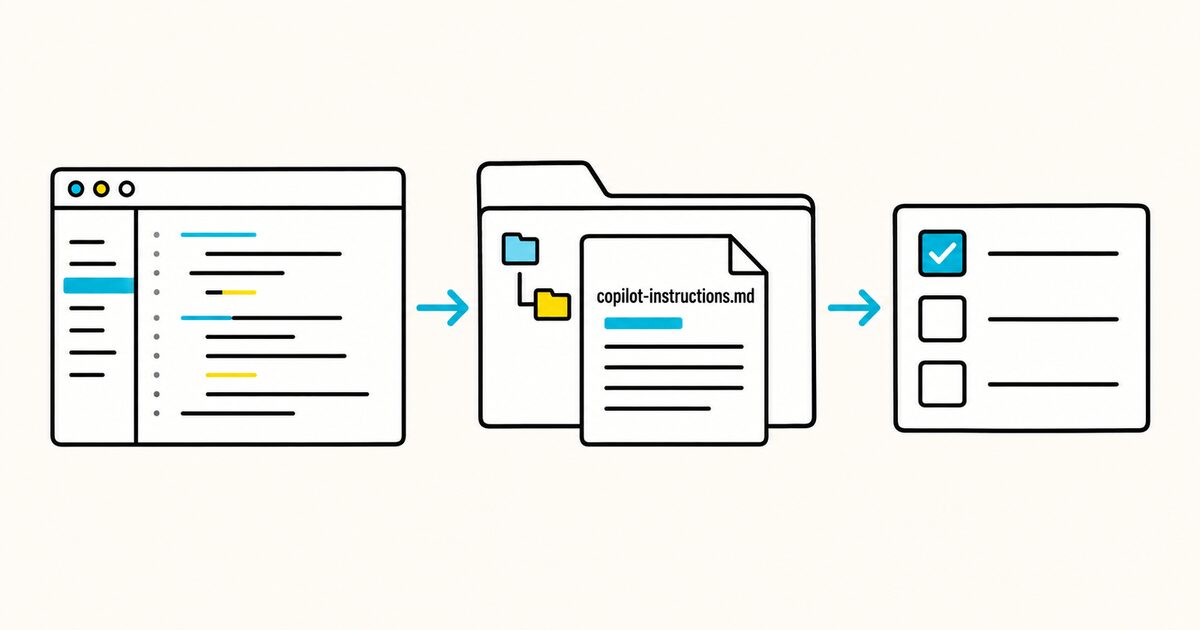
It can describe your architecture, commands, conventions, testing requirements, and boundaries so they do not need to be repeated in every chat request.
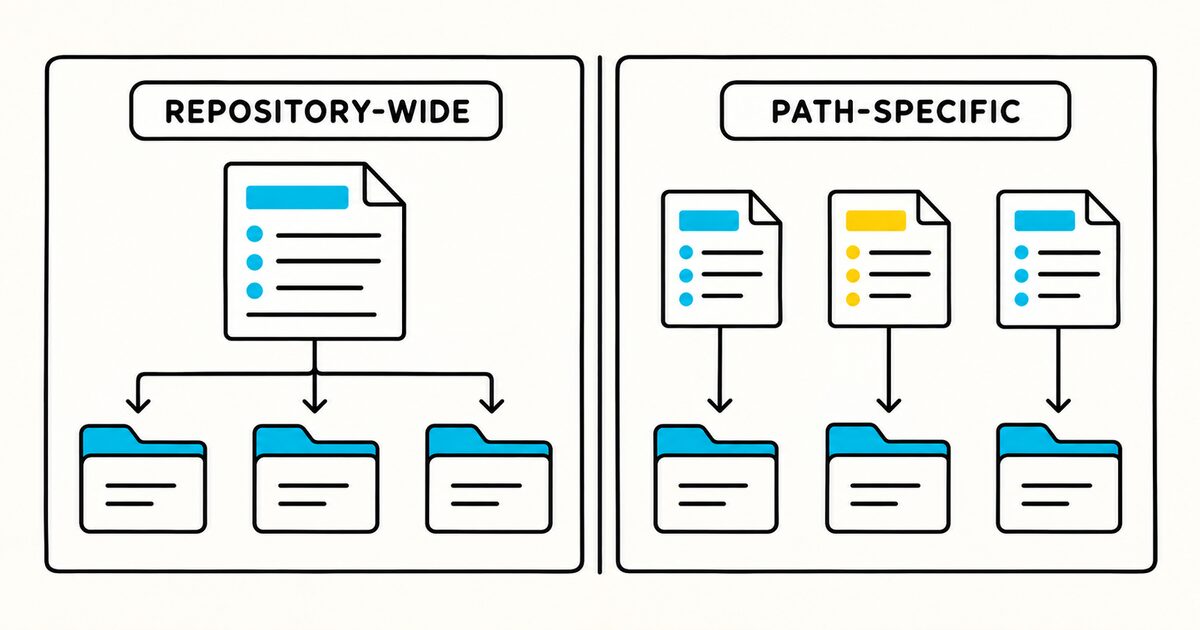
For rules that apply only to particular files, use .github/instructions/*.instructions.md with an applyTo pattern. Support and discovery details vary between Copilot CLI, GitHub coding agents, and VS Code agent harnesses.
These instructions guide model output. They do not replace branch protection, permissions, tests, or code review.
Copilot instructions at a glance
| Property | Repository-wide instructions | Path-specific instructions |
|---|---|---|
| Location | .github/copilot-instructions.md |
.github/instructions/**/*.instructions.md |
| Format | Plain Markdown | YAML front matter and Markdown |
| Scope | Repository-wide | Files matching applyTo |
| Required front matter | None | applyTo |
| Typical use | Architecture, commands, shared conventions | Language, module, test, or documentation rules |
| CLI inspection | /instructions |
/instructions |
GitHub Copilot instructions Key facts
- The repository-wide file is
.github/copilot-instructions.md. - Path-specific files must end with
.instructions.mdand live under.github/instructions/. applyTouses glob syntax and can contain multiple comma-separated patterns.- Copilot CLI combines applicable instruction files and does not define one general precedence order, so conflicts should be removed.
- Copilot CLI can also discover
AGENTS.md,CLAUDE.md, andGEMINI.mdin supported locations. - In Copilot CLI,
/instructionsshows discovered files and lets you enable or disable them for the session. - Changes to instruction files may require a new or resumed Copilot CLI session.
- VS Code does not use custom instruction files for inline suggestions as you type.
What belongs in copilot-instructions.md
Include repository-wide facts that affect many coding tasks:
- the language, framework, package manager, and supported runtime;
- exact setup, development, test, lint, and build commands;
- a short repository map;
- architectural and dependency boundaries;
- security and data-handling requirements;
- generated or restricted files;
- testing expectations and the definition of done.
Prefer concrete instructions:
- Run `pnpm vitest run <path>` for the changed test file.
- Put database queries in `packages/data/src/repositories/`.
- Do not edit files under `src/generated/`.
Avoid statements such as “follow best practices” or “write clean code.” They do not define an observable project requirement.
A minimal repository-wide example
Create .github/copilot-instructions.md:
# Project instructions

## Commands
- Install dependencies: `pnpm install`
- Start development: `pnpm dev`
- Run one test: `pnpm vitest run <path>`
- Run all checks: `pnpm verify`

## Architecture
- Route handlers live in `apps/api/src/routes/`.
- Database access belongs in `packages/data/`.
- Shared UI components belong in `packages/ui/`.
- Do not edit `generated/`.

## Completion
- Add or update tests for changed behavior.
- Report the checks run and any checks not run.
Replace the sample commands and paths with verified project values.
Complete copilot-instructions.md template
The following example covers a React and Python application without mixing language-specific details into every request.
# Acme workspace instructions

## Product and architecture

Acme is a project-planning application.

- `apps/web/`: React and TypeScript frontend
- `services/api/`: Python FastAPI service
- `packages/contracts/`: shared API schemas
- `packages/ui/`: shared React components
- `infra/`: deployment configuration; change only when requested
- `generated/`: generated clients; never edit by hand

The web app calls the API through the generated client. API routes validate
requests and delegate business rules to services. Repository classes own
database access.

## Commands

- Install JavaScript dependencies: `pnpm install`
- Install Python dependencies: `uv sync --project services/api`
- Start development: `pnpm dev`
- Run one frontend test: `pnpm vitest run <path>`
- Run API tests: `uv run --project services/api pytest <path>`
- Lint: `pnpm lint && uv run --project services/api ruff check .`
- Type-check: `pnpm typecheck && uv run --project services/api mypy .`
- Build: `pnpm build`

Use pnpm for JavaScript and uv for Python. Do not create npm, yarn, pip, or
Poetry lockfiles.

## Shared rules

- Keep changes scoped to the requested behavior.
- Follow the nearest existing implementation before creating a new abstraction.
- Preserve public APIs unless the request explicitly changes them.
- Validate all untrusted input at the system boundary.
- Never log credentials, access tokens, session IDs, or customer content.
- Never commit `.env` files or generated credentials.
- Ask before adding a runtime dependency.

## Testing

- Add or update a test for every behavior change.
- Run the narrowest relevant test during development.
- Run lint and type checks for affected packages before completing the task.
- Do not connect tests to production services.
- Report commands that could not be run and why.

## Restricted changes

- Do not edit `generated/`, build output, or vendored code.
- Do not rewrite an applied database migration.
- Do not change authentication, billing, infrastructure, or data retention unless requested.
- Never deploy or run a production migration without explicit approval.

## Definition of done

1. Requested behavior is implemented.
2. Relevant tests cover the change and pass.
3. Affected code passes lint and type checks.
4. User-visible changes include documentation when needed.
5. The response summarizes changed behavior, verification, and limitations.
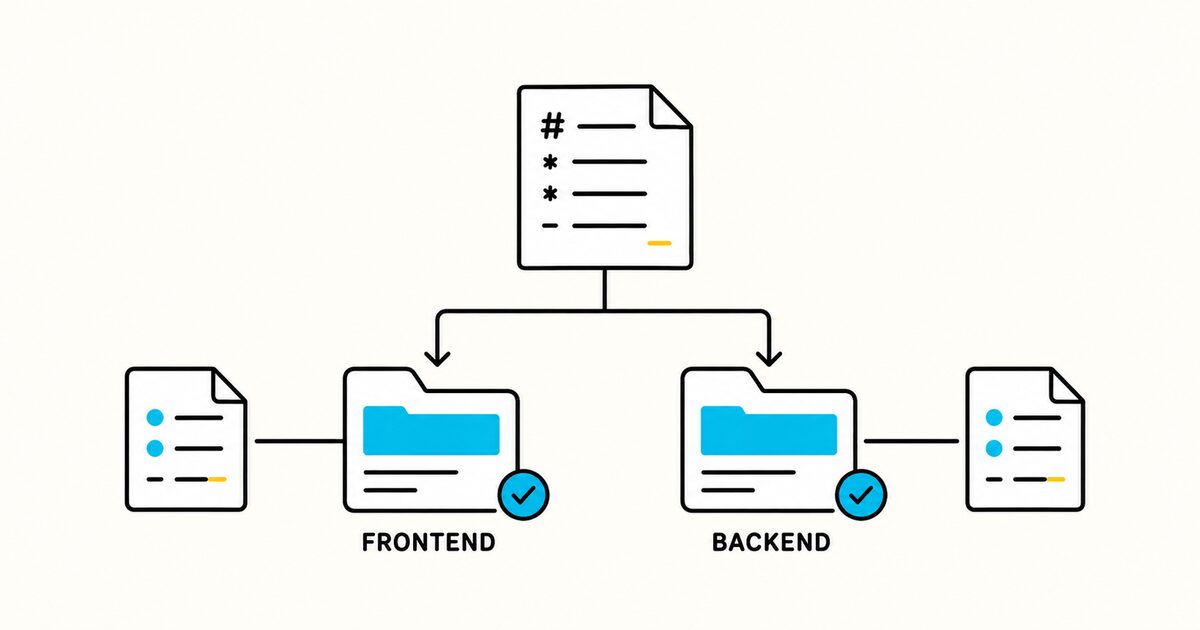
Keep frontend and backend details in path-specific files when they do not apply across the repository.
Add path-specific .instructions.md files
A path-specific file starts with YAML front matter containing applyTo.
Example structure:
.github/
├── copilot-instructions.md
└── instructions/
    ├── react.instructions.md
    ├── python.instructions.md
    └── tests.instructions.md
React example
Create .github/instructions/react.instructions.md:
---
applyTo: "apps/web/**/*.ts,apps/web/**/*.tsx,packages/ui/**/*.tsx"
---

# React and TypeScript instructions

- Use function components and TypeScript strict mode.
- Use shared components from `packages/ui/` before adding a new primitive.
- Keep server state in the existing query layer.
- Keep data fetching out of presentational components.
- Add an accessible name to icon-only controls.
- Test keyboard interaction for dialogs, menus, and popovers.
- Put component tests beside the component as `*.test.tsx`.
Python example
Create .github/instructions/python.instructions.md:
---
applyTo: "services/api/**/*.py"
---

# Python API instructions

- Support the Python version declared in `pyproject.toml`.
- Validate request and response bodies with the existing Pydantic models.
- Keep route handlers thin; put business rules in services.
- Put database queries in repository classes.
- Use explicit return types on public functions.
- Run `uv run --project services/api pytest <changed-test>`.
- Run Ruff and mypy for the affected package before completion.
Test-file example
---
applyTo: "**/*.test.ts,**/*.test.tsx,**/test_*.py"
---

# Test instructions

- Test behavior through public interfaces.
- Use existing factories instead of duplicating large fixtures.
- Avoid time-based sleeps; use the repository's fake clock.
- Do not call production services.
- Make the test fail for the original bug before relying on it as a regression test.
Multiple matching instruction files can apply to the same file. Keep their rules compatible.
applyTo glob examples
| Pattern | Matches |
|---|---|
*.py |
Python files in the current directory |
**/*.py |
Python files at any depth |
src/*.ts |
TypeScript files directly inside src/ |
src/**/*.ts |
TypeScript files anywhere under src/ |
**/*.ts,**/*.tsx |
TypeScript and TSX files at any depth |
Test the pattern against the paths in your repository. A correct-looking rule is ineffective if its glob never matches.
Limit instructions to an agent type
GitHub documents the optional excludeAgent field for path-specific files. It accepts code-review or cloud-agent.
This file applies to the cloud agent but not Copilot code review:
---
applyTo: "**"
excludeAgent: "code-review"
---

# Implementation instructions

- Run the focused tests before returning a change.
- Do not modify deployment configuration unless the task requests it.
Use this field only when the instructions genuinely do not suit one agent. Do not maintain unnecessary variations of the same rules.
Reference other files in Copilot CLI
Copilot CLI supports @relative/path references from .github/copilot-instructions.md, AGENTS.md, and CLAUDE.md:
# Project instructions

@docs/architecture.md

## Required workflow
- Follow @docs/pull-request-checklist.md before completing a change.
References must stay within the repository for project instructions. Absolute paths and ~/ paths are not loaded.
Copilot CLI does not expand these @ references from GEMINI.md or *.instructions.md. This behavior is product-specific, so do not assume an import syntax works across every agent.
How multiple instruction files interact
Copilot CLI can discover:
- user instructions at
$HOME/.copilot/copilot-instructions.md; - user path-specific files under
$HOME/.copilot/instructions/; .github/copilot-instructions.md;.github/instructions/**/*.instructions.md;AGENTS.md;CLAUDE.mdand.claude/CLAUDE.md;GEMINI.md;- additional configured directories.
Applicable files are combined. GitHub does not define a general precedence order that reliably resolves conflicts.
If several tools use the repository, prefer one shared AGENTS.md for common rules and small product-specific files for genuine differences. Avoid maintaining five copied versions of the same command list.
Inspect and test the instructions
In Copilot CLI:
- Start a new session in the repository.
- Run
/instructions. - Confirm the expected files are discovered and enabled.
- Open or name a file that should match a path-specific rule.
- Ask for a small representative change.
- Check the selected commands, architecture, tests, and restricted paths.
After changing an instruction file, start a new session or exit and resume the existing session as documented by GitHub.
In VS Code, inspect the active agent harness and attached instruction files. Remember that custom instructions do not apply to inline code suggestions as you type.
What instructions cannot enforce
Custom instructions influence an agent’s response. They do not provide a security boundary.
Use technical controls for requirements such as:
- protecting the default branch;
- blocking secret commits;
- restricting deployment credentials;
- requiring review;
- denying access to production systems;
- enforcing formatting, lint, tests, and policy checks in CI.
Write the rule in the instruction file so the agent understands it, then enforce it in the appropriate system.
Common mistakes
Putting the file in the repository root
The repository-wide Copilot filename belongs at .github/copilot-instructions.md, not ./copilot-instructions.md.
Adding YAML to the repository-wide file
The repository-wide file is plain Markdown. applyTo front matter belongs in *.instructions.md files under .github/instructions/.
Assuming a general precedence order
Copilot CLI combines applicable instructions. Remove conflicts rather than expecting the closest or newest file to win.
Expecting inline completions to follow the file
VS Code documents that custom instructions are not considered for inline suggestions. Test in the relevant chat or agent workflow.
Writing universal rules in every scoped file
Keep shared commands and boundaries in the repository-wide file. Use scoped files only for genuine differences.
Treating prose as enforcement
Back important rules with repository permissions, CI, hooks, and review.
Maintenance checklist
- Check every command after package scripts or tooling change.
- Review
applyTopatterns after moving directories. - Remove duplicated rules across Copilot, AGENTS, Claude, and Gemini files.
- Keep repository-wide instructions short and broadly applicable.
- Test one matching and one non-matching file for every scoped rule.
- Inspect
/instructionsafter structural changes. - Never include secrets or customer data.
- Recheck official support across CLI, VS Code, and cloud agents before updating claims.
FAQ
Where does copilot-instructions.md go?
Put the repository-wide file at .github/copilot-instructions.md in the repository root.
Does copilot-instructions.md need front matter?
No. It is plain Markdown. Path-specific *.instructions.md files need applyTo front matter.
How do I make instructions apply only to TypeScript files?
Create a file such as .github/instructions/typescript.instructions.md with applyTo: "**/*.ts,**/*.tsx".
Can Copilot use AGENTS.md?
Copilot CLI and current Copilot agent harnesses document support for AGENTS.md. Exact discovery can differ by product surface, so verify the active instructions in the tool you use.
Which instruction file wins when they conflict?
GitHub does not define a general precedence order for combined Copilot CLI instruction files. Remove or reconcile contradictory rules.
How can I see which files Copilot CLI loaded?
Run /instructions to view discovered instruction files and their enabled state.
Do these instructions affect inline suggestions in VS Code?
No. VS Code states that custom instructions are not taken into account for inline suggestions as you type.
Can copilot-instructions.md block a deployment?
No. It can tell the agent not to deploy, but technical enforcement requires permissions, environment protection, hooks, or other controls.
Sources and verification
- GitHub Docs: Adding custom instructions for GitHub Copilot CLI
- VS Code: Use custom instructions
- VS Code: Configure AI for your codebase
Locations, fields, commands, and limitations were checked against official GitHub and VS Code documentation on 29 September 2026. Test the article examples on the Copilot surface your team actually uses.