
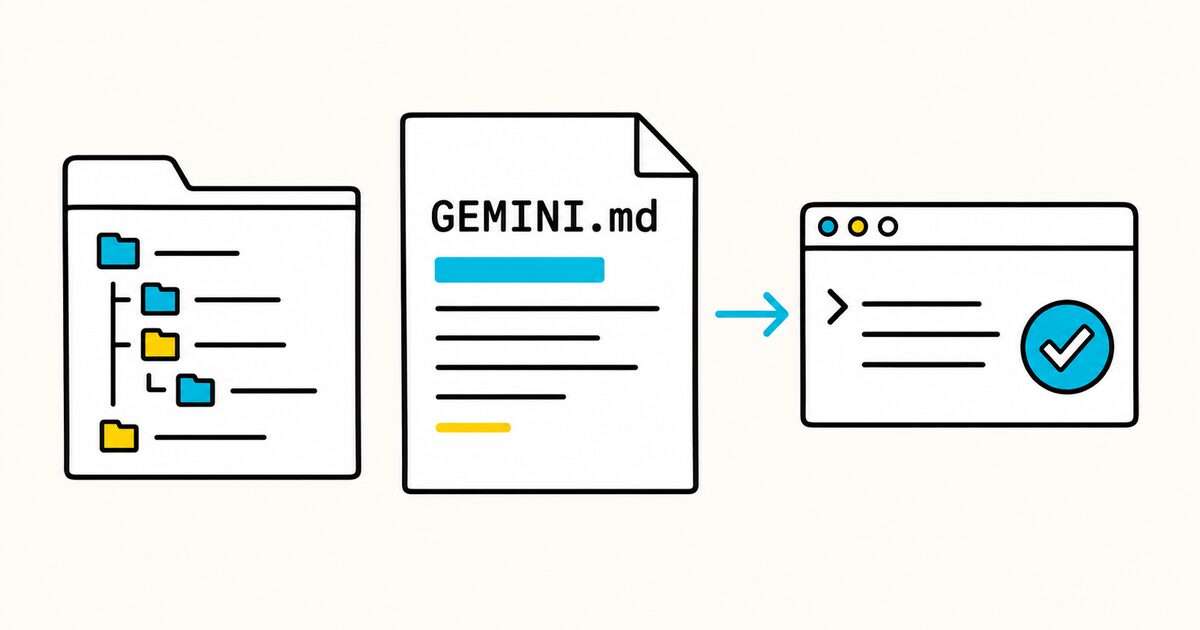
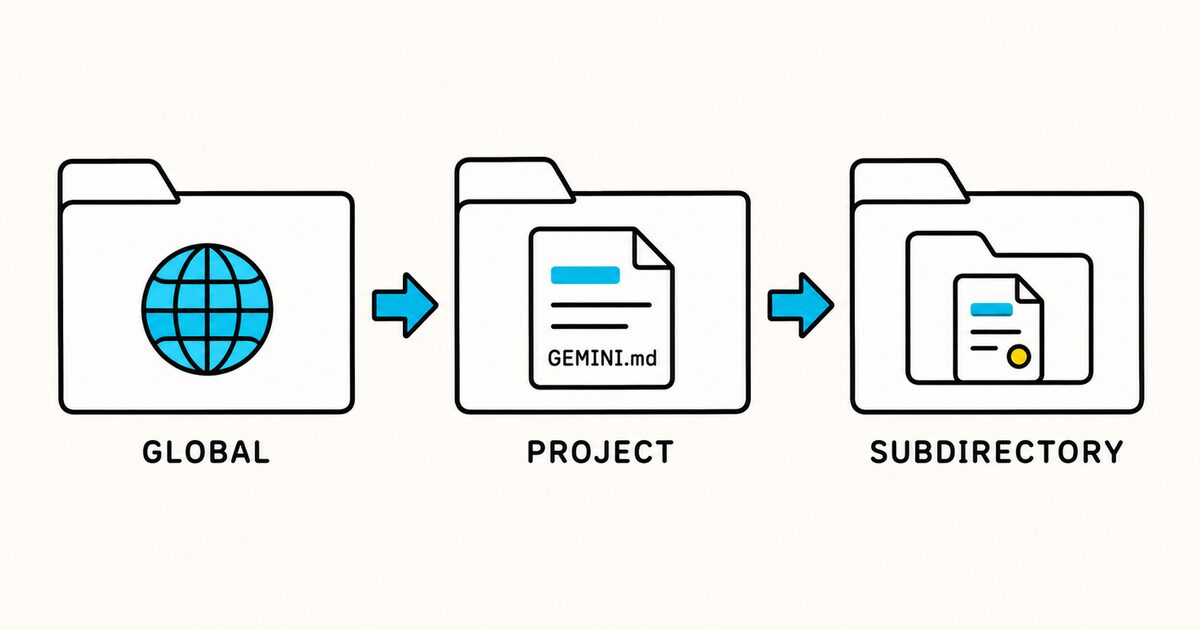
Gemini CLI can load a global file, project files, and more specific files in subdirectories. It combines the content, so clear scoping matters when a repository has several context files.
This guide explains the hierarchy, memory commands, imports, custom filenames, and a complete project example.
GEMINI.md at a glance
| Property | Value |
|---|---|
| Default filename | GEMINI.md |
| Format | Plain Markdown with no required schema |
| Global location | ~/.gemini/GEMINI.md |
| Project location | Project root and applicable directories |
| Main commands | /memory show, /memory list, and the reload command available in the installed version |
| Import syntax | @./relative-file.md or an absolute path |
| Custom filename setting | context.fileName in settings.json |
| Main risk | Conflicting or stale instructions are combined into the model context |
GEMINI.md Key facts
- Gemini CLI uses
GEMINI.mdas its default persistent context filename. - The global file at
~/.gemini/GEMINI.mdapplies across projects. - Gemini CLI searches the current directory and its parents up to the Git project root.
- It can also scan subdirectories beneath the working directory, while respecting
.gitignoreand.geminiignore. - Found context files are concatenated rather than treated as independent configuration layers.
/memory showdisplays the combined context currently supplied to the model.@file.mdimports let a context file include other files.context.fileNamecan make Gemini CLI load names such asAGENTS.md,CONTEXT.md, andGEMINI.md.
What GEMINI.md is for
Use the file for stable, project-specific information that improves many tasks:
- exact install, build, test, lint, and formatting commands;
- a short repository map;
- architectural boundaries;
- preferred libraries and patterns;
- generated or restricted paths;
- requirements for tests and documentation;
- facts that are not reliably inferred from the code.
Avoid generic instructions such as “write high-quality code.” Replace them with an observable rule:
- Run `npm test -- <changed-test-file>` after changing application behavior.
- Keep database access in `src/repositories/`; route handlers must not issue SQL.
A minimal GEMINI.md example
# Project context

## Commands
- Install dependencies: `npm ci`
- Start development: `npm run dev`
- Run tests: `npm test`
- Run all checks: `npm run verify`

## Conventions
- Use TypeScript strict mode.
- Put API routes in `src/api/routes/`.
- Use the repository layer for database access.
- Do not edit files under `src/generated/`.

## Completion
- Add or update tests for changed behavior.
- Report the checks run and any checks not run.
Replace every command and path with a verified value from your project.
Complete GEMINI.md template
This example is for a project-management application with a React frontend and a Node.js API.
# Orbit project context

## Product

Orbit helps teams plan projects, assign work, and track delivery risks.
The web application uses the public API. The API owns validation and access control.

## Repository map

- `apps/web/`: React frontend
- `apps/api/`: Node.js API
- `packages/contracts/`: shared request and response types
- `packages/database/`: schema, migrations, and repositories
- `packages/ui/`: shared interface components
- `docs/decisions/`: architecture decision records
- `generated/`: generated code; do not edit directly

## Commands

- Required runtime: Node.js 24
- Install dependencies: `pnpm install`
- Start all packages: `pnpm dev`
- Start one package: `pnpm --filter <package> dev`
- Run one test file: `pnpm vitest run <path>`
- Lint affected code: `pnpm lint`
- Type-check: `pnpm typecheck`
- Build: `pnpm build`

Use pnpm. Do not run npm or yarn install commands in this repository.

## Architecture

- UI code may import contracts and shared UI components, not API internals.
- API routes validate input and delegate to services.
- Services enforce business rules.
- Database queries belong in `packages/database/src/repositories/`.
- Every tenant-owned query must filter by `workspaceId`.
- Keep public API response types backward compatible unless the task explicitly changes the contract.

## Frontend

- Use existing components from `packages/ui/` before adding a new primitive.
- Keep server state in the existing query layer, not component-local state.
- Icon-only controls require an accessible name.
- Dialogs must support keyboard focus and Escape to close.

## API and security

- Validate untrusted input with the existing schema library.
- Apply authentication before loading workspace data.
- Do not log access tokens, session IDs, customer content, or complete request bodies.
- Return the standard error shape from `packages/contracts/src/errors.ts`.

## Tests

- Add or update a test for changed behavior.
- Prefer the smallest relevant test during development.
- Run `pnpm typecheck` and `pnpm lint` before completing a cross-package change.
- Never connect automated tests to production services.

## Restricted changes

- Do not edit `generated/`, `dist/`, lockfiles, or applied migrations by hand.
- Ask before adding a runtime dependency.
- Ask before changing authentication, billing, deployment, or retention behavior.
- Never run deployment or production migration commands without explicit approval.

## Definition of done

1. The requested behavior is implemented without unrelated refactoring.
2. Relevant tests pass.
3. Type-check and lint pass for affected packages.
4. User-visible behavior changes include documentation where needed.
5. The final response lists the checks performed and remaining limitations.
The file is detailed where mistakes are costly and brief where the code already provides the answer.
How Gemini CLI finds context files
Gemini CLI loads context in a hierarchy:
- Global context from
~/.gemini/GEMINI.md. - Project and ancestor files from the current directory upward to the project root identified by
.git. - Applicable files in subdirectories beneath the current working directory.
Subdirectory scanning respects .gitignore and .geminiignore.
For this repository:
orbit/
├── .git/
├── GEMINI.md
├── apps/
│   ├── api/
│   │   └── GEMINI.md
│   └── web/
│       └── GEMINI.md
└── packages/
The root file should contain shared rules. The API file should contain only API-specific differences:
# API context

- These instructions apply to `apps/api/`.
- Route handlers must use the validation schemas in `src/schemas/`.
- Integration tests live in `test/integration/`.
- Run one API test with `pnpm --filter api vitest run <path>`.
Gemini CLI concatenates the files. Do not assume the nested file erases a root rule, and do not create deliberate conflicts.
Inspect and refresh memory
Use Gemini CLI’s memory commands to check the active context:
/memory show
This displays the full concatenated memory. Use it to confirm the expected files loaded and to find duplicate or conflicting rules.
Use /memory list to see the context files Gemini CLI has discovered.
The current official pages use two names for rescanning context files. The command reference documents /memory refresh, while the dedicated GEMINI.md page shows /memory reload. Run /memory or /help and use the reload command shown by your installed version. Then run /memory show again to confirm the edit is active.
Edit ~/.gemini/GEMINI.md directly for personal cross-project guidance. Put team rules in the repository's GEMINI.md so they can be reviewed and versioned with the project.
Import supporting files
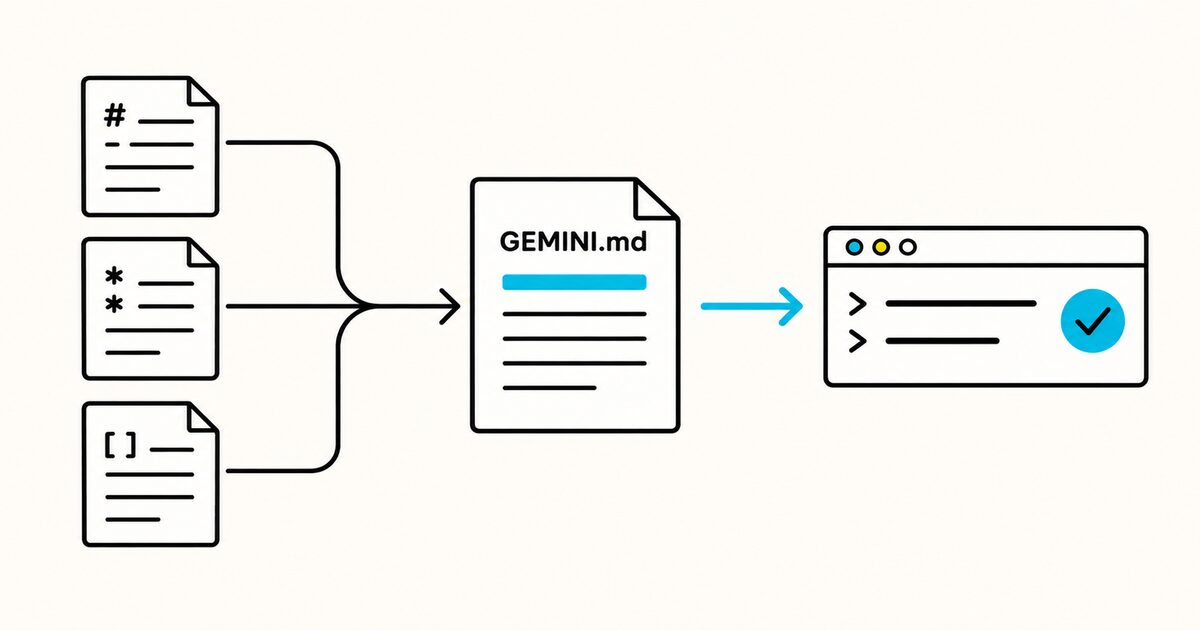
Use @ syntax to split large context into focused files:
# Orbit project context

@./docs/agent/architecture.md
@./docs/agent/testing.md

## Commands
- Install: `pnpm install`
- Verify: `pnpm verify`
Gemini CLI supports relative and absolute import paths. Keep imported content relevant because it becomes part of the model context.
An import is useful for a shared source of truth. It is not a reason to load an entire documentation library into every prompt.
Use AGENTS.md as shared context
Gemini CLI lets you customize the context filenames in settings.json:
{
  "context": {
    "fileName": ["AGENTS.md", "GEMINI.md"]
  }
}
This arrangement can work when several agents share repository instructions:
- put cross-agent build, test, and architecture rules in
AGENTS.md; - put Gemini-specific behavior in
GEMINI.md; - inspect
/memory showto make sure the files do not duplicate or contradict each other.
The order and scope of custom context names can affect what loads. Test the configuration in the exact directory where the team starts Gemini CLI.
GEMINI.md versus other agent files
| File | Intended use | Main scope |
|---|---|---|
GEMINI.md |
Persistent Gemini CLI context | Global, project, and subdirectory |
AGENTS.md |
Cross-agent repository instructions | Repository and nested directories |
CLAUDE.md |
Persistent Claude Code context | User, project, local, and managed scopes |
SKILL.md |
Reusable task-specific procedure | One skill folder |
Choose one shared source for rules used by several tools. Add product-specific files only for genuine differences.
Copying the same instructions into several files creates drift. If one tool supports a shared filename or imports, use that feature and verify the resulting context.
What not to include
Do not put these in GEMINI.md:
- API keys, passwords, access tokens, or customer data;
- large API references that are needed only occasionally;
- unverified commands;
- generated descriptions of obvious folders;
- temporary task instructions;
- personal preferences in a committed team file;
- rules that conflict with global or nested context;
- claims that a text instruction guarantees security.
Use actual permissions, repository protection, tests, and review for enforceable controls.
Test the context file
- Start Gemini CLI in the directory your team normally uses.
- Run
/memory show. - Confirm the global, root, imported, and nested context is what you intended.
- Ask Gemini to state the relevant install and validation commands.
- Give it a small representative change.
- Check whether it respects paths, architecture, and scope.
- Edit unclear rules, use the reload command supported by your installed version, and repeat.
Test negative cases too. Ask for a change in a generated path or a production action and verify the agent recognizes the boundary.
Troubleshooting
GEMINI.md does not appear in memory
- Confirm the filename and capitalization.
- Confirm the file lies inside the expected project hierarchy.
- Check whether
.gitignoreor.geminiignoreexcludes a nested location. - Use the reload command supported by your installed version, then run
/memory show. - Check
context.fileNameif the default filename was changed.
A recent edit is not reflected
Reload the context with the command supported by your installed version. Then use /memory show rather than relying on the model to describe its memory from memory.
Too many context files load
Start Gemini CLI from a narrower working directory, remove unnecessary nested files, or use .geminiignore where appropriate. Keep global instructions personal and broadly applicable.
Instructions conflict
Search the concatenated output from /memory show. Rewrite rules to state their scope, and keep one authoritative copy of shared guidance.
An import fails
Check the path relative to the GEMINI.md containing the import. Confirm the file exists and is readable in the active environment.
Maintenance checklist
- Verify commands whenever scripts or tooling change.
- Remove stale paths and framework versions.
- Keep the root file focused on project-wide facts.
- Move module differences into subdirectory files.
- Review
/memory showfor duplication. - Keep global instructions separate from team policy.
- Never store secrets or private data.
- Re-test after changing
context.fileNameor ignore rules.
FAQ
What is GEMINI.md?
GEMINI.md is the default Markdown context file for Gemini CLI. It stores persistent instructions and project information that are supplied to the model.
Where does GEMINI.md go?
Put shared project context at the project root. Put personal cross-project context at ~/.gemini/GEMINI.md. Add subdirectory files only when a component needs different guidance.
Does GEMINI.md need front matter?
No. It is plain Markdown with no required schema.
How can I see which instructions Gemini CLI loaded?
Run /memory show. It displays the combined context from the active hierarchy.
How do I reload GEMINI.md after editing it?
Run /memory or /help and use the reload command shown by your installed version. The current official pages refer to this command as either /memory refresh or /memory reload. Run /memory show afterward to confirm the new context.
Can GEMINI.md include another file?
Yes. Use @./relative-path.md or an absolute path. Imported content becomes part of the active context.
Can Gemini CLI use AGENTS.md?
Yes, by configuring context.fileName to include AGENTS.md. Check /memory show afterward to confirm the intended files and avoid duplicate instructions.
Does a nested GEMINI.md replace the root file?
No. Gemini CLI concatenates context files. Keep nested guidance compatible with project-wide rules.
Sources and verification
The hierarchy, commands, imports, and custom filename setting were checked against official Gemini CLI documentation on 29 September 2026. The two official pages currently disagree on whether the rescan command is named refresh or reload, so the article tells readers how to verify the command in their installed build.