
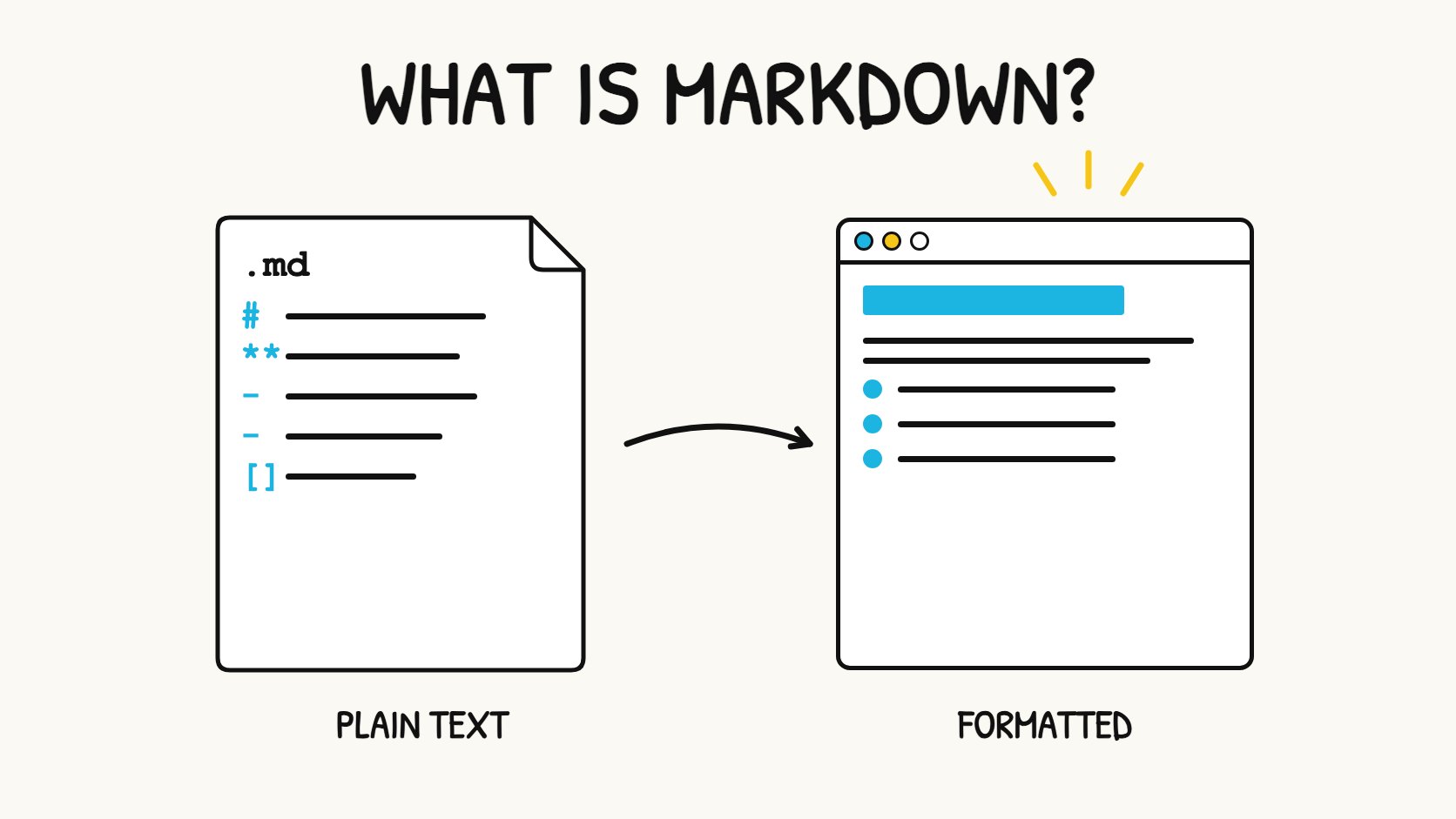
Short answer: Markdown lets you write formatted documents in plain text. The text stays readable in any editor, and apps such as GitHub, Obsidian, Notion, VS Code and Markdific display it as a formatted page. It was created in 2004 and is now the standard format for README files, documentation, notes and AI chat answers.
Markdown at a glance
| Question | Answer |
|---|---|
| What is it? | A lightweight formatting language written in plain text |
| Created by | John Gruber, with Aaron Swartz, in 2004 |
| File extension | .md (sometimes .markdown) |
| What you type | Symbols such as # for headings and ** for bold |
| What you see | A formatted document in a Markdown app or preview |
| Main standards | CommonMark and GitHub Flavored Markdown (GFM) |
| Common uses | README files, documentation, notes, chat messages, AI answers |
Key facts
- Markdown is a formatting language, not a programming language. It has no logic, variables or code to run.
- A Markdown file is ordinary text, so any text editor can open it. For what the
.mdfile itself is, see What is a .md file?. - The same file can be shown as raw text or as a formatted page. Nothing in the file changes; only the view does.
- Core syntax works almost everywhere. Extras such as tables, task lists, math and diagrams depend on the app.
- Most AI chat tools, including ChatGPT, Claude and Gemini, write their answers in Markdown.
What Markdown looks like
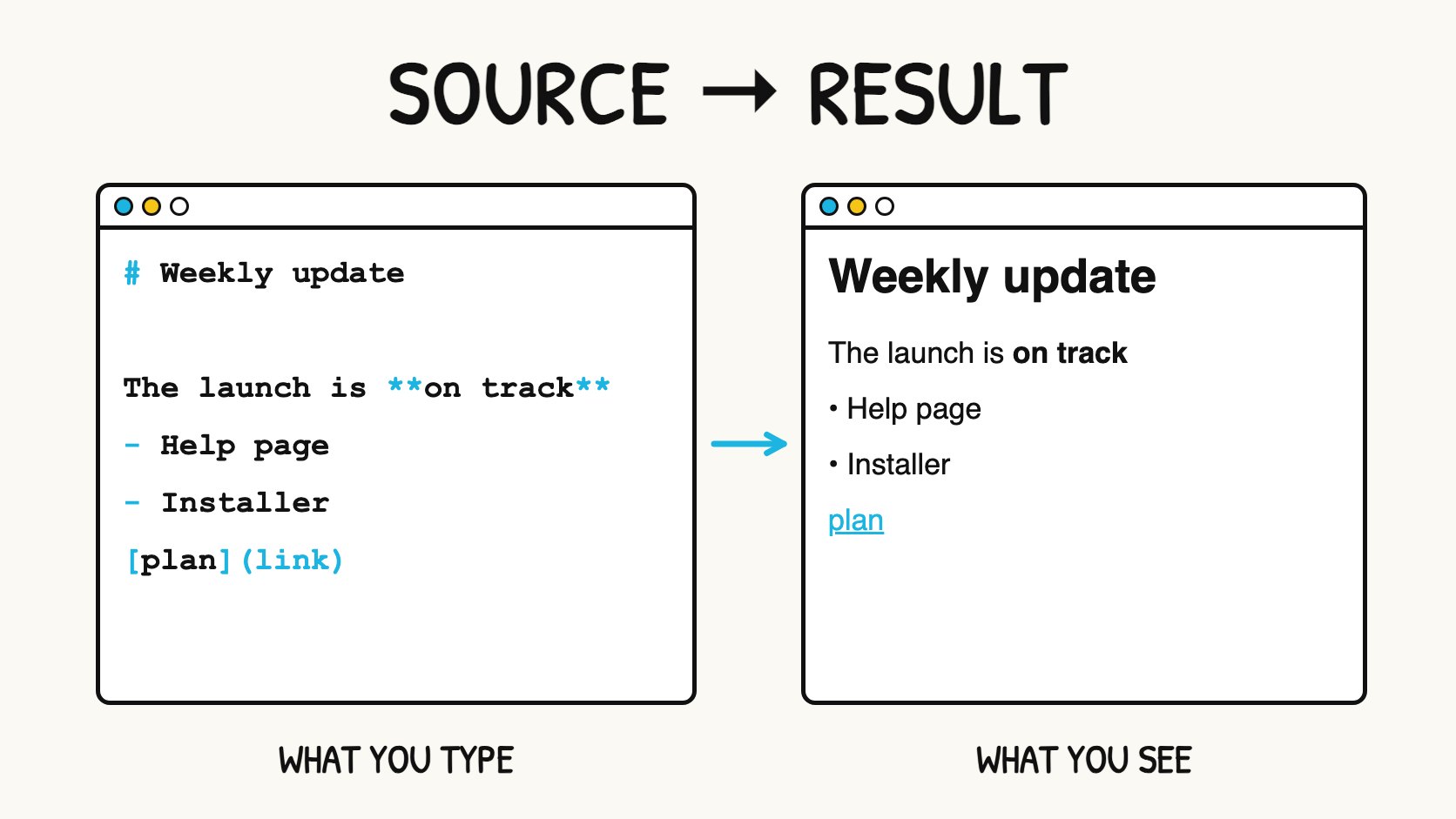
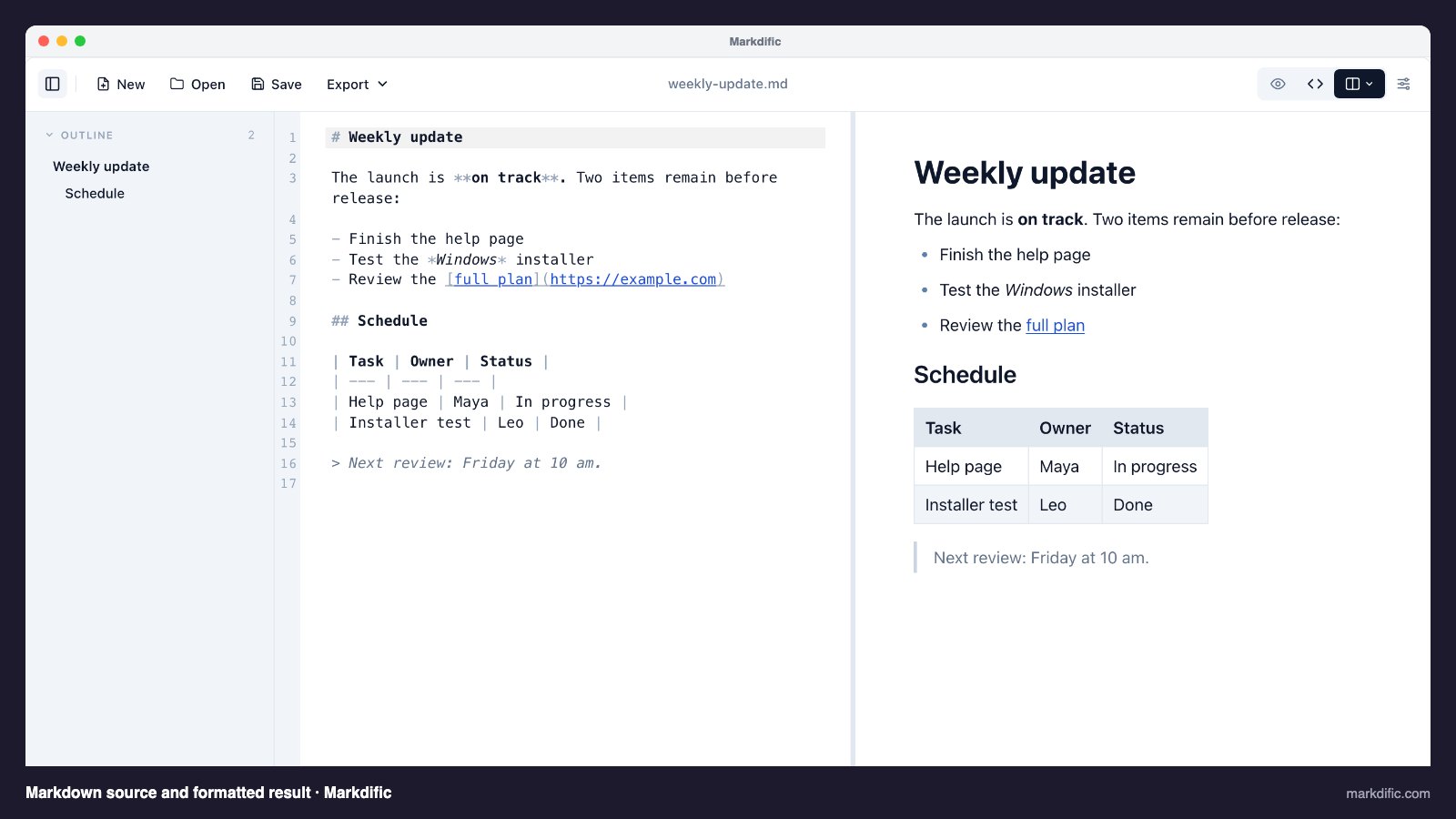
Here is a short piece of Markdown and what an app shows:
Markdown source
# Weekly update

The launch is **on track**. Two items remain:

- Finish the help page
- Test the *Windows* installer

Read the [full plan](https://example.com).
Rendered result
The launch is on track. Two items remain:
- Finish the help page
- Test the Windows installer
Read the full plan.
Each symbol has one job. # starts a heading, ** makes text bold, * makes it italic, - starts a list item and [text](link) creates a link. The source is still easy to read even before it is formatted, which was the original goal of Markdown.
To learn the symbols step by step, follow the Markdown formatting tutorial.
Where Markdown came from
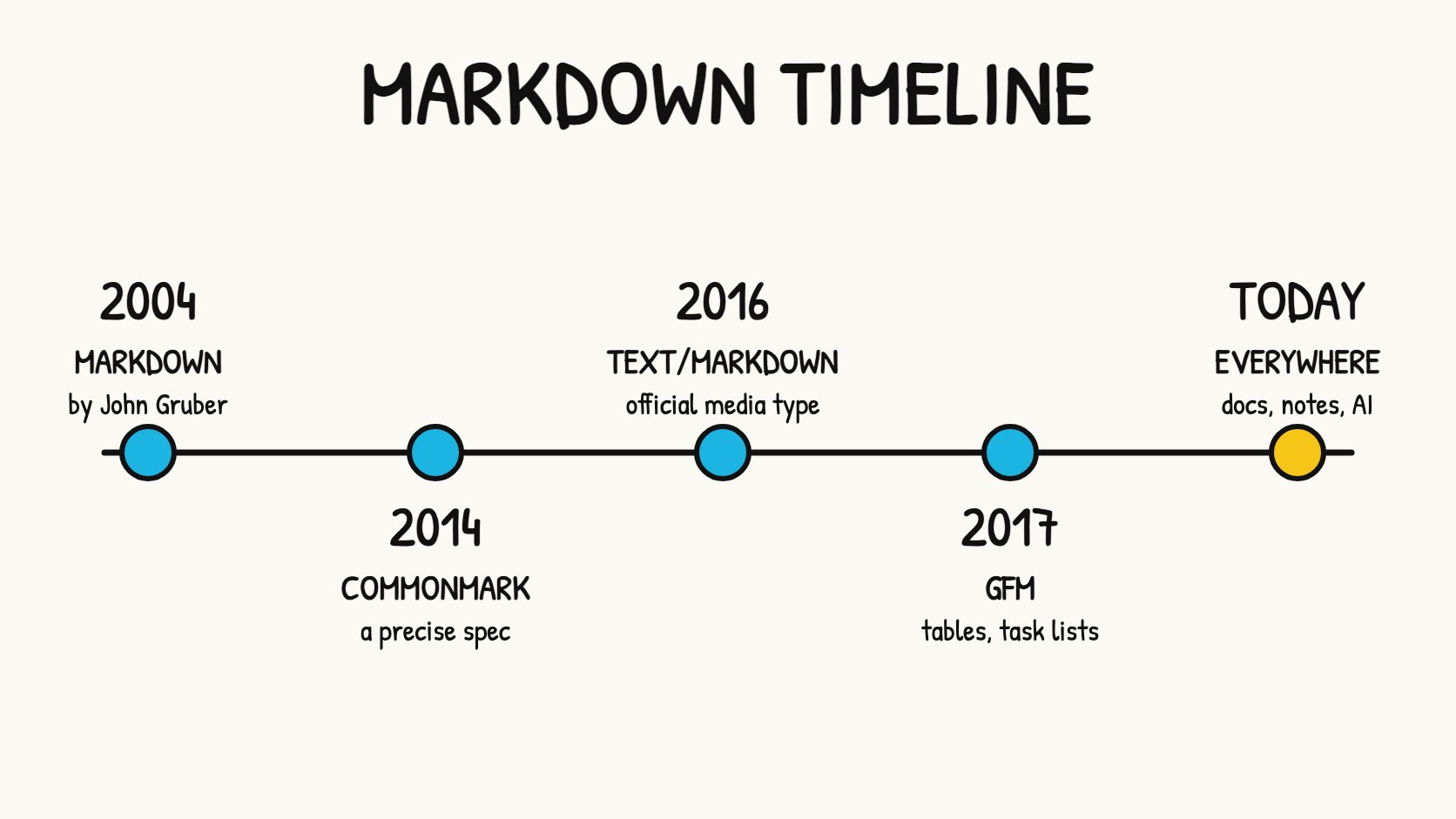
- 2004: John Gruber publishes Markdown, written with help from Aaron Swartz. It was a syntax plus a Perl script that converted text to HTML for web writing.
- 2014: CommonMark starts as a precise specification, because early Markdown left many details open and apps handled them differently.
- 2016: RFC 7763 registers
text/markdownas an official media type. - 2017: GitHub publishes its GitHub Flavored Markdown specification, built on CommonMark, which adds tables, task lists and strikethrough.
- Today: Markdown is used in code hosting, documentation sites, note-taking apps, team chat and AI tools.
Why people use Markdown
It is portable. A Markdown file is plain text. It opens on any computer, in any text editor, years from now, without special software.
It stays readable. Unlike HTML or a Word file's internal code, the source is meant for people. You can read a Markdown file even when nothing formats it.
It is fast to write. Your hands stay on the keyboard. Typing ## for a heading is quicker than finding a style menu.
It works with version control. Because it is text, tools like Git can show exactly which line changed. This is why software teams keep their documentation in Markdown.
It converts easily. The same file can become a web page, a PDF or a Word document. Markdific, for example, exports Markdown to PDF, Word and HTML.
Where Markdown is used
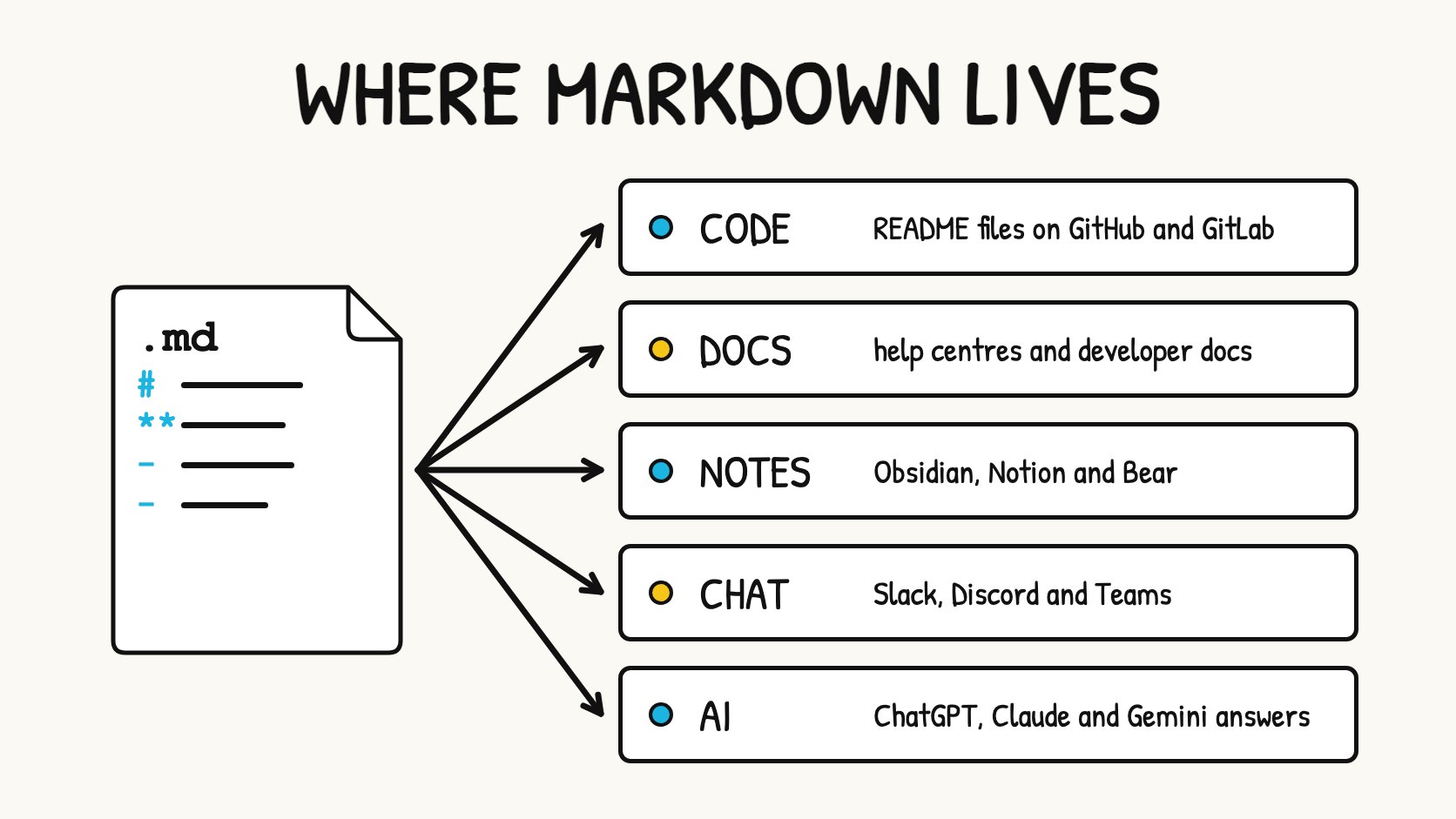
| Where | Examples | What it is used for |
|---|---|---|
| Code hosting | GitHub, GitLab | README files, issues, pull requests |
| Documentation | Docusaurus, MkDocs, Hugo | Help centres and developer docs |
| Notes | Obsidian, Notion, Bear | Personal and team notes |
| Team chat | Slack, Discord, Microsoft Teams | Formatting messages |
| Work tools | Jira, Confluence | Tickets and team pages |
| AI tools | ChatGPT, Claude, Gemini, AI agent files | Answers, prompts and instructions |
Chat apps usually support only part of Markdown, and some use their own variations. The guides linked above explain what each one supports.
Markdown flavors
There is no single version of Markdown. Each variation is called a flavor:
- CommonMark is the precise core standard most modern apps follow.
- GitHub Flavored Markdown (GFM) adds tables, task lists, strikethrough and automatic links. It is the most widely used flavor.
- App-specific flavors, such as Obsidian's wikilinks or Slack's
mrkdwn, add or change features for one product.
If you write standard CommonMark plus the common GFM features, your document will look right in almost every app. The Markdown flavors comparison lists the differences in detail.
Markdown compared with other formats
| Format | How you format | Readable as raw text? | Best for |
|---|---|---|---|
| Markdown | Symbols in plain text | Yes | Notes, docs, READMEs, quick writing |
Plain text (.txt) |
No formatting | Yes | Simple text with no structure |
| HTML | Tags such as <h1> and <strong> |
Hard to read | Web pages with full layout control |
| Word / rich text | Menus and toolbars | No, needs the app | Documents with complex layout and track changes |
Markdown sits between plain text and HTML. It gives you structure without the clutter of tags. For a deeper comparison, see Markdown vs HTML and Markup vs Markdown.
How to start writing Markdown
- Pick an editor. Any text editor works, but an editor with a preview helps you learn. Options include Markdific (Mac, Windows and Linux), VS Code with its built-in preview, Obsidian, or the free online Markdown editor if you do not want to install anything.
- Create a file ending in
.md. For example,notes.md. - Write a heading and a list. Type
# My first note, a blank line, then a few lines starting with-(see lists in Markdown). - Check the preview. Fix anything that does not look right.
- Learn the rest gradually. The formatting tutorial covers the essentials in about 15 minutes, and the Markdown cheat sheet is there when you need to look something up. For single topics, the documentation covers tables, line breaks and horizontal lines.
What Markdown cannot do
Markdown is designed for structure, not design. On its own it cannot:
- set fonts, font sizes or text colour
- underline text (there is no standard underline syntax)
- create complex page layouts such as columns
- merge table cells
Many apps let you add HTML for these cases, but support varies. The text colour and centre alignment pages explain the common workarounds.
Frequently asked questions
What is Markdown in simple terms?
Markdown is a way to format text using ordinary keyboard symbols. You type # for a heading or ** around a word for bold, and a Markdown app shows the formatted result.
Is Markdown a programming language?
No. Markdown is a formatting (markup) language. It describes how text should look, but it has no logic and cannot run anything.
What is Markdown used for?
It is used for README files, software documentation, notes, team chat messages, blog posts and AI chat answers.
Is Markdown hard to learn?
No. Most people learn the main symbols in under 15 minutes. Headings, bold, italic, lists and links cover most everyday writing.
What is the difference between Markdown and a .md file?
Markdown is the language. A .md file is a text file written in that language. See What is a .md file? for the file format.
Why does ChatGPT use Markdown?
Markdown gives AI answers clear structure, such as headings, lists, tables and code blocks, while staying plain text. Chat apps display it formatted, and you can copy it into any Markdown editor.
Do I need special software to use Markdown?
No. Any text editor can create and edit Markdown. A Markdown editor or viewer is only needed if you want to see the formatted result.
Sources
- Daring Fireball: Markdown
- CommonMark specification
- GitHub Flavored Markdown specification
- RFC 7763: The text/markdown media type
To read and edit Markdown files like these as formatted documents, open them in Markdific, a Markdown viewer and editor for Mac, Windows and Linux.
Related pages
- Markdown formatting tutorial
- What is a .md file?
- Markdown cheat sheet
- Markdown documentation
- Markdown flavors compared