
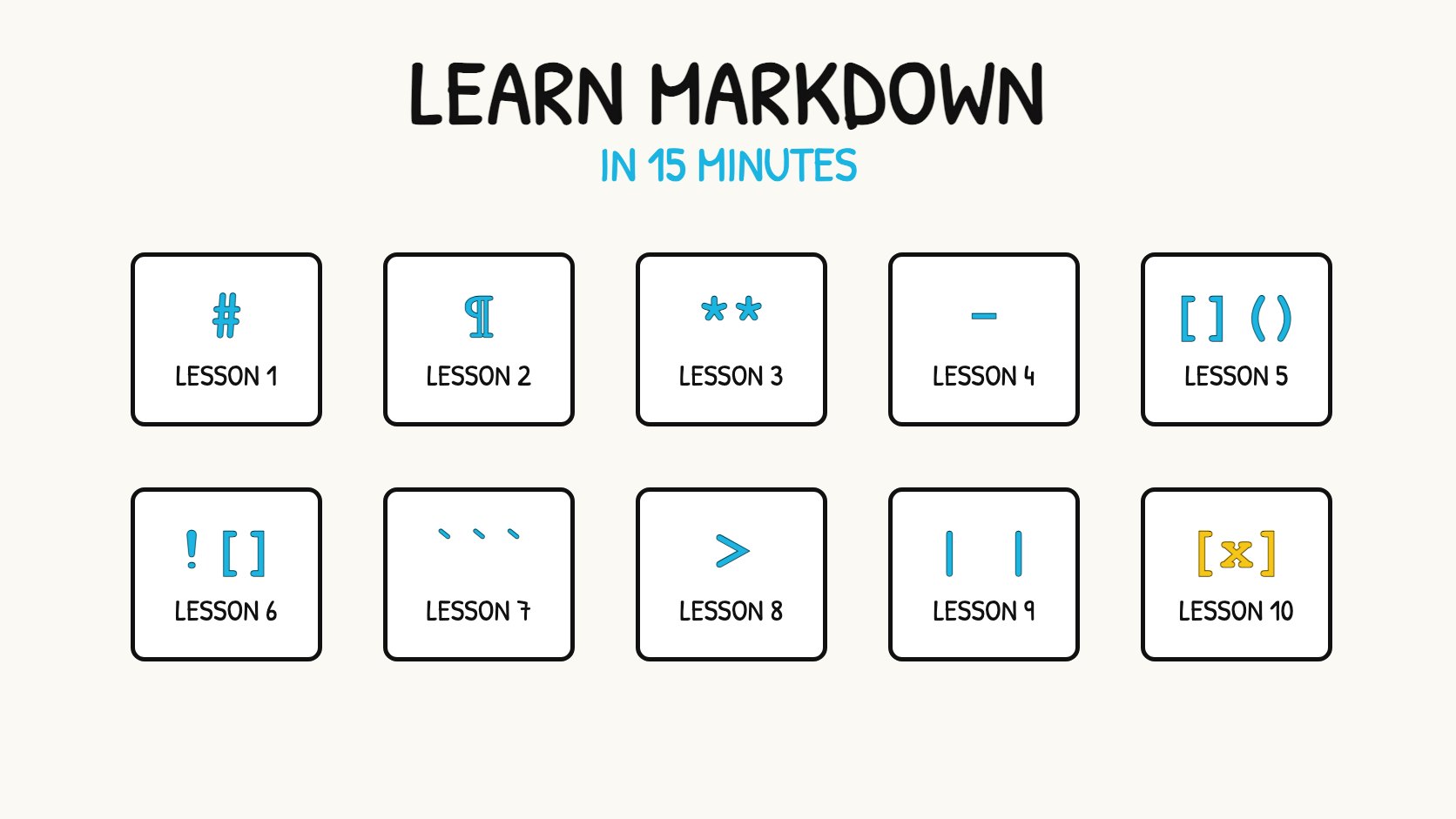
Short answer: To format text in Markdown, type symbols around your words. Use # for headings, **bold** and *italic* for emphasis, - for lists, [text](link) for links and three backticks for code. Open a Markdown editor with a preview, such as Markdific, VS Code or the online Markdown editor, and practise as you read.
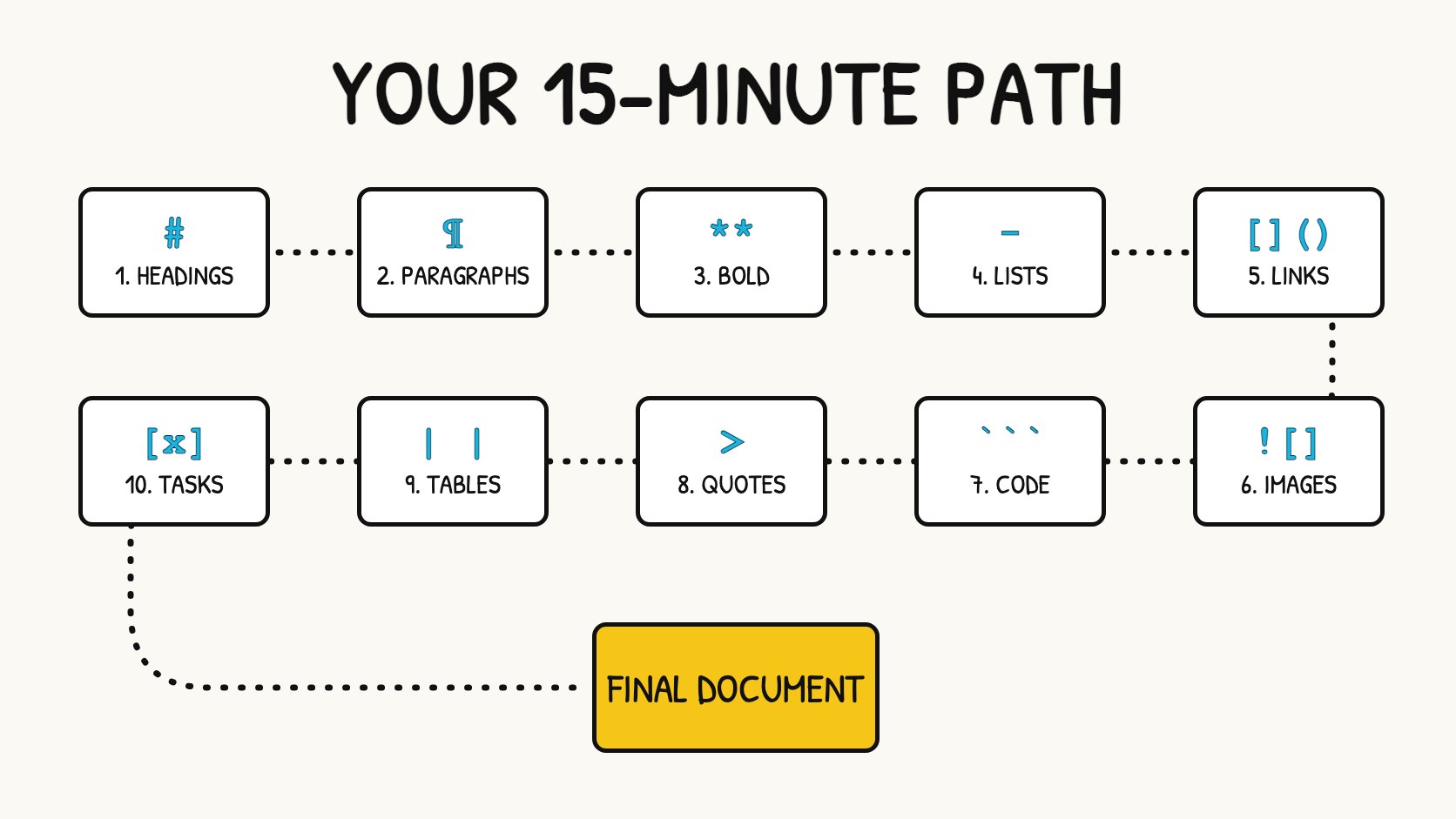
The 10 lessons at a glance
| Lesson | You learn | Type this | Time |
|---|---|---|---|
| 1 | Headings | # Title |
1 min |
| 2 | Paragraphs and line breaks | a blank line | 1 min |
| 3 | Bold and italic | **bold**, *italic* |
1 min |
| 4 | Lists | - item, 1. item |
2 min |
| 5 | Links | [text](https://...) |
1 min |
| 6 | Images |  |
1 min |
| 7 | Code | `code` and ``` |
2 min |
| 8 | Quotes | > quote |
1 min |
| 9 | Tables | | a | b | |
2 min |
| 10 | Task lists | - [ ] task |
1 min |
Key facts
- You need only a text editor. A preview makes learning faster because you see each change immediately.
- Markdown symbols work in GitHub, Obsidian, Notion, VS Code, Slack and most AI chat tools, with small differences between apps.
- Lessons 1 to 8 are core Markdown and work almost everywhere. Lessons 9 and 10 (tables and task lists) are extensions that most modern apps support.
- New to Markdown itself? Read What is Markdown? first.
Before you start
- Open an editor with a preview. The quickest option is the online Markdown editor, which runs in your browser with nothing to install. To keep your files, use a desktop app such as Markdific for Mac, Windows and Linux.
- Create a new document, or save a file as
practice.md. - Keep the preview visible. Type each example, then complete the exercise.
Lesson 1: Headings
Start a line with # and a space. More # symbols make smaller headings, from # (largest) to ###### (smallest).
Markdown source
# Trip plan
## Day one
### Morning
Rendered result
Use one # heading for the title, then ## for sections. Do not skip levels for visual effect.
Exercise: Write a title and two section headings for a document about your week.
More detail: Markdown headings.
Lesson 2: Paragraphs and line breaks
Separate paragraphs with a blank line. Pressing Enter once usually does not start a new line in the result, which surprises many beginners.
Markdown source
This is the first paragraph.

This is the second paragraph.
Rendered result
This is the first paragraph.
This is the second paragraph.
To force a line break inside a paragraph, end the line with a backslash \ or two spaces.
Exercise: Write two short paragraphs under your first section heading.
More detail: paragraphs and line breaks.
Lesson 3: Bold and italic
Wrap words in two asterisks for bold and one asterisk for italic. Three asterisks give you both.
Markdown source
This is **important** and this is *a note*.
This is ***both***.
Rendered result
This is important and this is a note.\ This is both.
Underscores (__bold__, _italic_) also work, but asterisks are the most widely supported, especially inside words.
Exercise: Make one word bold and one phrase italic in your paragraphs.
More detail: bold and italic.
Lesson 4: Lists
Start lines with - for a bulleted list, or with 1. for a numbered list. To nest a list, indent the inner items so they line up with the text of the item above: two spaces under -, three under 1..
Markdown source
- Passport
- Chargers
  - Phone
  - Laptop

1. Book the hotel
2. Pack
3. Leave at 8 am
Rendered result
- Passport
- Chargers
- Phone
-
Laptop
-
Book the hotel
- Pack
- Leave at 8 am
Leave a blank line before a list if it follows a paragraph. Without it, some apps join the list to the paragraph.
Exercise: Add a packing list with one nested item, then a numbered list of three steps.
More detail: Markdown lists.
Lesson 5: Links
Put the link text in square brackets and the address in round brackets, with no space between them.
Markdown source
Read the [project page](https://example.com).
Rendered result
Read the project page.
You can also wrap a bare address in angle brackets, <https://example.com>, to make it clickable.
Exercise: Add a link to a website you use every day.
More detail: Markdown links.
Lesson 6: Images
An image looks like a link with ! in front. The text in square brackets is the alternative text, which describes the image for screen readers and is shown if it cannot load.
Markdown source

The path can be a web address or a file next to your document. If an image does not appear, check the path first: it is relative to the Markdown file.
Exercise: Add an image from a web address, with a short description.
More detail: Markdown images.
Lesson 7: Code
Wrap short code in single backticks. For several lines, put three backticks on the lines before and after the code, and add the language name for colour highlighting.
Markdown source
Run `npm install` first.

```js
console.log("Hello");
```
Rendered result
Run npm install first.
console.log("Hello");
Markdown inside a code block is shown as written, not formatted. This makes code blocks useful for showing Markdown examples, as this tutorial does.
Exercise: Add one inline command and one code block.
More detail: inline code and code blocks.
Lesson 8: Quotes
Start a line with > to create a quote. Many apps also use quotes for notes and callouts.
Markdown source
> The best way to learn is to write.
Rendered result
The best way to learn is to write.
Exercise: Add a quote under one of your sections.
More detail: blockquotes and alerts and callouts.
Lesson 9: Tables
Separate columns with |. The second line, made of dashes, divides the header from the rows. Colons in that line set alignment.
Markdown source
| Day | City | Hotel |
| --- | --- | :---: |
| 1 | Lisbon | Booked |
| 2 | Porto | Pending |
Rendered result
| Day | City | Hotel |
|---|---|---|
| 1 | Lisbon | Booked |
| 2 | Porto | Pending |
The columns do not need to line up in the source. To build larger tables without typing pipes, use the Markdown table generator.
Exercise: Add a three-column table with two rows.
More detail: Markdown tables.
Lesson 10: Task lists
Add [ ] after a list dash for an open task, or [x] for a finished one. Many apps show these as checkboxes.
Markdown source
- [x] Book flights
- [ ] Renew passport
Rendered result
- [x] Book flights
- [ ] Renew passport
Exercise: Turn your packing list into a task list and tick one item.
More detail: task lists.
Final exercise: write a complete document
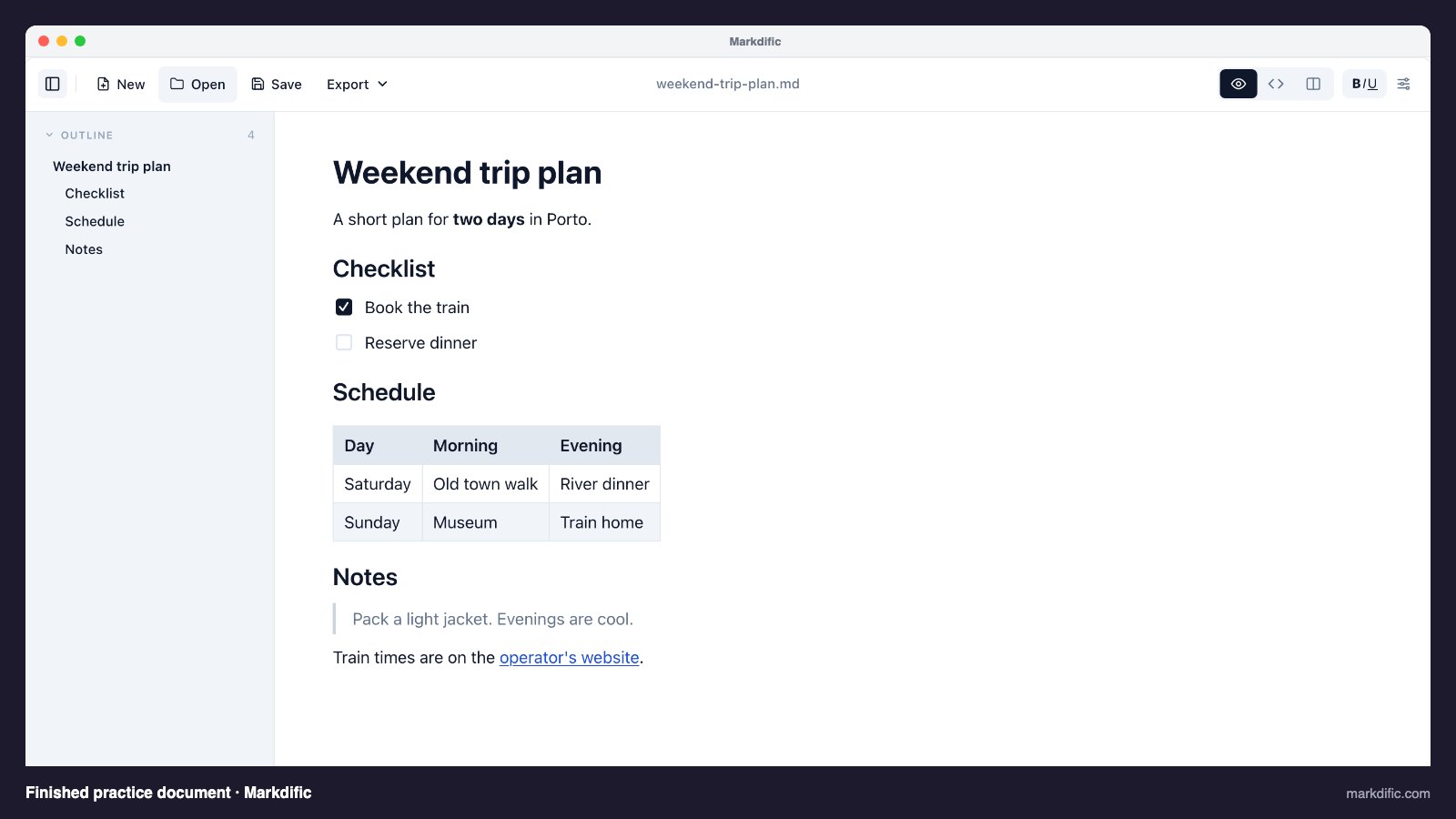
Put everything together. Type this document into your editor, then change it to describe a real plan of your own.
# Weekend trip plan

A short plan for **two days** in Porto.

## Checklist

- [x] Book the train
- [ ] Reserve dinner

## Schedule

| Day | Morning | Evening |
| --- | --- | --- |
| Saturday | Old town walk | River dinner |
| Sunday | Museum | Train home |

## Notes

> Pack a light jacket. Evenings are cool.

Train times are on the [operator's website](https://example.com).
Common beginner mistakes
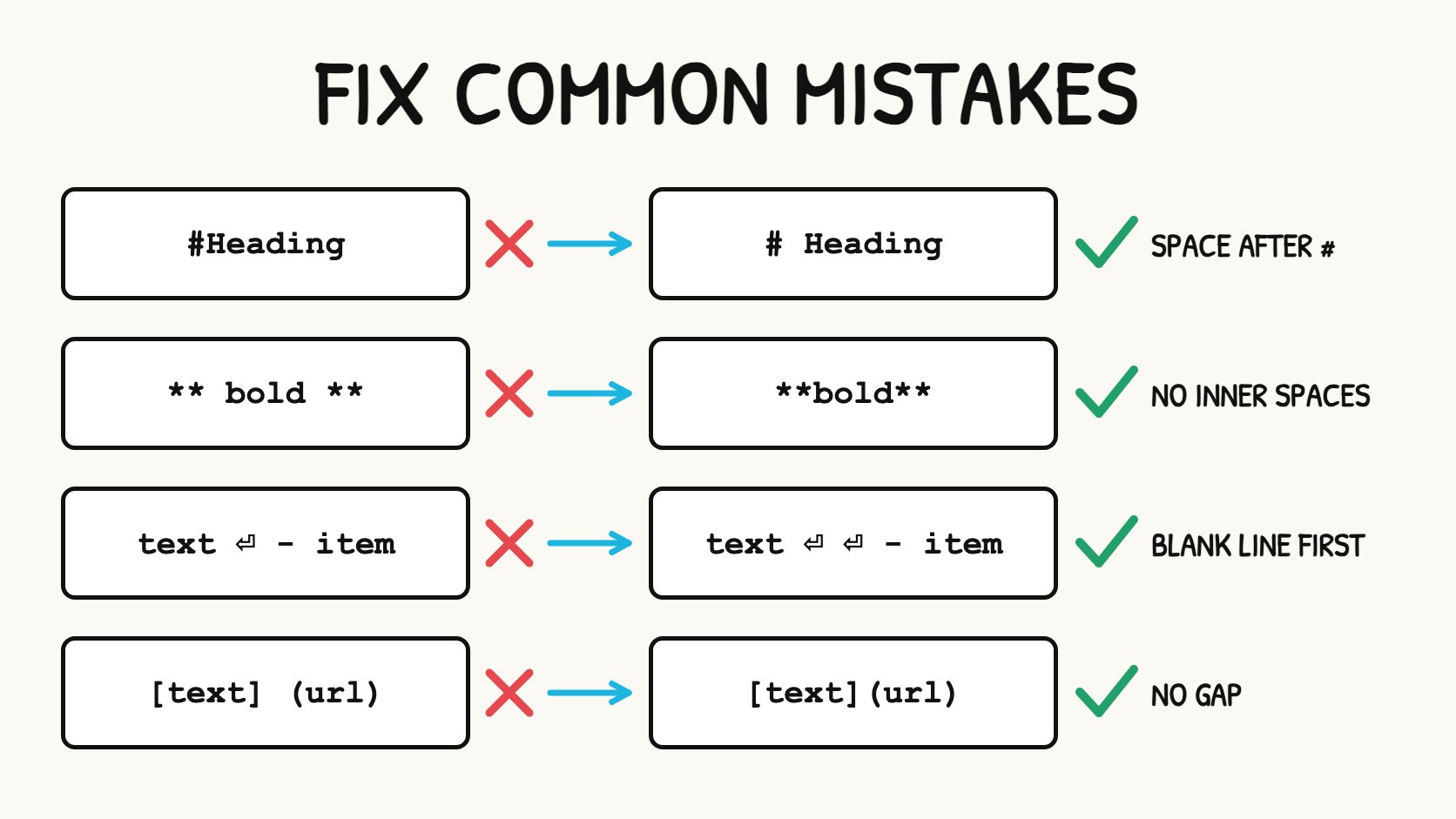
| Mistake | What happens | Fix |
|---|---|---|
#Heading without a space |
Shown as plain text in many apps | Type # Heading |
| No blank line before a list | The list joins the paragraph | Add an empty line above it |
| One Enter between lines | Lines merge into one paragraph | Use a blank line, or \ for a break |
** bold ** with inner spaces |
Asterisks show instead of bold | Write **bold** |
Space between ] and ( |
The link does not work | Write [text](link) |
| Wrong image path | The image does not load | Check the path is relative to the file |
What to learn next
- Keep the Markdown cheat sheet open when you need to look something up.
- Read the Markdown documentation for footnotes, math, diagrams and other extended features.
- Add the small extras: horizontal lines, strikethrough, highlighted text and subscript and superscript.
- Learn how your tools handle Markdown: GitHub, Obsidian, Slack and more guides.
- Start real documents from the Markdown templates.
Frequently asked questions
How long does it take to learn Markdown?
Most people learn the basics in about 15 minutes. Headings, bold, italic, lists and links cover most everyday writing. Tables and code blocks take a little longer.
Do I need special software to practise Markdown?
No. Any text editor works. An editor with a preview, such as the online Markdown editor, helps because you see the result as you type.
Why is my Markdown not formatting?
Check for a missing space after # or -, a missing blank line before a list or heading, and spaces inside ** or *. Also confirm you are looking at the preview, not the source.
Does the same Markdown work in every app?
Lessons 1 to 8 work almost everywhere. Tables and task lists work in most modern apps. Chat apps such as Slack and Discord support only part of Markdown.
What is the fastest way to remember the symbols?
Write a real document, such as notes or a to-do list, and use the cheat sheet when you forget something. After a few documents the common symbols become automatic.
To read and edit Markdown files like these as formatted documents, open them in Markdific, a Markdown viewer and editor for Mac, Windows and Linux.
Related pages
- What is Markdown?
- Markdown cheat sheet
- Markdown documentation
- Online Markdown editor
- Markdown templates